Try reloading the player or open this episode directly on YouTube.
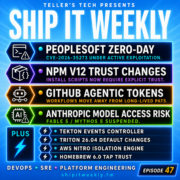
This episode of Ship It Weekly discusses the risks of default trust in software systems. Brian covers Oracle's PeopleSoft zero-day, npm v12's install-script changes, GitHub's shift away from personal access tokens, and Anthropic's AI model removals.
Now Playing
PeopleSoft Zero-Day Exploited, npm v12 Install Script Changes, GitHub Agentic Tokens, Anthropic Model Risk, and Default Trust Breaking
Ship It Weekly
0:0022:27
Chapters
Jump to a section in this episode.
Speed & share
Transcript
PeopleSoft gets hit by a zero-day. npm changes
what code is allowed to run during install. GitHub
removes long-lived personal access tokens from
agentic workflows. And Anthropic reminds everyone
that your AI dependency can disappear for reasons
that have nothing to do with uptime. The theme
this week is simple. Default trust is getting
punished. Old enterprise systems were trusted.
because they were internal. Package installs
were trusted because that is just how the ecosystem
worked. CI/CD tokens were trusted because they
were convenient. AI models were trusted because
the API worked yesterday. But production does
not care why you trusted something. It only cares
what that trust was allowed to do. I'm Brian
Teller from Teller's Tech, and this is Ship It
Weekly. Welcome back to Ship It Weekly, the show
where we look at the DevOps, SRE, cloud, platform,
and security stories that actually matter when
you are the person who eventually has to keep
the thing running. This week is about default
trust. We're starting with Oracle PeopleSoft
and a zero-day that was reportedly exploited
before Oracle released an emergency patch. Then
we'll talk npm v12. changing install-script
defaults which is great for supply-chain security
and maybe a little annoying for some CI pipelines
after that we'll get into github agentic workflows
no longer needing personal access tokens which
is the kind of boring credential change that
actually matters then we'll talk about Anthropic
disabling fable 5 and mythos 5 after a us export
control directive because AI model availability
is now also a policy-risk dependency. In the
lightning round, we'll hit Tekton CloudEvents
moving to a dedicated events controller, NVIDIA
Triton 26.04 changing inference server defaults,
AWS Nitro Isolation Engine using formal verification,
and Homebrew 6.0 requiring explicit trust for
third-party taps. The human closer this week
is about trust defaults, because a lot of incidents
start with one quiet assumption. The system is
internal. The package is fine. This token is
safe. This model will be there tomorrow. And
sometimes that assumption is the real production
dependency. So let's get into it. Oracle issued
an emergency advisory for CVE-2026-35273 in
PeopleSoft PeopleTools. And yes, I know, PeopleSoft
does not sound like the kind of shiny cloud-native
story that makes people sprint to the podcast
app. But that is exactly why it matters. A lot
of modern companies still depend on older enterprise
systems for HR, finance, payroll, student records,
supply-chain. and all the boring data that becomes
extremely exciting when attackers get it. Oracle
says that the vulnerability is remotely exploitable
without authentication and can result in remote
code execution. Public reporting says exploitation
was observed before Oracle's emergency advisory,
with ShinyHunters linked activity targeting
mostly U.S. organizations, especially higher
education. So the shape of the story is pretty
clear. Old enterprise application, sensitive
data, remote unauthenticated exploit, active
exploitation, emergency patch. That is a bad
combination. And the lesson for DevOps, SRE,
platform, and cloud teams is not just patch PeopleSoft.
Although, yes, obviously, patch PeopleSoft. The
bigger lesson... is that the enterprise app tier
is still part of your perimeter, even if everyone
emotionally moved on to Kubernetes. A lot of
teams have a weird relationship with older enterprise
platforms. They are important enough that nobody
can turn them off, but old enough that nobody
really wants to own them. They live in a special
network zone. They have a special upgrade window.
They have special vendor requirements. They have
special firewall rules. from 2017 that everyone
is afraid to touch. And somehow, because they
are enterprise apps, people stop thinking of
them like internet-exposed production systems.
Attackers do not care what generation of architecture
the system belongs to. They care whether it has
data, access, and a path in. PeopleSoft may not
be the cool part of your stack, but if it holds
HR data, finance data, student data, employee
data, or business workflow data, it is very much
part of your attack surface. This is also a good
reminder that legacy does not mean low-priority.
Sometimes legacy means high-value, hard-to-patch,
badly isolated, and full of data. That is not
low-priority. That is where an attacker brings
a shovel. The practical takeaway is simple. Know
where these systems are. Know whether they are
internet exposed. Know who owns patching. Know
who owns logs. Know what normal access looks
like. Know whether unusual agents, web shells,
or scheduled tasks would actually be noticed.
And if you are a platform or cloud team that
thinks this is someone else's problem, be careful.
Because during the incident call, someone else's
problem has a funny way of becoming why did nobody
know this existed. Your ERP systems, HR systems,
finance systems, and admin portals are production
systems. Treat them that way. Second story. npm
v12 is changing some defaults around install
scripts. And this one matters to developers,
platform teams, CI maintainers, security teams,
and anyone who has ever watched an npm install
do 12 things they did not explicitly ask it to
do. GitHub says npm v12 is expected in
July 2026. And one of the big breaking changes
is that allowScripts will default to off. That
means npm install will no longer execute pre
-install, install, or postinstall-scripts from
dependencies unless they are explicitly allowed.
Prepare scripts from git, file, and link dependencies
are blocked the same way. These settings are
already available in npm 11.16.0 for migration
testing. This is a big ecosystem shift. For years,
npm install has been more powerful than people
like to admit. You run the package install. The
package runs code. That code might build native
bindings, download binaries, generate files.
patch something, bootstrap something, do the
magic that makes everything work. But that same
install-time execution path is also a supply
chain attack surface. A malicious package does
not need your app to import it at runtime if
it can run code during install. It only needs
to land in the dependency tree. Then the CI runner,
developer laptop, or build machine does the rest.
This is why this change matters. It moves the
ecosystem from implicit trust towards explicit
trust. And yes, that is good. But some builds
are going to break. Because a lot of pipelines
have been relying on install-time magic without
documenting it. Native modules. Post install
downloads. Git dependencies. File dependencies.
Link dependencies. Internal packages. Packages
that compile. Packages that generate code. Packages
that do one tiny little install step that nobody
has looked at since the person who wrote it left
the company. Those assumptions are about to become
visible. And visibility is great. Right after
it ruins your Tuesday. The practical takeaway
is not panic about npm v12. The takeaway
is to test early. Run builds with the new behavior
before it becomes the default. Find which dependencies
need scripts. Decide which scripts you actually
trust. Document why. And do not just flip everything
back on because one pipeline failed. That defeats
the point. This is a chance to clean up dependency
trust, especially in CI. Ask what install-scripts
run today. Ask whether CI runners have secrets
available during install. Ask whether build steps
can reach internal services. Ask whether developers
are running installs on machines with cloud credentials,
SSH keys, or package publishing rights. Because
the blast radius of an install-script is not
just the package. It is whatever the install
environment can access. I like this change. It
is going to annoy people, but sometimes the annoying
default is the correct default. npm install is
finally getting less magical. And that means
that some teams are about to discover how much
magic they were depending on. Third story. GitHub
says agentic workflows no longer need a personal
access token. And yes, that sounds boring. But
boring credential changes are often the ones
that save you later. Previously, agentic workflows
needed personal access tokens in certain setups.
Now GitHub says, These workflows can use the
built-in GITHUB_TOKEN and the copilot
request write permission instead. The point is
to avoid creating and storing long-lived personal
access tokens for agentic workflows. This matters
because agentic CI/CD is already risky enough.
These workflows can read context, generate changes,
open pull requests, review code, call tools,
interact with repo state, and eventually, in
some environments, they may become part of release,
remediation, triage, or automation paths. So
the credentials they use matter a lot. A personal
access token is often tied to a person. It may
be long-lived. It may have broad permissions.
It may sit in secrets. It may get copied between
repos. It may survive longer than anyone intended.
It may still exist after the workflow changed,
the person changed teams, or everyone forgot.
why the token was created. That is not a great
pattern for agentic automation. A scoped workflow
token is not magic. You still have to configure
it correctly. You still have to review permissions.
You still have to think about which events can
trigger the workflow. You still have to worry
about untrusted input. But it is a better default
than handing an agent a long-lived personal
credential and hoping everyone remembers where
it lives. The platform takeaway is simple. If
you are experimenting with agentic workflows
in GitHub, review the whole trust model. What
repos can run it? What events can trigger them?
What permissions do they get? Can pull request
content influence the agent? Can issue comments
influence the agent? Can the agent write code?
Can it approve changes? Can it call external
tools? Can it see secrets? Can it publish artifacts?
Can it affect production? And are you still using
personal access tokens where you do not need
them? Because agents are not just assistants
once they enter CI/CD. They become automation
services. And automation surfaces need boring,
strict, reviewable credentials. So yes, use the
better GitHub auth model. But do not stop there.
If it can change code, trigger work, or spend
money, it belongs in your production automation
threat model. Fourth story. Anthropic published
a statement saying that the U.S. government
issued an export-control directive requiring
Anthropic to suspend access to Fable 5 and Mythos
5 by any foreign national, whether inside or
outside the United States, including foreign
national Anthropic employees. Anthropic said
that the net effect was that it had to abruptly
disable Fable 5 and Mythos 5 for all customers.
to ensure compliance. Access to other Anthropic
models was not affected. Now, this is not a normal
SRE outage. There was not a regional failure.
There was not a bad deploy. There was not a database
incident. There was not a capacity problem. But
for customers who depend on those models, the
effect is still operational. The dependency disappeared.
and it disappeared for policy reasons. That is
the lesson. If AI APIs are part of your production
path, dependency risk is no longer just uptime,
latency, quota, and cost. It is also model availability,
geography, export-controls, regulatory shifts,
vendor policy, safety policy, commercial access,
model deprecation, compliance interpretation,
and whatever new category we invent next quarter.
This is uncomfortable because AI dependencies
can be harder to substitute than people pretend.
You can usually swap one HTTP endpoint for another
at a code level. But can you swap the behavior,
the context window, the latency, the tool calling
behavior, the moderation behavior, the cost profile,
the prompt format, the eval results, the customer
experience, the internal workflow? The fallback
may not be use a different model. The fallback
may be a degraded mode, a smaller model, a cached
response, a human review queue, a simpler workflow,
a feature flag, a regional restriction, or a
message that says this capability is temporarily
unavailable. Boring fallback behavior is better
than waking up to discover your product path
depends on a model that is no longer available
to you. The practical takeaway is to add AI models
to your dependency register like any other production
dependency. Track which features use which model.
Track whether the model is in a critical path.
Track where your users are. Track fallback options.
Track whether you can degrade gracefully. Track
whether a vendor-side access change would be
an incident. And test the fallback. Do not just
write... Fall back to another model in a doc
and call it done. Actually try it. Because the
weird thing about AI infrastructure is that even
when the API shape looks portable, the behavior
is not. Your AI dependency can disappear for
reasons that have nothing to do with uptime.
That means your reliability plan needs to cover
more than outages. Now let's do a quick lightning
round. First, Tekton pipelines changed how cloud
events are sent. Cloud events for PipelineRuns
and TaskRuns now move through a dedicated Tekton
events controller instead of the core pipeline
run and task run controllers. That means operators
need to make sure the tekton-events-controller
deployment is actually running. Small looking
platform changes like this can have real operational
impact. If CI/CD observability, event routing,
notifications, or automation depends on Tekton
events, make sure the new controller is deployed,
monitored, and part of the upgrade checklist.
Because the pipeline ran, but the event never
showed up, is exactly the kind of thing that
sends teams into Slack archaeology. Second, NVIDIA
Triton Inference Server 26.04 has changes operators
should read before upgrading. Client shared memory
is now disabled by default and must be enabled
explicitly if you rely on the old behavior. Triton
also enforces max inflight requests as a shared
limit across ensemble requests, which is meant
to prevent unbounded queue growth in ensemble
pipelines. The short version is this. AI inference
servers are now normal platform infrastructure.
Defaults change. queue behavior changes, memory
behavior changes, model control changes. So upgrade
them like production systems, not sidecar experiments.
Third, AWS published a deep dive on the Nitro
Isolation Engine. AWS says the Nitro Isolation
Engine is generally available on Graviton5-based
instances and uses formal verification to demonstrate
isolation properties. That is interesting because
cloud isolation is usually something customers
trust, but cannot directly inspect. Formal verification
does not mean bugs are impossible, but it does
show where cloud providers are heading. Smaller
trusted components, tighter isolation boundaries,
and mathematically checked properties for the
parts that protect customer workloads. Fourth,
Homebrew 6.0 introduced tap trust. Homebrew
now requires explicit trust. for third-party
taps before evaluating or running their Ruby
code, while official taps remain trusted by default.
This is another supply-chain default, changing
from sure, run it, to are you sure you trust
this? And that is good. A third-party tap can
contain arbitrary Ruby. If your developer laptops,
CI runners, or bootstrap scripts use Homebrew,
This change is worth knowing about. Some installs
may prompt or fail until trust is explicit. That
might annoy people. But again, that is the point.
Developer tooling is part of the supply-chain.
And fewer things should get to run code just
because they were convenient. The human closer
this week is about default trust. PeopleSoft
was trusted because it was an enterprise system
that had been around forever. npm install was
trusted because package managers have always
done some magic. agentic workflows were trusted
with personal tokens because that was the easy
path. AI models were trusted because the API
was available yesterday. Tekton events were trusted
to keep flowing. Triton defaults were trusted
until they changed. Cloud isolation was trusted
because that is the cloud model. Homebrew taps
were trusted because developer tooling has historically
been pretty casual about running code. Different
stories, same pattern. Production risk often
hides inside the trust defaults nobody has revisited.
The system is internal. The install-script is
normal. The token is convenient. The model will
be available. the event will fire the tap is
probably fine those assumptions may be true until
they are not so the practical question this week
is simple what are you trusting by default which
enterprise apps are still exposed which package
installs run code in ci which agents still use
long-lived tokens which ai models sit in production
paths which developer tools can execute code
before anyone reviews it that is platform work
now not just building the shiny new thing but
revisiting the old trust assumptions before attackers
vendors regulators or outages revisit them for
you find the defaults then decide whether they
still deserve your trust That's it for this week
of Ship It Weekly. We covered the Oracle PeopleSoft
zero-day, npm v12 install-script changes,
GitHub agentic workflows moving away from personal
access tokens, Anthropic's Fable and Mythos model
suspension, and a lightning round on Tekton,
NVIDIA Triton, AWS Nitro Isolation Engine, and
Homebrew 6.0 tap trust. If this episode was
useful, follow or subscribe wherever you are
watching or listening. If you are on YouTube,
hit subscribe. If you're in a podcast app, follow
the show there. And if you know someone dealing
with enterprise app security, CI/CD supply-chain
risk, agentic workflows, AI dependency planning,
or developer tool trust, send this one to them.
It helps the show grow, and it helps me keep
making this kind of content for people who actually
This episode is about default trust getting punished.
That sounds a little dramatic, but it is the thread that connects all of these stories.
PeopleSoft was trusted because it was an enterprise system that had been around forever.
npm install scripts were trusted because that is just how the ecosystem worked.
GitHub agentic workflows were trusted with personal access tokens because that was the easy path.
AI models were trusted because the API worked yesterday.
Tekton events were trusted to keep flowing.
Triton defaults were trusted until they changed.
Homebrew taps were trusted because developer tooling has historically been pretty casual about running code.
Different stories, same pattern.
Production risk often hides inside the defaults nobody has revisited.
The PeopleSoft story is the loudest example. Oracle issued an emergency advisory for CVE-2026-35273 in PeopleSoft PeopleTools, a remotely exploitable unauthenticated vulnerability that Oracle says can lead to remote code execution.
And yes, PeopleSoft is not exactly the trendiest infrastructure topic in the world.
But that is kind of the point.
A lot of the systems that hold the most sensitive business data are not the shiny new systems. They are the old enterprise platforms that sit somewhere in the corner of the architecture diagram with an owner nobody wants to bother too much.
HR systems.
Finance systems.
Payroll systems.
Student record systems.
ERP platforms.
Admin portals.
The stuff that feels boring until someone steals data from it.
The mistake teams make is treating “legacy” as if it means “less important.” Sometimes legacy means high-value, hard-to-patch, full of data, and surrounded by years of network exceptions nobody wants to touch.
That is not low priority. That is a great place for attackers to dig.
The takeaway is not just “patch PeopleSoft,” although obviously, yes, patch PeopleSoft. The larger takeaway is that enterprise app tiers are still production systems. They still need ownership, logging, patching, access review, exposure review, and incident response coverage.
Even if everyone emotionally moved on to Kubernetes.
The npm v12 change is the same idea in a different place.
For years, npm install has been more powerful than people like to admit. You install a package, and that package can run code during install. Sometimes that code builds native bindings. Sometimes it downloads binaries. Sometimes it generates files. Sometimes it does the little bit of magic that makes a build work.
But that same magic is also a supply-chain attack surface.
A malicious package does not need your application to import it at runtime if it can execute during install. It only needs to land in the dependency tree. Then the developer laptop, CI runner, or build machine does the rest.
That is why npm v12 changing install-script defaults matters. Moving from implicit trust toward explicit trust is a good security direction. But it is also going to reveal how many pipelines quietly depended on install-time behavior that nobody documented.
That is the uncomfortable but useful part.
Some builds are probably going to break. Some packages will need explicit trust. Some internal assumptions will become visible. And while that is annoying, it is also an opportunity to ask better questions.
Which install scripts run today?
Which ones actually need to run?
Which ones do we trust?
Do our CI runners have secrets available during install?
Can install-time code reach internal systems?
Are developers running installs on machines with cloud credentials, SSH keys, or publishing rights?
The blast radius of an install script is not just the package. It is whatever the install environment can access.
GitHub’s agentic workflow change is another trust default shifting in the right direction.
Agentic workflows no longer needing long-lived personal access tokens sounds boring, but boring credential changes are often the ones that save you later.
Long-lived PATs are convenient, but they are also messy. They are tied to people. They get copied. They sit in secrets. They outlive their original purpose. They survive team changes, repo changes, workflow changes, and organizational memory.
That is already not ideal for normal automation.
It is worse for agentic workflows.
Once agents enter CI/CD, they are not just assistants. They are automation surfaces. They can read repo context, react to issues or pull requests, generate changes, open PRs, call tools, and potentially become part of release, remediation, or triage paths.
So the identity they run under matters a lot.
Moving toward scoped workflow permissions and GitHub Actions tokens is a better default than handing agents long-lived personal credentials. But it does not remove the need for a threat model.
You still need to ask what repos can run these workflows, what events trigger them, what permissions they get, whether issue or pull request content can influence them, and whether they can see secrets, publish artifacts, or affect production.
The update is good.
The bigger lesson is that agentic CI/CD belongs in the same production automation review process as anything else that can change code, trigger work, or spend money.
The Anthropic story is the weirdest one because it is not a traditional outage.
There was no bad deploy.
No regional failure.
No database incident.
No capacity problem.
But Fable 5 and Mythos 5 still became unavailable to customers after a U.S. export-control directive.
For anyone depending on those models, the operational effect is still real.
The dependency disappeared.
Just not for an uptime reason.
That is the part platform and reliability teams need to absorb.
AI dependencies are not only API dependencies anymore. They are also policy dependencies, geography dependencies, vendor dependencies, compliance dependencies, model availability dependencies, and probably a few more categories we have not named yet.
A fallback plan for AI cannot just say “use a different model” unless someone has actually tested that.
Can you swap the behavior?
The context window?
The latency?
The cost profile?
The tool-calling behavior?
The prompt format?
The eval results?
The moderation behavior?
The user experience?
Sometimes the fallback is a different model. Sometimes it is degraded mode. Sometimes it is cached output. Sometimes it is a human review queue. Sometimes it is a feature flag that disables a workflow before it breaks the product.
That sounds boring.
But boring fallback behavior beats waking up to discover your product depends on a model you can no longer access.
The lightning round kept reinforcing the same point.
Tekton CloudEvents moving to a dedicated events controller is not a giant story, but it matters if your CI/CD observability or automation depends on those events. Small platform changes can break the glue.
NVIDIA Triton changing defaults around shared memory and queue behavior is another reminder that AI inference servers are now normal production infrastructure. Defaults change. Resource behavior changes. Model control changes. Upgrade them like production systems, not experiments.
AWS Nitro Isolation Engine and formal verification is about cloud trust getting more explicit. Customers still cannot inspect everything underneath their workloads, but the platform is moving toward more clearly defined and mathematically checked isolation boundaries.
Homebrew 6.0 tap trust is another supply-chain default getting stricter. Third-party developer tooling can run code too, and developer tooling is part of the software supply chain whether teams admit it or not.
That is the bigger theme of the episode.
Defaults are not neutral.
They are decisions someone made for convenience, compatibility, usability, or speed.
Sometimes those defaults are still right.
Sometimes they are outdated.
Sometimes they are dangerous.
And sometimes nobody knows because nobody has looked at them in years.
That is the platform work hiding underneath this whole episode.
Not just building new systems.
Not just adopting new tools.
Not just patching the obvious CVE.
But asking what your organization trusts by default.
Which enterprise apps are still exposed?
Which package installs run code in CI?
Which agents still use long-lived tokens?
Which AI models sit in production paths?
Which developer tools can execute code before anyone reviews them?
Which event pipelines are assumed to keep working?
Which cloud isolation guarantees are you relying on?
Those questions are not flashy, but they are where a lot of real production risk lives.
The takeaway from this episode is simple:
Find the defaults.
Then decide whether they still deserve your trust.
This episode of Ship It Weekly is about default trust getting punished. Brian covers Oracle’s emergency PeopleSoft advisory for CVE-2026-35273, npm v12 changing install-script defaults, GitHub Agentic Workflows moving away from long-lived personal access tokens, and Anthropic disabling Fable 5 and Mythos 5 after a U.S. export-control directive. The common thread: legacy ERP systems, package installs, CI/CD agents, and AI models all become production risks when teams trust the default without checking what that trust can actually do.
In the lightning round, Brian covers Tekton CloudEvents moving to a dedicated events controller, NVIDIA Triton Inference Server 26.04 changing inference defaults, AWS Nitro Isolation Engine bringing formal verification to Graviton5-based isolation, and Homebrew 6.0 adding explicit trust for third-party taps. The bigger theme: production does not care why you trusted the default. It only cares what that default was allowed to do.
The bigger theme: production does not care why you trusted the default. It only cares what that default was allowed to do.


This episode is about default trust getting punished.
That sounds a little dramatic, but it is the thread that connects all of these stories.
PeopleSoft was trusted because it was an enterprise system that had been around forever.
npm install scripts were trusted because that is just how the ecosystem worked.
GitHub agentic workflows were trusted with personal access tokens because that was the easy path.
AI models were trusted because the API worked yesterday.
Tekton events were trusted to keep flowing.
Triton defaults were trusted until they changed.
Homebrew taps were trusted because developer tooling has historically been pretty casual about running code.
Different stories, same pattern.
Production risk often hides inside the defaults nobody has revisited.
The PeopleSoft story is the loudest example. Oracle issued an emergency advisory for CVE-2026-35273 in PeopleSoft PeopleTools, a remotely exploitable unauthenticated vulnerability that Oracle says can lead to remote code execution.
And yes, PeopleSoft is not exactly the trendiest infrastructure topic in the world.
But that is kind of the point.
A lot of the systems that hold the most sensitive business data are not the shiny new systems. They are the old enterprise platforms that sit somewhere in the corner of the architecture diagram with an owner nobody wants to bother too much.
HR systems.
Finance systems.
Payroll systems.
Student record systems.
ERP platforms.
Admin portals.
The stuff that feels boring until someone steals data from it.
The mistake teams make is treating “legacy” as if it means “less important.” Sometimes legacy means high-value, hard-to-patch, full of data, and surrounded by years of network exceptions nobody wants to touch.
That is not low priority. That is a great place for attackers to dig.
The takeaway is not just “patch PeopleSoft,” although obviously, yes, patch PeopleSoft. The larger takeaway is that enterprise app tiers are still production systems. They still need ownership, logging, patching, access review, exposure review, and incident response coverage.
Even if everyone emotionally moved on to Kubernetes.
The npm v12 change is the same idea in a different place.
For years, npm install has been more powerful than people like to admit. You install a package, and that package can run code during install. Sometimes that code builds native bindings. Sometimes it downloads binaries. Sometimes it generates files. Sometimes it does the little bit of magic that makes a build work.
But that same magic is also a supply-chain attack surface.
A malicious package does not need your application to import it at runtime if it can execute during install. It only needs to land in the dependency tree. Then the developer laptop, CI runner, or build machine does the rest.
That is why npm v12 changing install-script defaults matters. Moving from implicit trust toward explicit trust is a good security direction. But it is also going to reveal how many pipelines quietly depended on install-time behavior that nobody documented.
That is the uncomfortable but useful part.
Some builds are probably going to break. Some packages will need explicit trust. Some internal assumptions will become visible. And while that is annoying, it is also an opportunity to ask better questions.
Which install scripts run today?
Which ones actually need to run?
Which ones do we trust?
Do our CI runners have secrets available during install?
Can install-time code reach internal systems?
Are developers running installs on machines with cloud credentials, SSH keys, or publishing rights?
The blast radius of an install script is not just the package. It is whatever the install environment can access.
GitHub’s agentic workflow change is another trust default shifting in the right direction.
Agentic workflows no longer needing long-lived personal access tokens sounds boring, but boring credential changes are often the ones that save you later.
Long-lived PATs are convenient, but they are also messy. They are tied to people. They get copied. They sit in secrets. They outlive their original purpose. They survive team changes, repo changes, workflow changes, and organizational memory.
That is already not ideal for normal automation.
It is worse for agentic workflows.
Once agents enter CI/CD, they are not just assistants. They are automation surfaces. They can read repo context, react to issues or pull requests, generate changes, open PRs, call tools, and potentially become part of release, remediation, or triage paths.
So the identity they run under matters a lot.
Moving toward scoped workflow permissions and GitHub Actions tokens is a better default than handing agents long-lived personal credentials. But it does not remove the need for a threat model.
You still need to ask what repos can run these workflows, what events trigger them, what permissions they get, whether issue or pull request content can influence them, and whether they can see secrets, publish artifacts, or affect production.
The update is good.
The bigger lesson is that agentic CI/CD belongs in the same production automation review process as anything else that can change code, trigger work, or spend money.
The Anthropic story is the weirdest one because it is not a traditional outage.
There was no bad deploy.
No regional failure.
No database incident.
No capacity problem.
But Fable 5 and Mythos 5 still became unavailable to customers after a U.S. export-control directive.
For anyone depending on those models, the operational effect is still real.
The dependency disappeared.
Just not for an uptime reason.
That is the part platform and reliability teams need to absorb.
AI dependencies are not only API dependencies anymore. They are also policy dependencies, geography dependencies, vendor dependencies, compliance dependencies, model availability dependencies, and probably a few more categories we have not named yet.
A fallback plan for AI cannot just say “use a different model” unless someone has actually tested that.
Can you swap the behavior?
The context window?
The latency?
The cost profile?
The tool-calling behavior?
The prompt format?
The eval results?
The moderation behavior?
The user experience?
Sometimes the fallback is a different model. Sometimes it is degraded mode. Sometimes it is cached output. Sometimes it is a human review queue. Sometimes it is a feature flag that disables a workflow before it breaks the product.
That sounds boring.
But boring fallback behavior beats waking up to discover your product depends on a model you can no longer access.
The lightning round kept reinforcing the same point.
Tekton CloudEvents moving to a dedicated events controller is not a giant story, but it matters if your CI/CD observability or automation depends on those events. Small platform changes can break the glue.
NVIDIA Triton changing defaults around shared memory and queue behavior is another reminder that AI inference servers are now normal production infrastructure. Defaults change. Resource behavior changes. Model control changes. Upgrade them like production systems, not experiments.
AWS Nitro Isolation Engine and formal verification is about cloud trust getting more explicit. Customers still cannot inspect everything underneath their workloads, but the platform is moving toward more clearly defined and mathematically checked isolation boundaries.
Homebrew 6.0 tap trust is another supply-chain default getting stricter. Third-party developer tooling can run code too, and developer tooling is part of the software supply chain whether teams admit it or not.
That is the bigger theme of the episode.
Defaults are not neutral.
They are decisions someone made for convenience, compatibility, usability, or speed.
Sometimes those defaults are still right.
Sometimes they are outdated.
Sometimes they are dangerous.
And sometimes nobody knows because nobody has looked at them in years.
That is the platform work hiding underneath this whole episode.
Not just building new systems.
Not just adopting new tools.
Not just patching the obvious CVE.
But asking what your organization trusts by default.
Which enterprise apps are still exposed?
Which package installs run code in CI?
Which agents still use long-lived tokens?
Which AI models sit in production paths?
Which developer tools can execute code before anyone reviews them?
Which event pipelines are assumed to keep working?
Which cloud isolation guarantees are you relying on?
Those questions are not flashy, but they are where a lot of real production risk lives.
The takeaway from this episode is simple:
Find the defaults.
Then decide whether they still deserve your trust.
Extra links worth including on the episode page:
Oracle PeopleSoft CVE-2026-35273 advisory
https://www.oracle.com/security-alerts/alert-cve-2026-35273.html
Oracle PeopleSoft CVE-2026-35273 risk matrix
https://www.oracle.com/security-alerts/cve-2026-35273verbose.html
npm v12 breaking changes
https://github.blog/changelog/2026-06-09-upcoming-breaking-changes-for-npm-v12/
GitHub Agentic Workflows no longer need PATs
https://github.blog/changelog/2026-06-11-agentic-workflows-no-longer-need-a-personal-access-token/
GitHub Agentic Workflows authentication docs
https://github.github.com/gh-aw/reference/auth/
Anthropic Fable 5 / Mythos 5 access statement
https://www.anthropic.com/news/fable-mythos-access
Tekton Pipelines releases
https://github.com/tektoncd/pipeline/releases
NVIDIA Triton Inference Server 26.04 release notes
https://docs.nvidia.com/deeplearning/triton-inference-server/release-notes/rel-26-04.html
AWS Nitro Isolation Engine
https://aws.amazon.com/blogs/compute/aws-nitro-isolation-engine-formally-verifying-the-hypervisor-in-the-aws-nitro-system/
Homebrew 6.0.0
https://brew.sh/2026/06/11/homebrew-6.0.0/
This week’s On Call Brief
https://www.tellerstech.com/on-call-brief-news/2026-W25/
More Ship It Weekly episodes
https://shipitweekly.fm/