This episode is really about one idea: automation does not remove the boring work. It makes the boring work matter more.
That sounds backwards, because most automation is sold as a way to avoid the annoying parts. Less clicking. Less digging through logs. Less manual triage. Less “who owns this?” Less staring at a dashboard trying to remember which service writes to which topic, which database, in which region, for which customer path.
And honestly, I want that too.
Nobody gets into platform or SRE work because they want to spend their best years spelunking through CloudTrail, Kubernetes events, CI logs, and one Confluence page last updated by someone who left in 2021.
But the stories this week all point to the same uncomfortable thing.
The more powerful the automation gets, the more expensive your old mess becomes.
The CISA contractor GitHub leak is the blunt version. GitGuardian said it found a public repository called Private-CISA with 844 MB of exposed material, including plaintext passwords, AWS tokens, and Entra ID SAML certificates. KrebsOnSecurity also reported that the repo exposed credentials for AWS GovCloud accounts and files showing how CISA builds, tests, and deploys software internally. (blog.gitguardian.com)
That is not just a “whoops, rotate the key” story.
That is context exposure.
A leaked credential is bad. A leaked credential plus Terraform, Kubernetes manifests, Argo CD files, CI/CD logs, internal deployment docs, and GitHub Actions workflows is worse. At that point, you may have leaked not just the key, but a pretty good map of how the system works.
That distinction matters.
A lot of teams treat secrets as the only scary artifact. They run secret scanning, rotate tokens, and move on. But attackers do not only care about credentials. They care about shape. Naming conventions. Deployment paths. Control planes. Environments. Build steps. Internal assumptions. Which systems trust which other systems. Which scripts look abandoned but still work.
The floor plan matters.
And that is where the staff/principal engineer alarm bell should go off. Not because every leak is catastrophic in the same way, but because operational context is part of your attack surface.
Old repos, contractor-owned repos, personal forks, demo projects, migration backups, Terraform state, kubeconfigs, CI logs, and zip files named something like prod-final-backup-really-final are not harmless just because they are boring. Boring is where production risk hides, mostly because boring things stop getting reviewed.
The AWS DevOps Agent story is almost the opposite side of the same coin. Instead of leaking operational context, AWS is showing an agent trying to gather it during an incident. Their post walks through automated RCA across Datadog and Elasticsearch, with EKS access for Kubernetes objects, pod logs, and cluster events, plus CloudTrail deployment context. (Amazon Web Services, Inc.)
That is useful. I can absolutely see the value.
A lot of incident response is context reconstruction. What changed? What deployed? Which pod restarted? What metric moved first? What log line started showing up? Which dependency decided to become a learning opportunity at 2:13 PM on a Tuesday?
If an agent can assemble that timeline faster, great.
But automated RCA is one of those places where the output can sound more certain than it deserves to be. A clean summary with “probable root cause” in bold can become the thing everyone believes, especially when the channel is noisy and everyone is tired.
So the question is not “should we use AI for incident response?”
The better question is: where does the agent sit in the decision chain?
Is it a scribe?
An investigator?
A summarizer?
A hypothesis generator?
Or is it becoming the person in the room everyone quietly defers to because it sounds confident and nobody wants to keep digging?
That boundary matters.
The same thing shows up in Microsoft Copilot Studio computer-using agents. Microsoft says computer use in Copilot Studio is generally available, and its docs describe agents interacting with websites and desktop apps through graphical user interfaces. (TECHCOMMUNITY.MICROSOFT.COM)
That sounds amazing if you live in the real enterprise world, where half the important systems either have bad APIs, no APIs, or APIs technically exist but somehow the only supported process is still “log into the portal and click the thing.”
Computer-using agents are going after that mess.
But they also make the boundary fuzzy.
API automation at least gives you endpoints, scopes, schemas, logs, and a reasonably clear mental model. UI automation is more like, “the agent looked at the screen and clicked what seemed right.”
That may be fine when the button is “Download report.”
It is a little less fine when the button is “Approve,” “Delete,” “Submit payment,” or “Yes, I understand this is permanent.”
Again, the tool is not automatically bad. The failure mode is lazy governance. If an agent can use a UI, then the UI is now an automation interface. That means restricted accounts, audit logs, test environments, approval gates, and very strong feelings about bulk updates.
Atlassian adding Claude Code support to Bitbucket Agentic Pipelines is another version of this. Atlassian says Agentic Pipelines lets teams embed AI agents into Bitbucket Pipelines steps to analyze code, troubleshoot failing pipelines, fix flaky tests, and more. Atlassian also has separate guidance about third-party agent providers, including Claude, and what that means for permissions and data handling. (Atlassian Support)
That is the part I keep coming back to.
CI/CD is not “developer tooling around production.”
CI/CD is the path code takes to become production.
So when agents enter CI/CD, they are not just helping with chores. They are entering the delivery path. That means the boring questions matter immediately.
What code does the agent see?
What logs does it see?
What secrets are available?
Can it modify tests?
Can it open pull requests?
Can it generate security triage notes that people treat as fact?
Can it make the pipeline pass without making the system better?
That last one is not theoretical. Humans do it constantly. We just call it temporary, put it in a PR description, and then let it survive three reorgs.
The Kubernetes seccomp story is the grounding wire for all of this.
After all the agent talk, CVE-2026-46333 is a reminder that your old defaults still matter. Kubernetes seccomp docs describe how seccompDefault can apply the RuntimeDefault profile when no profile is specified, while otherwise workloads may run unconfined depending on configuration. (Microsoft Learn)
That is not flashy. It will not win a keynote. Nobody is making a cinematic launch video for “check your pod security defaults.”
But those are the kinds of settings that decide whether a theoretical exploit path becomes a practical one.
The boring defaults are not boring. They are latent decisions.
And every once in a while, a CVE shows up and asks what you decided.
That is also why the lightning round fits the episode.
GitHub expanding OIDC support for Dependabot and code scanning is not flashy, but short-lived identity-based access is healthier than long-lived registry secrets sitting around forever. Java pods getting OOMKilled even when heap looks fine is a reminder that abstractions leak, and Kubernetes does not care that your -Xmx looked reasonable. LLM-generated SQL that returns plausible but wrong results is a reminder that failure is not always loud.
Sometimes the system breaks quietly.
Sometimes the dashboard loads.
Sometimes the query runs.
Sometimes the postmortem gets published.
Sometimes the action item says “improve monitoring,” and everyone nods like that is a plan.
That is why the human closer matters.
Postmortem action items die because they are often not real work yet. They are good intentions with vague verbs. “Improve monitoring.” “Review runbooks.” “Clean up ownership.” “Investigate retries.”
Those are not action items.
They are vibes in ticket form.
A real action item has an owner, a clear outcome, a tracking location, and a due date. incident.io’s piece on failed postmortem actions points at the same basic reasons: no named owner, vague wording, wrong tracking place, and no follow-up cadence. (Atlassian Support)
And that is the part that ties the whole episode together.
The CISA leak is not fixed by saying “review GitHub practices.”
AI RCA is not useful if the follow-up is “improve incident response.”
Computer-using agents are not governed because someone wrote “ensure controls.”
Claude Code in CI/CD is not safe because someone said “be careful with third-party providers.”
Kubernetes seccomp is not handled because someone said “harden workloads.”
At some point, someone has to turn the vague thing into real work.
Name the owner.
Find the repo.
Rotate the token.
Delete the archive.
Scope the account.
Document the data flow.
Apply the default.
Track the exception.
Close the loop.
That is not the glamorous part of engineering, but it is the part that compounds.
The staff and principal engineer job is often less about having the cleverest take and more about turning fuzzy risk into specific work that actually changes the system.
Automation is going to keep getting more powerful. Agents will get better. RCA tools will get faster. Pipelines will get more intelligent. UI automation will keep reaching into systems that never had proper APIs.
Fine.
But if the ownership model is messy, the secrets are stale, the defaults are unknown, the CI permissions are broad, and the postmortem actions are vague, then automation does not save you.
It scales the mess.
That is the lesson I keep taking from these stories.
Production does not run on good intentions.
It runs on the stuff someone actually fixed.
Additional links worth including somewhere if you have room: KrebsOnSecurity’s CISA leak coverage, Microsoft’s computer-use docs, Atlassian’s third-party agent provider guidance, Kubernetes seccomp docs, GitHub’s Dependabot/code scanning OIDC changelog, Readyset’s LLM SQL piece, and incident.io’s postmortem follow-up article. (Krebs on Security)
📝 Notes
Show Notes
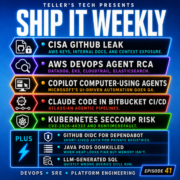
This episode of Ship It Weekly is about secrets, agents, risky defaults, and follow-up work that never gets done. Brian covers the CISA contractor GitHub leak involving AWS keys, internal docs, Terraform, Kubernetes, Argo CD, and CI/CD context, plus AWS DevOps Agent doing automated RCA across Datadog, Elasticsearch, CloudTrail, and EKS.
Brian also covers MS Copilot Studio computer-using agents, Claude Code in Bitbucket Agentic Pipelines, CVE-2026-46333 and Kubernetes seccomp defaults, GitHub OIDC for Dependabot, Java pods getting OOMKilled, LLM-generated SQL that can be wrong but still run, and why postmortem action items die without ownership.


This episode is really about one idea: automation does not remove the boring work. It makes the boring work matter more.
That sounds backwards, because most automation is sold as a way to avoid the annoying parts. Less clicking. Less digging through logs. Less manual triage. Less “who owns this?” Less staring at a dashboard trying to remember which service writes to which topic, which database, in which region, for which customer path.
And honestly, I want that too.
Nobody gets into platform or SRE work because they want to spend their best years spelunking through CloudTrail, Kubernetes events, CI logs, and one Confluence page last updated by someone who left in 2021.
But the stories this week all point to the same uncomfortable thing.
The more powerful the automation gets, the more expensive your old mess becomes.
The CISA contractor GitHub leak is the blunt version. GitGuardian said it found a public repository called
Private-CISAwith 844 MB of exposed material, including plaintext passwords, AWS tokens, and Entra ID SAML certificates. KrebsOnSecurity also reported that the repo exposed credentials for AWS GovCloud accounts and files showing how CISA builds, tests, and deploys software internally. (blog.gitguardian.com)That is not just a “whoops, rotate the key” story.
That is context exposure.
A leaked credential is bad. A leaked credential plus Terraform, Kubernetes manifests, Argo CD files, CI/CD logs, internal deployment docs, and GitHub Actions workflows is worse. At that point, you may have leaked not just the key, but a pretty good map of how the system works.
That distinction matters.
A lot of teams treat secrets as the only scary artifact. They run secret scanning, rotate tokens, and move on. But attackers do not only care about credentials. They care about shape. Naming conventions. Deployment paths. Control planes. Environments. Build steps. Internal assumptions. Which systems trust which other systems. Which scripts look abandoned but still work.
The floor plan matters.
And that is where the staff/principal engineer alarm bell should go off. Not because every leak is catastrophic in the same way, but because operational context is part of your attack surface.
Old repos, contractor-owned repos, personal forks, demo projects, migration backups, Terraform state, kubeconfigs, CI logs, and zip files named something like
prod-final-backup-really-finalare not harmless just because they are boring. Boring is where production risk hides, mostly because boring things stop getting reviewed.The AWS DevOps Agent story is almost the opposite side of the same coin. Instead of leaking operational context, AWS is showing an agent trying to gather it during an incident. Their post walks through automated RCA across Datadog and Elasticsearch, with EKS access for Kubernetes objects, pod logs, and cluster events, plus CloudTrail deployment context. (Amazon Web Services, Inc.)
That is useful. I can absolutely see the value.
A lot of incident response is context reconstruction. What changed? What deployed? Which pod restarted? What metric moved first? What log line started showing up? Which dependency decided to become a learning opportunity at 2:13 PM on a Tuesday?
If an agent can assemble that timeline faster, great.
But automated RCA is one of those places where the output can sound more certain than it deserves to be. A clean summary with “probable root cause” in bold can become the thing everyone believes, especially when the channel is noisy and everyone is tired.
So the question is not “should we use AI for incident response?”
The better question is: where does the agent sit in the decision chain?
Is it a scribe?
An investigator?
A summarizer?
A hypothesis generator?
Or is it becoming the person in the room everyone quietly defers to because it sounds confident and nobody wants to keep digging?
That boundary matters.
The same thing shows up in Microsoft Copilot Studio computer-using agents. Microsoft says computer use in Copilot Studio is generally available, and its docs describe agents interacting with websites and desktop apps through graphical user interfaces. (TECHCOMMUNITY.MICROSOFT.COM)
That sounds amazing if you live in the real enterprise world, where half the important systems either have bad APIs, no APIs, or APIs technically exist but somehow the only supported process is still “log into the portal and click the thing.”
Computer-using agents are going after that mess.
But they also make the boundary fuzzy.
API automation at least gives you endpoints, scopes, schemas, logs, and a reasonably clear mental model. UI automation is more like, “the agent looked at the screen and clicked what seemed right.”
That may be fine when the button is “Download report.”
It is a little less fine when the button is “Approve,” “Delete,” “Submit payment,” or “Yes, I understand this is permanent.”
Again, the tool is not automatically bad. The failure mode is lazy governance. If an agent can use a UI, then the UI is now an automation interface. That means restricted accounts, audit logs, test environments, approval gates, and very strong feelings about bulk updates.
Atlassian adding Claude Code support to Bitbucket Agentic Pipelines is another version of this. Atlassian says Agentic Pipelines lets teams embed AI agents into Bitbucket Pipelines steps to analyze code, troubleshoot failing pipelines, fix flaky tests, and more. Atlassian also has separate guidance about third-party agent providers, including Claude, and what that means for permissions and data handling. (Atlassian Support)
That is the part I keep coming back to.
CI/CD is not “developer tooling around production.”
CI/CD is the path code takes to become production.
So when agents enter CI/CD, they are not just helping with chores. They are entering the delivery path. That means the boring questions matter immediately.
What code does the agent see?
What logs does it see?
What secrets are available?
Can it modify tests?
Can it open pull requests?
Can it generate security triage notes that people treat as fact?
Can it make the pipeline pass without making the system better?
That last one is not theoretical. Humans do it constantly. We just call it temporary, put it in a PR description, and then let it survive three reorgs.
The Kubernetes seccomp story is the grounding wire for all of this.
After all the agent talk, CVE-2026-46333 is a reminder that your old defaults still matter. Kubernetes seccomp docs describe how
seccompDefaultcan apply the RuntimeDefault profile when no profile is specified, while otherwise workloads may run unconfined depending on configuration. (Microsoft Learn)That is not flashy. It will not win a keynote. Nobody is making a cinematic launch video for “check your pod security defaults.”
But those are the kinds of settings that decide whether a theoretical exploit path becomes a practical one.
The boring defaults are not boring. They are latent decisions.
And every once in a while, a CVE shows up and asks what you decided.
That is also why the lightning round fits the episode.
GitHub expanding OIDC support for Dependabot and code scanning is not flashy, but short-lived identity-based access is healthier than long-lived registry secrets sitting around forever. Java pods getting OOMKilled even when heap looks fine is a reminder that abstractions leak, and Kubernetes does not care that your
-Xmxlooked reasonable. LLM-generated SQL that returns plausible but wrong results is a reminder that failure is not always loud.Sometimes the system breaks quietly.
Sometimes the dashboard loads.
Sometimes the query runs.
Sometimes the postmortem gets published.
Sometimes the action item says “improve monitoring,” and everyone nods like that is a plan.
That is why the human closer matters.
Postmortem action items die because they are often not real work yet. They are good intentions with vague verbs. “Improve monitoring.” “Review runbooks.” “Clean up ownership.” “Investigate retries.”
Those are not action items.
They are vibes in ticket form.
A real action item has an owner, a clear outcome, a tracking location, and a due date. incident.io’s piece on failed postmortem actions points at the same basic reasons: no named owner, vague wording, wrong tracking place, and no follow-up cadence. (Atlassian Support)
And that is the part that ties the whole episode together.
The CISA leak is not fixed by saying “review GitHub practices.”
AI RCA is not useful if the follow-up is “improve incident response.”
Computer-using agents are not governed because someone wrote “ensure controls.”
Claude Code in CI/CD is not safe because someone said “be careful with third-party providers.”
Kubernetes seccomp is not handled because someone said “harden workloads.”
At some point, someone has to turn the vague thing into real work.
Name the owner.
Find the repo.
Rotate the token.
Delete the archive.
Scope the account.
Document the data flow.
Apply the default.
Track the exception.
Close the loop.
That is not the glamorous part of engineering, but it is the part that compounds.
The staff and principal engineer job is often less about having the cleverest take and more about turning fuzzy risk into specific work that actually changes the system.
Automation is going to keep getting more powerful. Agents will get better. RCA tools will get faster. Pipelines will get more intelligent. UI automation will keep reaching into systems that never had proper APIs.
Fine.
But if the ownership model is messy, the secrets are stale, the defaults are unknown, the CI permissions are broad, and the postmortem actions are vague, then automation does not save you.
It scales the mess.
That is the lesson I keep taking from these stories.
Production does not run on good intentions.
It runs on the stuff someone actually fixed.
Additional links worth including somewhere if you have room: KrebsOnSecurity’s CISA leak coverage, Microsoft’s computer-use docs, Atlassian’s third-party agent provider guidance, Kubernetes seccomp docs, GitHub’s Dependabot/code scanning OIDC changelog, Readyset’s LLM SQL piece, and incident.io’s postmortem follow-up article. (Krebs on Security)