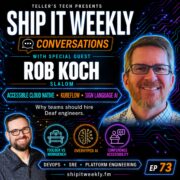
Ship It Conversations: Rob Koch of Slalom on Accessible Cloud Native, Sign Language Recognition with Kubeflow, Overhyped AI, Conference Accessibility, and Why Teams Should Hire Deaf Engineers
Try reloading the player or open this episode directly on YouTube.
In this episode, Rob Koch discusses accessible cloud native practices, the challenges of sign language recognition in AI, and the importance of hiring deaf engineers.
Now Playing
Ship It Conversations: Rob Koch of Slalom on Accessible Cloud Native, Sign Language Recognition with Kubeflow, Overhyped AI, Conference Accessibility, and Why Teams Should Hire Deaf Engineers
Ship It Weekly
0:0045:21
Chapters
Jump to a section in this episode.
Speed & share
Transcript
Most accessibility work gets planned at the very
end, which is a lot like building a piece of
furniture in your garage and only then checking
whether it fits through the door. My guest today
is Deaf. He's an AWS Hero, and he's worked on
using Kubernetes and Kubeflow to train models
that recognize sign language. And he jokes that
we don't really have AGI until AI can understand
sign language. Because sign language happens
in three dimensions, and a camera still can't
reliably tell which way a hand is facing. I'm
Brian Teller from Teller's Tech, and this is
Ship It Weekly. Welcome back to Ship It Weekly,
where I filter the noise and focus on what matters
when you are the one running infrastructure and
owning reliability. Most weeks it's a quick DevOps, SRE, platform, cloud,
and security news recap. In between those, I
do conversation episodes with people building
and operating these systems. And I've got a bunch
of these recorded and lined up, so expect a lot
more conversations over the next few weeks. Today,
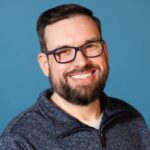
I'm joined by Rob Koch, Senior Principal at Slalom,
AWS Hero, and co-chair of the CNCF
Deaf and Hard of Hearing Working Group. Rob is
Deaf, so the voice you'll hear answering is his
ASL interpreter, Amelia, voicing Rob's words. If
you're watching on YouTube, you'll see both of
them on screen. We talk about cloud native as
the toolbox and platform engineering as the workbench,
which parts of AI are actually overhyped, what
conferences get wrong about accessibility, and
what it really takes to recognize sign language
on Kubernetes. All right, let's jump in. Rob,
thank you for joining me. Yeah, you're welcome.
Happy to be here. So I wanted to start out...
Is this on? No, just teasing. Just, yeah, just
happy to be invited to the podcast and talking
about cloud native and accessibility. So yeah,
just pretty sure that... Hope I have some insights
that I can share to give out to folks out there
listening today. So we'll see. Hopefully we can
benefit folks out there in the community. Awesome.
Appreciate it. Thank you. So I wanted to start
out by asking, what do most teams miss when they
talk about cloud native and platform engineering?
I would say many, many times the terminology
is vague or there's some overlap. And I think
splitting out the cloud native part and what
the platform engineering part looks like. So
thinking about things like going to CNCF and
their particular, you know, map, their landscape
map that they have, there's so many tools out
there, right? And so many projects that are being
conducted and so many computing projects and
things that are... you know people constantly
coming up with new projects and all these different
things that are going on too many to name really
and I think that like too many to name so much
so that I can't even think of one right it's
like hard of no hard to know where to start so
I think for me it is like if I go to my garage
for example and I've got my toolbox and I open
it up And I see all the different tools within
it, you know, screwdrivers and, you know, pliers
and different wire strippers or, you know, all
the different things, hammers, whatever you may
have. Well, I guess not everything is a nail,
right? So just looking through some of these
things, that's where I feel like cloud native
is my toolbox, right? have all of these different
things and resources to help me build something
that I want to build and to build something cool.
And also, you know, to bring that like back to
your question about the difference and talking
about like platform engineering, I'm trying to
use the analogy back to my garage. So maybe that's
like my workbench, setting up everything with
a nice clean slate and something that I have
all these tools behind me that I can pull in
and assemble all of those things together, the
different parts and the different pieces that
might, if you want to call it that, right, that
might make the craft of the working functional
product that I'm trying to build. I feel like
the platform engineering part is the workbench.
It gives me the level space to be able to work
on. Also having some of those things like maybe
There's a table saw in place, or maybe I put,
you know, all of my other screws and nails in
one corner, and then I have easily accessible
tools that I can bring in to my workspace and
my workbench to have that there as what I would
call the platform engineering space. That makes
sense. Is there a part that you think's overhyped
right now, in general? I'm afraid to say AI.
Because I know it's a little overhyped right
now and it's, you know, becoming dependent on
it. I've heard a lot of stories and people's
comments and people haven't touched code in months,
right? Because of AI. And so I'm hesitant to
say that, but it is, I don't think it's considered
in reality very much of a hype. I don't necessarily
think that. I think it's here, but I think overhyped,
I would say maybe something of where we're like,
Hmm. Like one-off systems, maybe? Things where,
you know, oh, AI is going to replace software
or AI is going to replace your tools or, you
know, things that you already have or it can
do, you know, something over the weekend that
can be done and out the door. I think we still
need the structure and we still need the guardrails
and we still need A lot of these components,
the working CI/CD platform, as well as still needing
things like, you know, human review and tools
to stop AI from going off the rails, right? And
so I think it's key to making AI not, you know,
not hype, but reality. I guess hype to reality,
to have a great platform engineering workbench.
To go back to the analogy is kind of like having
that level bench is important, right? And having
everything that you need to make sure that the
deployment is stable and versions, etc. So yeah,
I think that's where we're at. That makes sense.
So you've done a lot. You've done a ton of accessibility
work through the CNCF. What does accessible cloud
native actually mean in practice? It could mean
many different things to many different kinds
of people. So I think my group, the Deaf and
Hard of Hearing Working Group that we have within
CNCF is very different than some of the other
groups. And so I can talk about the needs of
my particular group that I'm involved with. Excuse
me, there might be other people talking about
their needs and within their groups. Our needs
are more focused on communication, whereas others
maybe are focused on physical access or there
may be, I don't want to call it social interaction,
perspectives and things like that. So I feel
like there's different needs depending on the
group. And of course, there's a lot of what our
wants and needs are tend to overlap with each
other within those groups. So like, for example,
let's see, I would say something like pushing
for captions for accessibility needs and, you
know, different talks and keynotes and things
like that, where once you push that out and the
captions are available, it's amazing how much
response we get, not only from the Deaf and Hard
of Hearing Working Group, but people in, you
know, the Neurodiversity Group. And now they have access to information that
is their preference to how they process that
information, right? And so auditorial, you know,
maybe they're processing the information differently,
or they prefer to read the captions so that their
brain can process how that works. And there's
so many amazingly different types of the way
people process information, right? So I think
in the spirit of deaf and hard of hearing and
our community is you know, inspiring other groups
to then set up their own. We've got eight different
working groups within the CNCF umbrella that
is part of what we call Merge Forward. And so
that has been created as an umbrella within.
So all of these different working groups are
within that umbrella of Merge Forward. And so
we've all come together and shared our experiences,
our mission. Things that we're trying to accomplish
more together with less because of that overlap.
So I feel like there's something that we can
be proud of in terms of the community. It's very,
very accepting of what we're doing within CNCF.
There are ways to provide access for the various
groups. And I think that they're already starting
to provide all of that to all of the different
groups out there as well. So that's been really,
really great. CNCF and the community, really,
they're all about community and supporting the
different needs of people. So I think the approach
here is really to hopefully kind of what can
rub off from the CNCF community could maybe get
back out to where people are working in their
day-to-day jobs. And some of those things where
people get a lot of pushback in places of their
workplace. What they can see being practiced
out there, then maybe envisioning now to get
a better understanding of what they can bring
back to their workplaces and within their communities
locally and self-identify. However, you know,
things get accessed in the workplace, sharing
stories, sharing tips and strategies, and then
bringing that back to where they are in their
workplace, hopefully making it a better situation
for all of them. So I feel like seeing is believing,
if you want to say it that way. People see something
that other people are doing and they think, oh,
okay, that is how a deaf person works with an
interpreter. Or many times, you know, I meet
many people that say, wow it's my first time
interacting with a deaf person and so yeah I
mean there's deaf people everywhere you just
might not realize it but we you know by having
these experiences and identifying working with
a deaf person maybe it's not as bad as they thought
I hope anyway I give people a hard time but you
know it's it's like those type of experiences
right and so I think yeah that's that's what
the goal is and of course You know, we're having
the many different tools within the CNCF and
that toolbox, like I spoke about, having that
and needing contributors to make that product
more accessible, right? More colors that we have
in the palette, making sure that the videos have
captions, making sure that the font size is appropriate
or can be changed from different sizes. There's
a lot of visual noise. And auditorial noise.
There's a lot of different ways where we can
contribute to help build better tools for our
toolbox. Very well said. What do conferences
and communities get wrong when they try to be
accessible? Or is there commonality? Yeah, sure.
So before we had a web page on CNCF, there's
probably... You can use your search back to, you
know, something that's buried in layers and layers.
CNCF is a big community, right? What we did expect.
And so we have what we call the conference best
practices. And so if you look that up on the
CNCF website, there is everything pretty much
laid out to what you'd want to set as setting
up for success for the deaf and hard of hearing.
but there's also other groups that will contribute
to that. Someday we'll have all of that, like
I said, with that umbrella of Merge Forward and
we'll make a checklist for that. But basically
the accessibility is what mistakes that have
been experienced in the past and at the very
end of planning and accessibility should really
be the forefront instead of an afterthought.
And so I think when we're trying to build out
these you know if you have like a new furniture
on my workbench right I am designing furniture
to be able to fit through the doorway for example
right I'm going to make something that is maybe
disassembled uh that could be brought in maybe
it's too big I can't get into the house if you
think of that like ahead of time when you're
building something or maybe like the materials
that I'm using, that I want to make sure that
those are robust and, you know, the materials
are going to last and be useful for at least,
you know, 20, 30, 40 years if I'm looking ahead
at that. So I think thinking about all of those
things in the forefront, and it's very parallel
to accessibility in a lot of ways. So setting
up a screen that It's maybe a big screen. How
will the different groups of people be viewing
that screen at a conference, right? So having
the information that they need and how they're
taking it in and how they're looking at it and
watching it. So that's one thing. The speaker,
right? If they're talking, will people be able
to understand them? No, you have to add a mic,
right? Like just talking about in generally,
if you think about adding a microphone and they've
got like the AV system and the The lines and
the voices of what's being able to be carried
across the room and so people can hear them.
And so thinking about the auditorial part, but
what about the visual part, right? So maybe you're
having things that are set up like a screen in
a room with a lot of sunlight. Now you can't
see the screen because sunlight's too bright
and it's reflecting off the screen. And so there's
a lot of things to think about in terms of accessibility.
So that's just one of those things. I think the
major impact in conferences is cost. And so the
website page that we have for CNCF with the best
practices, a lot of them are free, yes, but interpreters
aren't expensive. They cost money and they have
to make a living too, right? So that is part
of it. And, you know, we take their time for
that. And so that costs money. So there's some
situations where it's, you know, accepting of
captions only at like a smaller conference because
that can be something that can be free to implement.
And I think, you know, midsize conferences where
they have a little bit of extra funds for things
like that, having sign language interpreters.
For the keynote stage, maybe only. And then,
you know, for the major conferences where each
deaf individual will want to have their interpreter
with them all the time for different interactions.
So the majors, you know, those have higher budgets
and can contribute to those things. But in the
grand scheme of things, it's really coming down
to costs and all of that, the organization. The
accessibility is such a small, very, very minor
cost in the grand scheme of all of it when you're
talking about a big conference. So it's things
like that where we see some conferences have
the accessibility coordinator, let's say, and
that is a huge help to the major conferences,
the bigger ones that we have. They have a specific
coordinator who has experience with accessibility
and maybe they have Something like, you know,
a first year coordinator, which is fine. They'll
make mistakes and then that's okay. Learning
from it and then being able to get better and
better as they go along with the same conference.
And that can permeate, you know, out to other
conferences and those have, you know, their own
community accessibility coordinators sometimes
and stories and experiences to share that make
conferences better for everyone, really. So not
only deaf and hard of hearing again, but for
many of those different groups that I spoke about
before. Yeah, that makes sense. Thank you for
that overview. So we spoke earlier a little bit
about AI. Everyone wants AI-powered observability.
What's useful? What's garbage? What's risky?
So with that, going way, way back in the days
of the implementation of AI, joking aside, right?
The vibe coding and things like that, a lot of
that stuff was pretty terrible in ways to come
up with a product or maintain a system with that
particular approach. Finding those things out
and AI integration getting more and more mature,
we're noticing that a lot of the vendors out
there are starting to add tools to it and plugins.
and plugins for the tools and skills and all
of those types of things that are propagating
now as far as that realizing, remembering when
we were starting with AI and having all the hallucinations
that we were having oftentimes, which was quite
frustrating. And, you know, we were making fun
of AI at that point because of the process and
becoming a little bit more skeptical of AI. My,
how, we have, how times have changed, right?
AI is, it's a great tool to have in your workbench.
We go back to that, right? So we're having all
of the AI writing the YAML files, whether you
love it or hate it. YAML being that. You know,
writing all of the Java writing thinking of
other, you know, just the other stuff. But having
all of that scripting and having it do all of
that is pretty amazing. It's making our work
faster, more efficient, and we can deploy more.
We can do PRs. Like nowadays, we're at the point
where we can type something out on Slack, for
example, right? And we type something like, please
create this PR for me. And in the backend, there's
something magical happening where if we've got
a good platform, good platform and platform engineered
system where we can actually go through all of
the code and review all of the things and come
up with the user stories and it can kick those
all off for us. It can do the coding. The code
changes, the reviews, you can do the unit testing.
It can do some of the regression testing as well
with the browser plugin and playing around with
that type of thing. Then it can go through everything,
making it look really good. And then you have
another AI agent maybe to review the code at
that point, say whether it's good or bad, and
then put it forth to be ready for a human to
approve it. And being able to go from basically
idea and concept to a finalized, ready to go
tooling approach in literally a few minutes,
it's pretty amazing. Normally that would take
a day or a half a day or, you know, all these
things. And now we can do this like very rapidly.
And I think, what was the question again? I know
I'm going on and on. I just forgot. Did I get
to the actual point of your question? What's
useful? What's garbage? What's risky when it
comes to AI observability? Observability, right.
So adding to that, then to kind of round it out.
So AI observability, yeah, I think it's always
nice to have something that's auditable, something
that we can look at tool-wise to make sure that
AI is on the right track. And it's doing what
we want it to do. It's using the logging and
things to validate and verify what we're trying
to achieve. And so it doesn't go too wild, especially
with things like new versions of, let's say,
LLMs, right? When they're coming in and a new
one comes in and a new version, something maybe
can go wrong, something maybe they don't have
the right settings. Maybe there's something in
terms of the confidence and the effort and, you
know, all the things, the temperature, all of
those type of things. When we're talking about
LLMs, they might not get it right off the bat
and you deploy something that's not great. And
then, you know, you blame the LLM, but there's
always nice to have something to audit. And then,
of course, you know, doing the AI audit as well,
reviewing that. So it's like the double audit,
right? Things along that line, I think. But yeah,
anyway, I think that's what I have to say about
it in AI observability from that lens. Sounds
good. I read online you had spoken about using
Kubernetes to enable real-time sign language
interpretation. What's the system story there?
I'm kind of curious why Kubernetes and what was
the problems that you were solving with Kubernetes
there? So yeah, Kubernetes is really cool to
work with, right? I can't avoid it. At least
I can't. I think in reality, when we're talking
about wanting the system to have the scalability
and the influx of training of the data and things
coming in, having the ability to go through all
of the training of the data and creating the
models and being able to train the data that
we have. Let's say a person is signing a word
or a letter, anything along those lines. We're
going to want to be able to put that into the
system, like a picture or a video. Similarly,
something that's like broken out into a series
of images from a video maybe, and then having
it be able to pick out the motions that are happening.
Of course, everyone signs differently. And the
size of their fingers are different and how they
gesture and how they move is different. So how
they sign regional signs, of course, are different
even within the U.S. ASL is a little different
from other sign languages and terminology and
things like that. So there's a lot of that where
like, you know, 30 minutes away from you, somebody
might sign something different meaning the same
thing. It's similar to an accent in spoken language.
Like if you have a Boston, Massachusetts accent
or different things like that, right? You might
have different regionalities as well in sign
language. So people sign differently across the
US. So like my last name, for example, a lot
of people, there's probably like four or five
different ways to pronounce my last name, even
though it's only four letters, like, come on,
but it's true, right? And so just things like
that, where we have Kubernetes helping us to
have different things that are maybe tough to
bring into the data and then having it being
labeled appropriately and that is a lot of human
initiative and an intuitive process that we have
right where sometimes things are kind of dumb
when it comes to language or sign language when
you're having like the contextual data and everything's
being pulled in from the different places different
books and things from all over the place and
things that haven't been trained necessarily
and of course having enough content within sign
language that's been recorded out there there's
not a not as much so that's a challenge a lot
of companies that are deaf run and have been
started require a lot of time invested and capital
and the question of the ROI on their, you know,
their return on their investment and things like
that. So I feel like it's a lot of, there's a
lot of money and benefit to having sign language
recognition in terms of the capability. For example,
like a deaf person signs something. It's quiet.
There's no auditory there. But if you were to
go to Home Depot and buy a tool, let's say, and
you're wondering where the tool is, like what
aisle it's in at Home Depot, that could be something,
for those of you who don't know Home Depot, that's
basically a hardware store based in the U.S.
And so if you're going into a store like that
and you need to be able to get all of that information
out there, So this is the inference of the process
and the interpretation of the data. So if we
have something like going back to the example
that you have an ASL, an American Sign Language
interpreter, maybe. So like you go to a store,
you say store go, the grammar gets changed around
and reverted. So store I go or store I go or
went like me go store, you can say it in a lot
of different ways in ASL. The LLM could figure
out like, okay, I'm going to the store, right?
It can interpret that part just fine. But the
recognition of the sign language part is the
hard part. That's the tough part because the
different sides of the fingers and how people
sign, is it a dark room? Is it a bright room?
What color of people's skin or shirt or with
them? Their background, all of the visual noise,
all of those things, you have to train the data
on. And so being able to be in a position of
where their hands are on the letter D, I can
sign D like this, I can sign D like this, I can
sign, you know, this is a three-dimensional
X, Y, Z, Z, right? Like this way, it's pretty
easy, you know, 0, 1, 0, 1. It can pick up these
things from the palm in this fashion but if
you're this is my perspective right and the way
I'm seeing it many times the camera cannot figure
out which direction my hand is facing and so
it misses a lot of these essential components
and so when we talk about the future and the
past and current times those are on the z-axis
which are very important to the perspective of
what's being signed and so the compute part of
that is hard to figure out as well with the scale
and the motion and all of the things that are
part of it I always tease that AGI artificial
general intelligence you know is not there until
it got until they until it recognizes sign language
right so it's I don't believe AI will pass that
type of a test until it can understand sign language
really I mean it's especially crucial with that
3D spatial component right so going back to you
know Kubernetes and having the amount of scalability
and being able to save costs and things like
that right there's money in there's not much
money in this type of a space so to be able to
scale up scale back down to one or zero when
you need to, things like that. Whereas managed
services can be quite expensive to keep them
up and running. And so, yeah, I feel like there's
a lot involved. I could go on and on to talk
about the challenges in the industry, of course,
but also just back to the Kubernetes world, I
think that we were using Kubeflow to set this
up for sign language recognition. MLOps and the
pipeline that we were using to be able to keep
the data flowing. And the more data that we feed
it, of course, the more it's running and then
the more enriched the data can become for the
model and getting it ready for the inference,
etc. That makes sense. Is there a lesson that
you think listeners can take from that with your
specific use case that... maybe can be abstracted
out to other platform teams? I haven't thought
about how they could necessarily take that to
other platforms, but I always dream of or get
ideas of being capable to sign to a computer
or gesture. Like, hey, do you mind turning this
up or different, you know, three nodes instead
of two? Or, you know, can you imagine like signing
that? Through Kubernetes and leveraging that,
like if there's noise in an office environment,
maybe you can create your own sign language to
communicate. Just say like, I want to put this
up to level two or level 10 or, you know, something
that's not actually like sign language. ASL,
we sign 10, but like, you know, maybe for a hearing
person, we can gesture like 10 with two hands.
You know, that'd be cool if we can just say like
close window and do this or something like that
to the computer or stop, you know, or something
to have a gesture-based computing approach.
The reason why I say that with sign language
is because we are starting to recognize, the
computer's starting to detect some of the words
or the things that I'm doing or hand positions
could be a little bit better detected. And then
now that you have, you know, maybe like a gesture-
based type thing. Maybe I had a surgery or something
on my throat and I can't speak. So you, you know,
can't rely on speaking to AI anymore. Dang, I'm
out of it, right? So I used to talk to my computer
and now I can't tell it what to do. And so being
able to have the option of gesture-based communication
with the computer would be cool. And also just
like noticing a lot of deaf and hard of hearing
folks as well who make videos. The captions.
they're not making it right because they don't
you know that you're signing and the automatically
generated captions while you know hearing people
like it's easy right you just speak like we're
speaking now and the speech to text is automatically
generated and it then you can just implement
it on your video but a deaf person would have
to then manually go in and put that there right
because the computer can't detect what they're
signing and so Then there's the other aspect
of maybe paying a sign language interpreter who
can voice and or check the captions and things
like that. And that's an added cost. So there's
a lot of nuances to that where I'd love to be
able to be able to sign to the computer. I know
there's one company that's doing a pretty good
job out there with doing a little bit of that
sign language recognition. I'm a fan of that
company, so they've been doing a great job with
it. But basically, it's... Things are starting
to get there and it's happening, but it's slower.
I think the speech to text, what we've had like
30 years head start. Remember, you know, back
when like there was a company called Dragon NaturallySpeaking,
where you could speak into it, right?
And we remember how bad it was back then for
the recognition. So things like that were. I
don't know, there might have been like Apple,
was it like, was it Newton or something? But
I just remember like it being really bad at recognizing
all the speech to text. And so now, I mean, 30
years in of that, we're leaps and bounds ahead.
But now, you know, as deaf and sign language
users, you know, we're getting there, but we
just have a lot of catching up to do. Yeah. Okay,
so wrapping up. If a team wants to make their
systems and their org more accessible this year,
what should they do first? Where do they start?
I wouldn't look at it necessarily systematically
or tech related. I would say the human aspect
of it is probably the first place to go. A lot
of deaf and hard of hearing people are highly
skilled. And I would say hire them and bring
them into your org and give them an opportunity.
to get through an interview to, you know, maybe
it's not a good fit. Maybe it is a good fit,
whichever, but give them an interview. There's
some challenges with bringing in interpreters
and it's, you know, deaf, deaf people have, they're
very resourceful and how to, you know, get accommodations
or access to sign language interpreters. I would
say, just ask them if you're not sure, like it
would just be like anybody who is, you know,
like BIPOC or, you know, anybody, it wouldn't
necessarily shut down the communication. It's
just like, hey, I'm not sure how to interact
with you because ours is communication based.
You know, I've never interacted with a deaf person.
How do I do that? Just ask them and let them
explain. They will help you. They will help you,
you know, and work back and forth with you. So
I think that first is hire the deaf and hard
of hearing people. Once they get into the organization,
then you'll know what the accommodations look
like for that particular individual or how to
make your tooling more accessible because they'll
bring that perspective compared to the general
public. Whereas like, you know, we use tools
and there are things that, you know, different
types of tools used in different ways to get
different information, right? So I think it's
more like, more or less like bringing in a deaf
person and then things just happen because of
their perspectives like my co-workers see a
deaf person and they say oh okay like my tool's
not accessible to you so shoot I better start
you know developing that type of accessibility
so that it can be useful for that other person
who I didn't think about it's you know kind of
contagious in terms of like making a product
more accessible when you have that exposure to
a person in your organization so I feel like
what I'm thinking of is primarily, another thing
I would say is like, you know, the WCAG, the
standard that we have for accessibility, those
guidelines, the federally implemented ones that
are, you know, by the community and whatnot,
that is important to adhere to, of course, but
the biggest impact I would say is to hire a deaf
person or somebody in those groups that can help
bring that perspective to the organization. Awesome.
Where can people find more information? Where
can they find your writing, your socials, that
sort of thing? You can find me on LinkedIn. I
have a GitHub as well. It's robcube. So you
can find me usually under that name on GitHub
if you find any information there. What else?
So LinkedIn for the most part. Yeah, I would
say. And then part of the CNCF Slack as well.
You can find me there. So there's the CNCF Slack
in general, but then you can get access to finding
my name, Rob Koch, K-O-C-H on there. And so
yeah, you can pretty much find me there. I'm
not hiding. I'm out there. Cool. I'll put links
for all of those as well in the show notes. Rob,
thank you so much for coming on. Really, really
appreciate it. Absolutely. Yeah, you bet. And
happy to be here. If there's any questions or
anything people aren't sure about, just don't
be afraid to reach out. I would just say, share,
I can share resources. There's plenty of things
I could forward on, include more people. Definitely
get, it's always nice to get more perspectives
from different people. You know, I'm one deaf
person, right? And I have one perspective and
I have my own opinions, but there's so many other.
out there, other deaf people, different perspectives
and things like that. So please, I'm happy to,
you know, share my opinion. But if you don't
like mine, I'm happy to share for you to somebody
else. Awesome. Thank you again. Really appreciate
it. Yeah, you bet. Thank you. Good chatting with
you. Yeah, appreciate it so much, Brian. That
was my conversation with Rob Koch from Slalom.
And a big thank you to Amelia for interpreting.
The biggest takeaway for me is that accessibility
works a lot like reliability. Bolted on at the
end and it's expensive and fragile. Designed
for it from the start and most of it is cheap.
Rob's furniture analogy nailed it. You build
the pieces so it fits through the doorway. You
don't find out after it's built. And at conferences,
captions are close to free and even the parts
that cost real money, like interpreters, are
a tiny line item next to everything else. I also
liked how far accessibility work reaches past
the people it was aimed at. When the working
group pushed for captions on talks and keynotes,
some of the strongest response came from the
neurodiverse community, people who just process
information better by reading it. On AI, Rob
was honest. The agents are genuinely fast now.
Idea to reviewed PR in minutes. But that only
works on a level workbench. CI/CD, guardrails,
something auditable, and a human who approves
the change. And his answer for where to start
wasn't a tool. It was hire deaf and hard of hearing
engineers. Give them the interview. If you are
not sure how to work with someone, just ask them.
Their perspective will make your tooling more
accessible faster than any checklist. You can
find Rob on LinkedIn, GitHub, and the CNCF Slack,
plus the CNCF Conference Accessibility Best Practices
The thing that stuck with me most from this conversation with Rob Koch is how he answered the last question.
I asked where a team should start if they want to make their systems and their org more accessible this year. I expected a tool, or a standard, or a checklist.
Rob's answer was people.
Hire deaf and hard of hearing engineers. Give them an interview. If you're not sure how to work with someone, ask them. They'll tell you.
That sounds almost too simple. But the more I think about it, the more it matches everything else he said.
Rob opened with an analogy he kept coming back to all episode. Cloud native is the toolbox: every project on the CNCF landscape, more tools than anyone can name. Platform engineering is the workbench: the level surface where you lay out the tools you actually need and build something that works.
I like that framing a lot, because it puts the emphasis on the person standing at the bench.
You can have the best toolbox in the world. If the workbench was built without you in mind, you're going to struggle to use it.
That's what accessibility looks like in a lot of organizations. The tools are there. The workbench just wasn't built for everyone who has to stand at it.
Rob made the point with a furniture example that I keep thinking about.
If you build a piece of furniture in your garage and only check at the end whether it fits through the door, you might be taking it apart again. If you think about the door first, you design it differently. Maybe it comes apart. Maybe you pick different materials.
Accessibility usually gets planned at the very end. It should be part of the design from the start.
Anyone who has bolted security onto a system after it shipped knows exactly how that goes. Accessibility is the same lesson. It's cheaper and better when it's a design input, not a retrofit.
The captions story is the part I'd want every platform team to hear.
The Deaf and Hard of Hearing Working Group pushed for captions on CNCF talks and keynotes. Once they were available, the response didn't just come from deaf attendees. It came from neurodivergent folks who prefer to read along, from people who process information differently, from people who simply hadn't had that option before.
Something built for one group helped a lot of groups.
That happens all the time in infrastructure too. The runbook you wrote for the new hire saves the senior engineer at 3 AM. The clearer error message you added for one confused user cuts your support load for everyone. Designing for the edge usually improves the middle.
Rob was also honest about the cost side, which I appreciated.
Captions can be cheap or free. Interpreters cost real money, because interpreters are professionals who have to make a living. So the realistic answer depends on the event: captions at a small conference, interpreters for the keynote stage at a mid-size one, and interpreters available for individual attendees at the big ones. And in the budget of a large conference, accessibility is a very small line item.
The conferences that do this well usually have someone whose job it is. An accessibility coordinator. Maybe in their first year they make mistakes. That's fine. They learn, and the next year is better, and other conferences learn from them.
That's just good operations. Give the problem an owner, iterate, and share what you learned.
Then we got into the technical part, and this is where it got really interesting for me.
Rob has worked on using Kubernetes and Kubeflow to train models that recognize sign language. The reason for Kubernetes is the same reason a lot of us use it: the ability to scale up for training and back down to one or zero when you don't need it, without paying to keep managed services running. There isn't much money in this space, so cost matters.
But the infrastructure isn't the hard part.
The hard part is the data. Everyone signs a little differently. Hand sizes are different. Regional signs are different, the way accents are different in spoken language. Lighting changes things. Skin tone, shirt color and background all add visual noise. And there just isn't nearly as much recorded sign language out there to train on as there is recorded speech.
Then there's the third dimension.
Sign language happens in three dimensions, and the direction a hand is facing changes the meaning. Rob explained that tense, past and future, lives on that depth axis. A camera still can't reliably tell which way a hand is facing.
That's why his joke landed so well with me: we don't have AGI until AI can understand sign language.
It's a joke, but there's a real point under it. We've spent about thirty years on speech-to-text, going back to tools like Dragon NaturallySpeaking, and it's finally good. Sign language recognition is still early. Every time a hearing creator gets free auto-generated captions, a deaf creator who signs is often doing that work by hand, or paying an interpreter to voice and check it.
Rob also talked about where this could go beyond accessibility: gesture-based computing. Signing to your computer to scale a cluster from two nodes to three. Working in a loud office. Losing your voice after surgery and suddenly not being able to talk to your assistant anymore.
Accessibility work tends to end up helping everyone eventually.
His take on AI more broadly was grounded too. He doesn't think AI is hype, but he does think a lot of what's said about it is. AI replacing your software. AI shipping something over a weekend. It still needs structure: a working CI/CD platform, guardrails, human review, and observability you can audit. In his words, that's what moves it from hype to reality. A level workbench.
I want to say one more thing about this episode, because it was a little different to make.
Rob is Deaf, and his interpreter, Amelia Fruehsamer, voiced his answers and signed my questions to him. In the video version, Rob and Amelia both stay on screen the whole time with their hands in frame, because for a lot of people watching, the signing is the conversation. We didn't cut the pauses after each question the way I usually would, because those pauses aren't dead air. That's the signing.
It made me think about how many of my own defaults, as someone who edits a podcast, assume everyone is listening.
So my takeaway from this one is simple.
Accessibility isn't a feature you add at the end. It's a design input, and the best way to get it right is to have the people it's for in the room from the start.
If you're not sure how, ask.
Rob put it well himself: he's one deaf person with one perspective, and there are plenty of others. Go find them, and hire them.
This is a guest conversation episode of Ship It Weekly, separate from the weekly news recaps.
In this Ship It Conversations episode, I talk with Rob Koch about what accessible cloud native actually looks like, why sign language is still one of the hardest problems in AI, and why the fastest way to make your tooling accessible is to hire deaf engineers.
Rob is a senior principal at Slalom, an AWS Hero, and co-chair of the CNCF Deaf and Hard of Hearing Working Group. Rob is Deaf, and his ASL interpreter, Amelia Fruehsamer, voices his answers. Special thanks to Amelia for interpreting the conversation.
We start with an analogy Rob comes back to all episode: cloud native is the toolbox, and platform engineering is the workbench. Then we get into what's overhyped about AI, the guardrails it still needs, and what auditable AI observability looks like.
A big part of the conversation is accessibility in practice. Rob explains how captions pushed for deaf attendees ended up helping neurodivergent folks too, and what conferences get wrong: accessibility planned at the very end instead of the start, and the real cost of interpreters versus captions.
Then we get technical. Rob walks through using Kubernetes and Kubeflow to train models that recognize sign language, and why it's so hard: regional signs, lighting, skin tone and backgrounds, and a camera that can't tell which way a hand is facing. His joke: we don't have AGI until AI understands sign language.
The big takeaway: start with people, not a checklist. Hire deaf and hard of hearing engineers, ask them how they want to work, and your tools get more accessible because they're in the room.
Highlights
• Cloud native as the toolbox, platform engineering as the workbench
• What's overhyped about AI, and the guardrails it still needs
• What accessible cloud native means in practice
• Captions that help far more people than you planned for
• What conferences get wrong about accessibility, and what it costs
• Kubernetes and Kubeflow for sign language recognition
• Gesture-based computing and why speech-to-text had a 30-year head start
Rob Koch is a senior principal at Slalom, an AWS Hero, and co-chair of the CNCF Deaf and Hard of Hearing Working Group. He has worked on using Kubernetes and Kubeflow to train models that recognize sign language.

The thing that stuck with me most from this conversation with Rob Koch is how he answered the last question.
I asked where a team should start if they want to make their systems and their org more accessible this year. I expected a tool, or a standard, or a checklist.
Rob's answer was people.
Hire deaf and hard of hearing engineers. Give them an interview. If you're not sure how to work with someone, ask them. They'll tell you.
That sounds almost too simple. But the more I think about it, the more it matches everything else he said.
Rob opened with an analogy he kept coming back to all episode. Cloud native is the toolbox: every project on the CNCF landscape, more tools than anyone can name. Platform engineering is the workbench: the level surface where you lay out the tools you actually need and build something that works.
I like that framing a lot, because it puts the emphasis on the person standing at the bench.
You can have the best toolbox in the world. If the workbench was built without you in mind, you're going to struggle to use it.
That's what accessibility looks like in a lot of organizations. The tools are there. The workbench just wasn't built for everyone who has to stand at it.
Rob made the point with a furniture example that I keep thinking about.
If you build a piece of furniture in your garage and only check at the end whether it fits through the door, you might be taking it apart again. If you think about the door first, you design it differently. Maybe it comes apart. Maybe you pick different materials.
Accessibility usually gets planned at the very end. It should be part of the design from the start.
Anyone who has bolted security onto a system after it shipped knows exactly how that goes. Accessibility is the same lesson. It's cheaper and better when it's a design input, not a retrofit.
The captions story is the part I'd want every platform team to hear.
The Deaf and Hard of Hearing Working Group pushed for captions on CNCF talks and keynotes. Once they were available, the response didn't just come from deaf attendees. It came from neurodivergent folks who prefer to read along, from people who process information differently, from people who simply hadn't had that option before.
Something built for one group helped a lot of groups.
That happens all the time in infrastructure too. The runbook you wrote for the new hire saves the senior engineer at 3 AM. The clearer error message you added for one confused user cuts your support load for everyone. Designing for the edge usually improves the middle.
Rob was also honest about the cost side, which I appreciated.
Captions can be cheap or free. Interpreters cost real money, because interpreters are professionals who have to make a living. So the realistic answer depends on the event: captions at a small conference, interpreters for the keynote stage at a mid-size one, and interpreters available for individual attendees at the big ones. And in the budget of a large conference, accessibility is a very small line item.
The conferences that do this well usually have someone whose job it is. An accessibility coordinator. Maybe in their first year they make mistakes. That's fine. They learn, and the next year is better, and other conferences learn from them.
That's just good operations. Give the problem an owner, iterate, and share what you learned.
Then we got into the technical part, and this is where it got really interesting for me.
Rob has worked on using Kubernetes and Kubeflow to train models that recognize sign language. The reason for Kubernetes is the same reason a lot of us use it: the ability to scale up for training and back down to one or zero when you don't need it, without paying to keep managed services running. There isn't much money in this space, so cost matters.
But the infrastructure isn't the hard part.
The hard part is the data. Everyone signs a little differently. Hand sizes are different. Regional signs are different, the way accents are different in spoken language. Lighting changes things. Skin tone, shirt color and background all add visual noise. And there just isn't nearly as much recorded sign language out there to train on as there is recorded speech.
Then there's the third dimension.
Sign language happens in three dimensions, and the direction a hand is facing changes the meaning. Rob explained that tense, past and future, lives on that depth axis. A camera still can't reliably tell which way a hand is facing.
That's why his joke landed so well with me: we don't have AGI until AI can understand sign language.
It's a joke, but there's a real point under it. We've spent about thirty years on speech-to-text, going back to tools like Dragon NaturallySpeaking, and it's finally good. Sign language recognition is still early. Every time a hearing creator gets free auto-generated captions, a deaf creator who signs is often doing that work by hand, or paying an interpreter to voice and check it.
Rob also talked about where this could go beyond accessibility: gesture-based computing. Signing to your computer to scale a cluster from two nodes to three. Working in a loud office. Losing your voice after surgery and suddenly not being able to talk to your assistant anymore.
Accessibility work tends to end up helping everyone eventually.
His take on AI more broadly was grounded too. He doesn't think AI is hype, but he does think a lot of what's said about it is. AI replacing your software. AI shipping something over a weekend. It still needs structure: a working CI/CD platform, guardrails, human review, and observability you can audit. In his words, that's what moves it from hype to reality. A level workbench.
I want to say one more thing about this episode, because it was a little different to make.
Rob is Deaf, and his interpreter, Amelia Fruehsamer, voiced his answers and signed my questions to him. In the video version, Rob and Amelia both stay on screen the whole time with their hands in frame, because for a lot of people watching, the signing is the conversation. We didn't cut the pauses after each question the way I usually would, because those pauses aren't dead air. That's the signing.
It made me think about how many of my own defaults, as someone who edits a podcast, assume everyone is listening.
So my takeaway from this one is simple.
Accessibility isn't a feature you add at the end. It's a design input, and the best way to get it right is to have the people it's for in the room from the start.
If you're not sure how, ask.
Rob put it well himself: he's one deaf person with one perspective, and there are plenty of others. Go find them, and hire them.
Additional Links
Rob Koch on LinkedIn:
https://www.linkedin.com/in/robkoch/
Rob Koch on GitHub:
https://github.com/robcube
CNCF Deaf and Hard of Hearing Working Group:
https://contribute.cncf.io/projects/best-practices/accessibility/deaf-and-hard-of-hearing/
CNCF conference accessibility best practices:
https://contribute.cncf.io/projects/best-practices/accessibility/deaf-and-hard-of-hearing/conference-best-practices
CNCF Merge Forward:
https://community.cncf.io/merge-forward/
Kubeflow:
https://www.kubeflow.org
Web Content Accessibility Guidelines (WCAG):
https://www.w3.org/WAI/standards-guidelines/wcag/