Searchable episodes

Ship It Weekly Transcripts

Transcripts make the show skimmable: search for a tool, an incident pattern, or a quote without scrubbing audio. Each block below shows the full episode transcript inline — scroll to read, or open the episode page for audio, chapters, and show notes.

Transcript coverage grows as episodes publish. Older episodes sync from the RSS feed on the next import; check back after a new episode drops if one is missing.

What this page is for

Why transcripts matter

Operators search for specifics — a CVE, a Terraform pattern, an on-call habit — and transcripts let you land on the right episode fast.

Read inline or on the episode page

This archive shows full transcript text for browsing and search. Open any episode for the interactive player, timestamp sync, chapters, and show notes.

Written companion

For weekly written DevOps/SRE news, pair the podcast with On Call Brief — the sister briefing at tellerstech.com. On Call Brief news →

Read episode transcripts

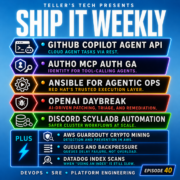
Everybody wants the new interface. Very few people want the new responsibility. Because the second a company adds AI to an internal workflow, changes the paved road in cloud, or pushes a new gateway layer into production, somebody has to own the policy, the logs, the rollback, and the fallout. That somebody is usually us. Hey, I'm Brian Teller. I work in DevOps and SRE, and I run Teller's Tech.

This is Ship It Weekly, where I filter the noise and focus on what actually changes how we run infrastructure and own reliability. Show notes and links are on shipitweekly .fm. If the show's been useful, follow it wherever you listen. Ratings help way more than they should. And if you want more signal between episodes, check out OnCallBrief .com.

We've got five main stories today, then the lightning round, and we'll wrap with the human closer. We're starting with McKinsey because an internal AI tool vulnerability is a nice reminder that internal does not mean low risk. Then Kafka because the diskless topics work is one of the more interesting architecture signals I've seen in a while.

After that, Google officially closes the Wiz deal, which tells you a lot about where the cloud fight is headed. Then AWS is sunsetting co -pilot CLI, which is one of those stories that sounds small right up until it lands on your team's migration list.

And finally, Kubernetes is standing up an AI gateway working group, which is probably the clearest sign yet that AI traffic is becoming regular platform traffic, just with stranger payloads. Let's start with McKinsey, because I think this is one of those stories where the real lesson is less flashy than the headline.

McKinsey said on March 11th that it was alerted by a security researcher to a vulnerability related to its internal AI tool. Lilly confirmed it. Fixed it within hours and found no evidence client data or client confidential information had been accessed by the researcher or any other unauthorized third party. And sure, the official takeaway there is we moved quickly and no client data appears to have been accessed.

Fine. That part matters. But the reason I think this is worth covering is that it keeps happening across the industry, where companies treat internal AI tools like they are somehow lighter weight than normal applications. They are not.

The second an internal AI tool can touch company knowledge, shape decision flow, or influence what people trust, it stops being a novelty and starts being part of your operating surface. Same auth questions. Same blast radius questions. Same logging questions. Same need for somebody to own the thing when it goes weird.

That inference is based on the kind of access and sensitivity McKinsey itself describes around Lilly and on the fact that the company treated the issue as a serious security matter requiring forensic review. So the practical lesson here is simple. Internal AI app is not a special category. It is still an app.

If your org has quietly stood up a chatbot, assistant, code helper, search helper, support helper, whatever, and it can see real context or influence real work, then congratulations. You now have another production service wearing a friendlier mask. One thing to check this week. Make a list of every internal AI thing your company now treats as normal. Then ask the boring questions. What can it read?

What can it write? What identities does it assume? What gets logged? What would forensics look like after a bad day? If nobody can answer that clearly, there's your work. Now to the most infrastructure -shaped story in the episode. Kafka's KIP -1150 proposes diskless topics, where topic data is stored durably in object storage instead of broker disks.

Replication is delegated to object storage, and no broker is uniquely the leader of a partition. The proposal also explicitly says early diskless topics would not immediately support compaction or transactional writes, and it describes append latency as buffering plus remote upload time.

With p99 upload times in the rough 200 to 400 millisecond range in the design notes that is not a minor improvement That is a pretty serious statement about where cloud economics keep pushing distributed systems. Because a lot of the old assumptions around platforms like Kafka came from a world where durable local storage and broker -centric replication made obvious sense.

In cloud, especially once across AZ traffic and storage costs show up in the bill at scale, those assumptions get expensive. This proposal is basically saying maybe the right answer is not to keep optimizing the old center of gravity forever. Maybe the center of gravity moved. And that's what makes this story interesting to me. Not that every team is about to run diskless Kafka tomorrow. Most won't.

The interesting part is the architecture honesty. It is admitting that cloud native economics can eventually force cloud native redesign. Not just better tuning knobs. So if you run distributed systems, this is the kind of story worth paying attention to.

Not because you need the feature today, but because it is a sign that the old durable core assumptions are starting to crack in places where cost and scale finally get loud enough. One thing worth asking this week, where are you still paying an old architecture tax? Because the system was designed around hardware or topology assumptions that no longer match the environment you actually buy. Next up, Google and Wiz.

Google announced on March 11th that it completed its acquisition of Wiz, that Wiz will join Google Cloud, and that Wiz will keep its brand and continue securing customers across all cloud environments. TechCrunch reported the deal at $32 billion and called it Google's biggest acquisition ever. That matters because this is not just a big company buying a hot security startup.

It is Google spending an absurd amount of money on the idea that cloud security posture, multi -cloud visibility, and AI -era security operations are now part of the core platform fight. And honestly, that tracks with how teams actually operate now. The cloud conversation is not just compute anymore. It is identity posture, exposure management, policy.

Visibility across ugly, mixed environments, and whether your security layer still works once half the company is touching three clouds and six SaaS platforms and some new AI service somebody turned on last week. Google's own announcement frames the acquisition as a bet on cloud security and helping organizations build across any cloud or AI platform. That is the real takeaway for me.

Security is not bolted onto platform anymore. It is part of the platform buying decision itself. So if your company still talks about cloud strategy over here and security strategy over there, like they are two separate decks, that feels increasingly fake. Those are the same conversations now, or at least they should be. Now for the AWS story that is probably already annoying somebody.

AWS announced that co -pilot CLI will reach end of support on June 12th, 2026. AWS says the tool will still exist as an open source project on GitHub. But it will no longer receive new features or security updates from AWS. And the migration guidance points people towards ECS Express Mode or AWS CDK Layer 3 constructs. This is exactly the kind of platform story that sounds smaller than it is.

Because Copilot was not just CLI. For a lot of teams, it was the we can ship containers on AWS without building an entire internal platform first path. It was the paved road. And when the vendor changes the paved road, teams inherit migration work whether they asked for it or not. That's the part cloud people know in their bones. The easy path is temporary. The recommended abstraction is rented.

And even when the replacement makes sense, you still pay retraining tax, docs tax, migration tax, and that wonderful tax where somebody asks you why you spent time changing this when it was technically still working yesterday. I think the bigger signal here is that AWS is still refining how opinionated it wants to be around container delivery. Fair enough.

But if you build on vendor convenience, you need an exit story before the deprecation notice shows up. Not after. So one practical check here. If your team depends on a managed or vendor -blessed workflow for something important, do you already know the off -ramp? Last main story, and this one is a really clean signal. Kubernetes announced the AI Gateway Working Group on March 9th.

The group says it is focused on standards and best practices for networking infrastructure that supports AI workloads in Kubernetes, including token -based rate limiting, fine -grained access controls for inference APIs, payload inspection for routing and guardrails, and active proposals around payload processing to defend against malicious prompts and prompt injection.

It is also looking at egress patterns for securely routing traffic to external AI services. Is a loud clue about where the real work is headed. Because once the Kubernetes ecosystem starts formalizing the gateway and policy layer around AI traffic, the interesting part is no longer just which model are we calling or what prompt trick did somebody discover this week. The interesting part becomes operational.

Who can hit what? How traffic gets shaped? What gets inspected? What gets cached? What gets blocked? What happens when external model providers are in the path? What gets logged when a request goes sideways. This is platform work, which is why I like this story so much. It cuts past a lot of hype and lands in a place that feels real.

If your org is already exposing inference endpoints or routing to outside model providers, treat that traffic like any other sensitive path. Rate limit it, wrap auth around it, think about payload handling, think about egress control, and think about observability. It's the same game, just weirder packets. A few quick ones before we wrap.

Amazon Bedrock added two new CloudWatch metrics, time to first token and estimated TPM quota usage. That matters because it gives teams first token latency and quota consumption visibility without client -side instrumentation. And both metrics are updated every minute for successfully completed requests.

Cloudflare now returns structured JSON for its one XXX errors when clients send accept application slash JSON or application slash problem plus JSON. And those responses follow RFC 9457. Tiny story, but a good one for automation, agents, and anything that should not have to scrape messy error blobs to figure out what happened.

AWS S3 server access logs now include source region information automatically at the end of each log entry, which makes it easier to spot cross -region access patterns that can quietly turn into cost or latency problems.

AWS Config added 30 more supported resource types in early March, including Bedrock Agent core resources like aws bedrock agent core gateway and aws bedrock agent core memory which is just another reminder that compliance and inventory scope keep expanding while nobody is looking and a reminder that bedrock agent core runtime now supports stateful mcp server features like elicitation sampling and progress

Notifications with each user session running in a dedicated micro vm and keeping context across interactions that is the kind of thing that makes agent systems feel a lot less like demos and a lot more like infrastructure.

I think the cleanest takeaway this week is that the new interface does not remove the old responsibilities. McKinsey's Lily story says your internal AI app is still an app. Kafka's diskless push says cloud economics eventually force architectural honesty. Google Closing Wiz says security and platform strategy are now tangled together at the executive level. Copilot Getting Sunset says convenience is borrowed.

And the Kubernetes AI Gateway effort says the next layer of work is going to be policy, routing, inspection, and traffic control around these systems, not just model selection. So the job is still the job. Make the control plane observable. Make permissions explicit. Keep the rollback clean. Don't let internal turn into unreviewed. And don't mistake a new interface for a new set of operational laws.

Most of the laws are the same. They just keep showing up in new clothes. Alright, that's it for this week of Ship It Weekly. Quick recap. McKinsley's Lilly vulnerability and why internal AI tools are still real attack surfaces. Kafka's diskless topics push and what it says about cloud shaping architecture. Google officially closing the Wiz acquisition. AWS sunsetting co -pilot CLI.

And Kubernetes standing up an AI gateway working group because AI traffic is becoming platform traffic whether we like it or not. Links and show notes are on shipitweekly .fm. You can also find the video versions on YouTube. And if you want the DevOps news before the show, you can check out oncallbrief .com. If this episode was useful, follow or subscribe wherever you listen.

And send it to the person on your team who keeps hearing Just Add AI while quietly inheriting all the policy, observability, and guardrail work that comes with it. I'm Brian, and I'll see you next week.

Scroll inside the box to read the full transcript.

Everybody wants to talk about what AI can build. I'm a lot more interested in what gets cut, what gets exposed, and who gets paged when it goes sideways. Because once you get past the demos, that's where the real story starts. Hey, I'm Brian Teller. I work in DevOps and SRE, and I run Teller's Tech.

This is Ship It Weekly, where I filter the noise and focus on what actually changes how we run infrastructure and own reliability. Show notes and links are on shipitweekly .fm. If the show's been useful, follow it wherever you listen.

Ratings help way more than they should if you want more signal between episodes check out oncallbrief .com got five main stories today then the lightning round and we'll wrap with the human closer first a follow -up to that block layoff story because the ai angle is starting to look a whole lot messier than the original headline then meta buying multbook which sounds ridiculous until you look at what it says about

The agent story and the security problems already showing up around it After that, Atlassian is making a pretty similar workforce move.

Then, GitHub gave one of the more honest breakdowns I've seen lately of what actually went wrong in a real platform outage. And finally, one AI story that actually feels grounded, with Claude helping Mozilla find real Firefox bugs. Let's start with Block. Because we talked about the original headline before, and the follow -up makes that story a lot more interesting.

When Block announced the cuts, the broad framing was basically that AI changed what it means to build and run a company. And to be fair, Jack Dorsey really did say that. In Block's Q4 2025 shareholder letter, he said the company was going from over 10 ,000 people to just under 6 ,000, and that intelligence tools have changed what it means to build and run a company.

He also said Block believed a much smaller team using those tools could do more and do it better. The thing that makes this more interesting is that the same shareholder letter also says 2025 was a strong year, with Q4 gross profit at $2 .87 billion, up 24 % year over year. So this was not framed like emergency surgery. It was framed like a strategic AI native reset.

Now, some of the follow -up reporting is catching up to that framing. The Guardian talked to current and former block workers who basically said, yeah, AI can help in some places, but no, it cannot just replace large chunks of the actual work, especially in areas that need judgment, strategy, domain context, or any kind of regulated decision making. That's the part I think matters for listeners.

I don't think the right take here is AI is fake. That's lazy. The better take is that executives are starting to use AI as the language for explaining changes that are also about headcount, efficiency, investor expectations, and management philosophy. And those are not the same thing. From an ops angle, this is the question I'd ask leadership every single time.

If output is supposed to go up because of AI, what exactly is scaling the safety net? Because more generated output plus fewer humans does not magically equal better operations. It usually means thinner on call, less tribal knowledge, fewer reviewers, and more pressure on the systems that are supposed to catch bad changes before customers do. Small fast teams are great. I like small fast teams.

But small fast teams only work if the breaks are real. Do this Monday. If your company is in the AI productivity mode, look at the guardrails like they actually matter. Is rollback clean? Are deploy approvals matched to risk? Are you tracking on -call pain, MTTR, and pages per week while headcount shifts around? Because if leadership says velocity is going up, but the human metrics get uglier?

That tells you a lot faster than the slide deck will. That's why this feels like more than just a layoff story. Now on to Meta and Moltbook. On the surface, this sounds like internet nonsense. Meta bought a social network for AI agents. Okay, weird. But once you get past how absurd that sounds, it is actually a pretty useful signal.

Reuters and AP both reported that Meta is acquiring Multbook and bringing its co -founders, Matt and Ben, into Meta's AI efforts. Multbook is basically a Reddit -like place where AI agents post, comment, and interact with each other. So Meta is not buying a normal social network here. It's buying a piece of infrastructure around agent -to -agent interaction.

And that would already be interesting on its own, but the security context is what makes this a real op story. Wiz disclosed in February that Multbook had an exposed database that revealed private messages, user emails, and around 1 .5 million API keys. Reuters separately reported the issue was fixed after disclosure. So the bigger lesson is not just haha weird AI bot town got hacked.

The lesson is that agent ecosystems are showing up before identity, trust, permissions and blast radius controls are actually mature. This is the part I'd hit on the mic. If agents are going to do anything meaningful on behalf of users or companies, then identity stops being a product detail and becomes a control plane problem. Who is the agent? What can it do? What secrets can it touch?

What instructions can influence it? What logs exist when it does something dumb? Moltbook is a goofy story, but it's also kind of a preview of the actual mess we're walking into. And that's part of why the Atlassian story matters too, because now this starts to feel less isolated. Atlassian is where this starts to feel less like a one -off.

Atlassian said on March 11th that it is cutting about 10 % of its workforce, roughly 1 ,600 employees. In its own announcement, the company said it wants to self -fund more investment in AI and enterprise, move faster, and adopt the fact that AI is changing the skills and roles it needs. The phrasing is softer than blocks. Atlassian is not saying AI replace. People.

But they are very clearly saying that AI changes the shape of the company, and that headcount decisions are following from that. That matters, because once you have multiple large tech companies making moves like this in a short window, it starts to look less like one eccentric CEO and more like a real executive playbook. AI is now getting used to not just sell tools, but to justify restructuring.

And maybe in some cases that'll be right. Maybe some teams really do get more leverage. But I think it's way too early to pretend most orgs have actually re -architected their workflows, controls, and incentives well enough to deserve the headcount assumptions they are making. So from the DevOps and SRE seat, the question is pretty blunt. Are we redesigning the operating model too, or just the org chart?

Because if you cut staff and say AI makes everyone faster, but you don't also tighten ownership, change management, release boundaries, and service accountability, then what you really did was also increase ambiguity and call it strategy. That's not transformation. That's debt with nicer branding. All right, enough org chart AI talk for a second. Back to regular infrastructure pain, GitHub.

GitHub published a pretty candid post on March 11th about the recent availability issues. They called out three major incidents on February 2nd, February 9th, and March 5th, and said the core problems were rapid load growth, architectural coupling that let localized failures cascade, and weak ability to shed load from misbehaving clients.

For GitHub actions specifically, a February 2nd hosted runner outage was caused by a loss of telemetry that led security policies to get applied to backend storage accounts, which then blocked access to critical VM metadata. And on March - 5th, one of the action's incidents involved a Redis failover problem that left a cluster without a writable primary. Honestly, I like this story because it feels real.

This is not a fluffy, we take reliability seriously post. This is GitHub saying, yeah, growth plus coupling plus not enough load shedding discipline can absolutely hurt you, even when you are GitHub. They also said 12 .5 % of GitHub traffic is now being served from Azure Central US, and they are aiming for 50 % by July as part of a broader resilience push.

So there is real architectural movement happening behind the scenes, not just PR. Language. And I think this is a nice grounding story for the whole episode. While leadership teams are talking about AI changing everything, the pager is still going off for the usual reasons. Cascading dependencies, failover assumptions that don't hold, misbehaving clients, operational blind spots, load growth outrunning architecture.

That stuff did not go away. If anything, the faster the rest of the industry moves, the more punishing those fundamentals become. Do this Monday. Pick one critical internal platform you own and ask a very boring question. What's our equivalent of GitHub's coupling problem? Where would one localized failure spread further than it should?

And if one client or one workload goes bad, can you actually protect the rest of the system? Or are you just hoping rate limits and dashboards save you? And to balance that out, here's one AI story that actually feels practical. This one comes from Anthropic and Mozilla. Anthropic published that Claude Opus 4 .6 found 22 Firefox vulnerabilities over the course of two weeks.

And Mozilla said those reports were real enough and actionable enough that fixes shipped in Firefox 1 .4 .8. Anthropic said 14 of the findings were high severity. Mozilla's own write -up said the bug reports were useful. Because they included minimal test cases that Firefox engineers could reproduce and validate quickly.

That's important because a lot of the AI security chatter still collapses under contact with reality. This one didn't. This is where I think the current value story for AI is more credible. Bug hunting. Security triage. Review assistance. Broader coverage. Faster surfacing of things humans still need to validate.

That feels a lot more real to me right now than giant sweeping claims that you can just wipe out huge chunks of a company because the models got better. Anthropic also published a separate labor market report last week saying they found no measurable unemployment impact yet in the most AI exposed occupations. Though there is tentative evidence that hiring into those roles has slowed a bit for workers age 22 to 25.

That's a useful reality check. The labor story is still messy and early, even while the tolling story is clearly moving fast. Do this Monday. If your team is evaluating AI for security work, start in suggestion mode, not autonomy mode. Let it find stuff. Let it propose patches. But keep human approval, audit trails, and normal review pressure in place. Treat it like CI, not magic.

If it is opening PRs, touching code, or influencing release flow, it needs the same boundaries you would expect from any overconfident junior engineer with way too much access. All right, a few quick ones before we wrap. AWS announced that policy in Bedrock Agent Core is now generally available. The reason I like this story is simple.

It lets teams define centralized controls for agent -tool interactions outside the agent code itself, with natural language authoring that converts to Cedar. That is a very loud signal that even AWS knows agent behavior needs externalized policy and governance, not just trust the prompt. Cloudflare dropped its 2026 threat report. And the interesting frame there is attacker measure of effectiveness.

Their point is basically that attackers are optimizing for throughput and results, not elegance, and they are increasingly abusing trusted platforms and cloud tooling to get there. That fits the broader theme of the episode really well. The future attack surface is not just malware in a zip file. It's automation. Trust chains, and systems that look normal until they really don't.

GitHub added native Dependabot support for pre -commit hooks, which is a smaller story, but honestly a nice one for teams that care about supply chain hygiene and don't want pre -commit configs quietly rotting in repos forever. It is one of those changes that won't get a huge headline. But it will save some teams from carrying stale tooling longer than they realize.

And AWS also added stateful MCP server support in Bedrock Agent Core runtime. That matters because it makes the agent stack more real. More persistent, and more likely to move into production -shaped workflows instead of toy demos. Dedicated session micro -VMs, session context, progress notifications, multi -turn elicitation. This stuff is getting infrastructure now, not just hype.

So what's the takeaway from all of this? I think the cleanest takeaway here is that AI is no longer just a feature story. It's a workforce story. A governance story, a security story, and a reliability story all at once. Block and Atlassian show how quickly executives are willing to turn AI into staffing logic.

Meta buying Moltbook shows how fast people are trying to build the agent layer before the trust model is really settled. GitHub is the reminder that even with all of that noise, the real operational pain still comes from the very normal system's problems. And Anthropic plus Mozilla is the reminder that some of this stuff really is useful right now, just not always in the laziest version of the story.

So the job is still the same. Don't get hypnotized by the loudest framing. Figure out where the value is real, where the risk is moving, and what controls you owe the humans who still have to clean up the mess when one of these bets goes sideways. Guardrails still matter. Ownership still matters. Reliability still matters. Alright, that's it for this week of Ship It Weekly. Quick recap.

Block's AI layoff story is getting messier. Meta buying Moltbook, Atlassian making the same kind of move in a different voice, GitHub explaining the outages, and Claude actually helping find real Firefox bugs. Links and show notes are on shipitweekly .fm. You can also find the video versions on YouTube. And if you want the DevOps news before the show, check out on callbrief .com.

If this episode was useful, Follow or subscribe wherever you listen. And send it to the person on your team who keeps hearing AI will make us faster while nobody wants to talk about what that means for safety, staffing, or reliability. I'm Brian, and I'll see you next week.

Scroll inside the box to read the full transcript.

A lot of people trying to get into cloud or DevOps think the answer is learning more tools. Usually, it's the opposite. More focus, better fundamentals, more repetition, and a much clearer understanding of the business problem you are trying to solve. Because being job ready is not knowing everything.

It's knowing the basics, knowing how to learn, and knowing how to connect technical work to what actually matters for the business. Hey, I'm Brian. I work in DevOps and SRE and I run Tellers Tech. Ship It Weekly is where I filter the noise and focus on what actually matters when you are the one running infrastructure and owning reliability. Most weeks, it's a quick news recap. In between those, I do interview episodes with people who are actually building.

Teaching and mentoring in the space today is one of those interviews I'm joined by yvonne young a cloud and linux mentor who helps guide early career engineers through the cloud whistler community and this one is really about the real path in we talk about why linux still matters as a foundation why so many people stall out by trying to learn everything at once what job ready actually means and why consistency beats

Cramming every single time We also get into certifications, hands -on practice, how to keep skills from fading after the exam, how to talk about tools in terms of business outcomes, and what better onboarding and mentorship should actually look like for junior engineers.

If you like these kinds of conversations, follow the show wherever you listen, subscribe on YouTube, and check out shipitweekly .fm or tellerstech .com for more episodes, show notes, and everything else that I'm building. Alright, let's jump in. Today, I'm joined by Yvonne Young. She mentors young engineers through the Cloud Whistler community.

And we're talking about the real path into cloud DevOps, Linux fundamentals, daily reps, automation basics, and how to tie all of it back into business problems. Yvonne, thank you for joining me. Yeah, nice being here. I'm glad you invited me. So what's your core philosophy when you mentor someone trying to break into cloud or DevOps? Well, the first thing is to know what you're passionate about.

So there are a lot of ways you can go. You can go database engineer. You can go security. What do you want to do? So once you focus on that, then you can have a path. The other thing is important is to have a mentor. If you don't, it's going to take you a lot longer. So and a mentor in that field, because they'll guide you in the right direction. And when you have your career struggles, that's where it helps.

This other thing is joining a community. I can't stress how important the community is. You have support. You have people in your shoes. You have people that are more experienced than you are. And getting involved in a community and a mentor is a great way to start. And so you're part of the Cloud Whistler community, so that could help. And that's why we formed it. Just for that reason.

So to guide people, to have support, and some of the courses that we're offering, we offer through the community. So when you purchase some of our courses, you join our community, and then you get the support. And then the... Courses are through the Tech With Engineers? Yes. Is that correct? It's actually through Cloud Whistler.

So Tech With Engineers is the company, and then Cloud Whistler is the community from that company. And the course is based through Cloud Whistler. Awesome. So what do you think most people get wrong when they get into DevOps? They try to learn everything. They see all these cool tools. I'm going to learn that. I'm going to learn that. I'm going to learn that. Next thing you know, they're all over the place.

And then they... You know, there's no direction. So the first thing is, well, what are you like? Because you can't learn all the tools. So what are you going to learn? One of the things is once you decide what your passion is, you think about a company you want to work for and the role that you're targeting. So if you pick a role and you're targeting a role that is in the cloud, they use AWS.

OK, you can go in that direction. Are you into security database? Knowing what you want helps you guide in that direction. And then, of course, if you have a mentor. But the biggest problem is being all over the place as far as. And the other thing, let's say you have two certificates and you want to go for three. Do one at a time. You can't just focus on one at a time.

So that's another mistake is you do a little bit here and then next thing you know, you're not focused on one. Only and then not knowing which tool to study.

You know for it because some so what tools are important I'm looking at so the thing the business problems are security that's huge and businesses moving to the cloud and then microservices so you want tools for the cloud if you work for companies in the cloud and then security of course security tools you don't have to be a security expert to master a tool So for example, I'm going for Vault and not that I'm a security expert, but as IT professional, you need to be security conscious at all times.

Vault is, I picked that one because one of the business problems is securing the passwords, servers. And so a sequence management tool helps with that. And that's a big security problem. And using something like Vault, too, is also cloud agnostic. So you don't have to worry about getting into like AWS Secrets Manager specifically or GCP's version. Absolutely.

So actually, people who don't know Vault, with Vault, it ties into other services like AWS, Kubernetes. So you're one stop shop and then you have access to all the other providers. What does job ready actually mean to you? Job ready means that. You have done your research, you know, of the company that you're targeting, looked at the role and the description.

And when you prepare for the interview, you have two interviews you have to prepare for, a technical interview and a behavioral interview. So you need to prepare for both. So doing those things, practicing what you're going to say. And so I think I would say that the research, the questions you're going to ask, you think you're going to get asked.

And then thinking about the two types of energies you're going to have. They want to know if you fit culturally and they want to know your technical skills. The other thing is about not knowing everything. So it's kind of scary with the technical interview because you don't know what they're going to ask you. What you do is know the basics. Okay, you know the basics. Now, what if they ask you what you don't know?

Well, you don't know that. However, here's what I would do to find out if I were on the job. So now they know, oh, okay, they're very resourceful and also having a history of learning, a learning history. So you don't have to know everything. Just know the basics and let them know that you're a passionate learner and you can learn fast. Yeah. Let me get back to you on that or let me look into that.

It's OK, especially in our field. It's OK to not, you know, the imposter syndrome is such a big deal. Exactly. It's such a big thing. It's OK to not know everything. I've been in the industry 25 years. I don't know everything. Exactly. And, you know, I think it's important to. To recognize that and to have that humility in yourself to be like, okay, hey, I don't know this, but that's okay.

I know how to find the answer. Exactly. That's the most important thing. So you push Linux hard. We do. Why is that still a foundation? Crucial. Servers, all the servers run on Linux. The cloud runs on Linux. Everything runs on Linux. So you really, as an IT professional, you need to be versed in Linux. I mean, that's the basics. That's the foundation. So if you want to learn around all these tools, start with Linux.

And then you mentioned that, where do you start if you're getting into tech? Start with Linux. That's the best way to start. If you do your research, you'll find that on -prem, cloud, everything's Linux -based. I mean, they're Windows servers, but basically that's what you have. So that's why we push it so hard. It's very important. It's crucial. Not to be a master in Linux. Just know the basics. Just be functional.

Just, you know, know how to copy files, know how to backup, know how to see if you have enough disk space. Just the basics. And you'll be good to go. And then you learn from there. So I was looking online and I noticed that you talk a lot about practice and retention after certifications. What system kept your skills from fading? Yeah, oh, that's a huge one. So because I would learn. Learn something, right?

And then I would drop it for a few days and then I would go back to it and I would go to run a command. And I'm like, I have to think about that. I forget it. So there's so many commands. So I say, after you get your basics and get your certification, practice, you know, an hour a day, 30 minutes a day, keep it fresh. And I actually have a checklist of things I'm going to study a day.

And I might do 30, 45 minutes daily and just the basics. Just to keep it fresh. The thing is, is there's so many commands and it leaves you. It's just, you know, it leaves you. And when you go on an interview, they're going to ask you the basics. They're not going to ask you, you know, complicated stuff. Can you copy a file? Can you move a file? Can you back up? Can you zip a file? So just the basics.

So if you just study the basics daily, let's say, and I say 30 minutes because people don't have time and I get that. So you don't have an hour. 30 minutes, or just put your finger on it at some point. If you can't do it every day, every other day is fine too. But just to, you have to do that, it will leave you. Also, before an interview, you have to stay consistent. And before an interview, brush up.

And like I said, going on an interview, just know the basics. They're not going to have you build a server with Linux on an interview. Just the basics. Another thing I thought, know how to use the help file. So they ask you a question and they ask you to share your screen and you forget a command. Hold up, let me go to the help file. So they see that you know how to use the help file to find your answer.

So that's what I would do. Know where the main pages are, know how to read them, know how to read the help flags for each command.

Yeah that's what the techs do especially if you don't use it especially if you don't use the commands every day because there are commands that you're not going to use every day so you're going to look those up yeah it's it's funny I'm thinking back to like sed and awk I I can't tell you every flag and every yeah it's you can't remember it all um and forget regex if you're getting into regex I mean it's That's still a black hole for me to a certain extent.

So I think I did write a post about remembering. I can't remember. It was a couple of posts back. You may have read it about keeping it fresh. Yeah, so consistency. That's the other thing. You said something really important, consistency. So I see people, they study for two days, then they let it go for four or five days, then they pick it up again. Then they go a couple of days. That consistency really does pay off.

And it doesn't have, here's the thing. It doesn't have to be an hour, two hours, short times, just a short time. That's it. And then brush up before an interview. Okay. So after you start getting some skills, you're getting some familiarity. Maybe the next step is you start thinking about certifications. Can you explain to me, I know there's like RHCSA and RC.

RHCE, what are the differences and what would you recommend as far as certifications? So Red Hat Certified Systems Administrator. You start with that. And then Red Hat Certified Systems Engineer, Certified Engineer. I would start with RHC and say that's the basic. Engineer, the engineer course is a higher level. And that would be Ali Sohail's expertise. So definitely start with that. It's challenging.

It takes you to the next level. What's great about that is the exam is hands -on. So you really get hands -on, you know, practicing it and learning it. So it's valued because they know you have hands -on skill. That's why it's so valued. It's different from an exam where you have to memorize the, you know, the two -foul, you know, pick this one. You can memorize those.

But to ask you to actually do something, run the commands, that's a different story. So that's a great thing about that certification. What's a hands -on project you would give someone that would prove real skill? Oh, what I would do is, first, you know how to set up a VMware or VirtualBox. And then, let me see, just troubleshooting. So let's say you learn all these commands. Let's say SELinux.

You do something to break it, and then you see if you can troubleshoot it. You know the firewall commands you know commands to see if if you can run so I I think troubleshooting trying to think of an example Yeah. If you can set up an SE Linux server and then break it, and then the commands you would run to find out what's wrong with it, I would say that just to the status, check the status. Okay.

You can see a service is not active. Okay. If it's not active, what do you do to make it active? That kind of thing. So the commands to make it active, the commands to check the status, the command to check the ports or just to view the ports. Are there any ports open? That kind of thing. So it's checking ports, checking the status, firewall. So I say troubleshooting, breaking things and then fixing.

Because I just thought of something. So you can learn all the commands. Now something is broken, what command do you run to troubleshoot? And so you just start with the basics. You just run system CTL status. How do you teach juniors to translate tech work into business outcomes? I would say... This is a good one. So whatever tool you learn, understand what business problem they're trying to solve.

So, for example, why does a company want to go to the cloud? I mean, and maybe some companies are on -prem. How do you convince them to go to the cloud? So convince them about saving money instead of getting physical servers, being more efficient, being able to spin up servers really quickly as opposed to the hardware. So understanding. That's another good point you brought up. So you're learning all these tools.

Why are we learning these tools? You're trying to solve a business problem. The cloud, for example, being efficient. Vault, for example, security. So it's not so much the tools, understanding the business problem you're trying to solve. So I stress that a lot. Why are we learning these tools? So that's what I talk about. And I get Vault as an example. Let's give you an example. One of the business problems.

Is uh what's called secret sprawl and basically a secret is anything that a company finds valuable that would be a breach of if the bad act has got it so passwords you know encryption keys so secrets fall are those those secrets that are everywhere in the company someone's desktop somewhere in someone's excel file you got these passwords that everywhere secret sprawl the tool vault solves that problem by putting everything centralized and encrypting it and keeping it secure and only let certain people access it.

But that's a serious business problem. I mean, people, you got the DevOps that has the passwords over there, you got the... SysEngineer, they got the password there. They're sharing passwords. Someone leaves the company and they have the password. So that's a serious business problem. So that's an example. And rotating, even just rotating those secrets too. Exactly.

That's where dynamic password generation comes with Vault. So talking about Vault, not the tool itself, it's the business problem you're trying to solve. Because there are other management tools out there. What are we trying to do? So I don't promote the... Tool more so is what are we trying to solve? Yeah. And there are like, there's OpenBao, which is open source versions. Yeah, that's right.

If you don't want to get into the HashiCorp ecosystem specifically. Exactly. Yeah. That's why I say, you know, I focus on the tool. It's exactly because there's other options out there. So, okay. Let's say someone's, they've.

Learned some linux they've they've learned a little bit about secrets management they want to get into cloud where where should they start once they've they've gotten a little bit of that foundation level with with linux and some understanding what secrets are and rotating secrets where do they go from there as far as cloud or as far as devops practices so the as far as devops and cloud different companies use different cloud technologies you've got azure you've got aws So you don't have to know them all.

You can learn one and then you learn another one on the job. So just pick your poison or target. Let's say you want to work for a company. What are they using? Okay, they're using Azure. Okay, let's go in that direction. So learning the basics, cloud basics. Why do companies use the cloud? Why do they need it? And then knowing, understanding why we want the technology. It's huge. Technology is huge.

So as far as the course, there are a lot of... Basics courses out there, but I believe in technology, you do need to know cloud security basics and cloud basics, at least. So those are the actual, those are the big things that companies want to solve. Microservices, security, cloud. That's just top of the list is more, but so. So like objects, storage, databases, instances, and like microservices. Microservices.

So Kubernetes is one. Thank you. So. And then it depends on the, see, that's the thing. It depends on the company. If it's a large company like IBM, you got Volt, you have, if it's a smaller company, not all companies use all those technologies. So where are you going? Do you want to work for a small company? Okay, what technology are they using? Do you want to work a mid -sized company? So it depends.

The other thing is if you learn AWS, well, if you get in a company that works with Azure, you can learn Azure. That's not a problem. But you understand the concept of the cloud. So it's not the tool you learn. It's understanding that you know cloud technology. It's the principle behind why companies are using the cloud. But I think cloud basics is important. Linux basics is important. And security.

Those are the three things that you want to start with and be conscious of. The security, that's a whole different level. If someone wants to get into security, it takes a while to get in that industry to be... A security expert, every IT professional should be security conscious, know how to use security tools, you know. So that goes without saying.

So you can use the tool, but you don't have to be a security expert. But you need to be, that should be on the top of everyone's, that's number one. And if you want to get more specific into security, there is like DevSecOps or SecOps specific practices you could get into. Yes, there are. Absolutely, there are. And that's a whole different.

Yeah, it's a completely different world that you get into dealing with audits and doing like audits for companies or providing evidence for audits. Yeah, and I just thought of something. So you brought up a good question. Where do they start? It's huge. You can go security. You can go infrastructure. You can go SRE, site reliability engineer. With all these choices, you decide what do you want to do?

What do you like? What are you passionate about? Because you can't split yourself everywhere. So once you decide, okay, I like cloud. I like database. Now you can hone that down to what you want to do. So I think part of it is knowing what you're passionate about. If you take a job just because there's a nice paycheck, And you get into databases and you don't like databases. Oh, well.

So I think I start them with, what do you like? What do you want? I mean, what are you passionate about? Yeah. Yeah. What are you going to spend time on learning? What are you actually going to, you talked about the consistency earlier. What are you going to, what's going to drive you to be consistent?

What's something that has passion or at least some passion for you that you could, you can continue learning in without it being a struggle or a real, like real, real hard effort. And then you just, then you kind of hone. You can focus on the direction you want to go in because you're just honing it down. Let's say it's cloud.

The other thing, mentorship is huge because without a mentor, you're going to be, you know, wandering. A mentor in your area that you want, let's say another Linux or professional, joining a community and having a mentor is huge. Because trying to do it by yourself, you're going to wind up maybe in the wrong direction. But mentors definitely, because they have the experience, they know they can advise you.

And when you have struggles, they can tell you what they did when they had struggles. So it's really, really important. And it's easy to find, if you join a community, now you have that connection to find a mentor and talk and share. So regarding cloud community. Cloud Whistler. Yeah. Can you tell me a little, can you tell me a little bit about Cloud Whistler and what, yeah. Yeah. It was founded by Ali Sohail.

His idea was just what I was talking about to support people, not only junior engineers, but people getting into tech and people changing careers because people say they're tired. They want to get out and do something else or upskilling. You know, they've been doing the same thing on -prem for years. They want to get into the cloud. So he founded it and he's instrumental and he's a driving force in there.

He's really, he's great. Huge support, training, mentoring. And people where you are, if you're struggling with certain things, people are struggling along with you. So it's a good community. And the training that he's advertising comes from Cloud Whistling. So you would get the course, join the community, and then you would get the support.

So if you look at Ali Sol's latest posts, he's advertising the RACSA and RAC, RAC Ansible training. And so if you go to his LinkedIn profile. The latest post talks about that, the training and joining a community. Very cool. So where can people join this community? If you go on Ali's LinkedIn profile, actually, you can reach out to him. But I believe if you go to his post, there's a link there.

And if not, you can reach out to him directly and he'll reply. Ali Sohail on LinkedIn. His last name is S -O -H -A -I -L. I'll go ahead and leave. In the show notes, I'll leave links to his profile and the community itself. All right. Anything else that we didn't talk about that you wanted to talk about? I think the thing about the learning is. What we just say about learning is focus on one thing at a time.

Don't try to do too many things at a time because then you won't be focused. You need to focus on one thing at a time. Understand the business problem that you're trying to solve. Like, why are you learning these tools? You're not learning it just for the sake of learning. Yeah. So having focus is really important. Having focus. And you're not going to know everything.

You can't, you know, there are all these tools out there. Just focus on what you like.

Focus on what's important and the business problems that are solved I see in cloud security microservices those are the those are the problems and that's why these tools tools are there and what what we believe in teaching is those videos are very our videos are short so I did a devops video course and the videos are like 10 minutes five minutes you know no longer than 15 minutes because you You learn in short, short sections.

So you learn 10 minutes video, then you take a break. So they're all short as opposed to you sitting for an hour for an entire video for an hour. So that really helps. And also regarding studying, there's a philosophy behind studying. Studying for three hours nonstop is not effective. Studying for 20 minutes, taking a break. At a time is effective.

And I actually have a tool based on the Pomodoro system where you study for 20 minutes, take a break, then come back. Because otherwise I'd fall into that trap too. You just keep studying, taking a break. You can also take a day, let's say you're burned out studying, don't study the next day. You don't have to study every day. You can take a break, let your brain learn it and then come back to it.

And then you don't want to get burned out. That's for sure. Don't want to get burned out. Sleep is crucial. I know people disregard it, but when you get, when you're well rested, you can, you think, you think better. I think this in the morning, in the morning, I can climb Mount Everest in the morning. In the evening, I feel good. So yeah, it's yeah. So it's important to pace yourself studying. Don't study.

Try to cram everything in. Get, you know, rest, exercise, all that does play a part in there. Because what I see in the tech industry, they focus on study, study, study, study. Well, how about exercise? How about sleep? How about taking a break? How about being balanced? When you're not balanced, you can't just focus on technology only. You have to be balanced. And if you're not, you're not going to learn as well.

And you're going to burn out. Yeah, your attention span can only... You only have attention span for so long. And then eventually, yeah, you're just not, it's not, even if you are studying for three hours, it's not an effective three hours of studying either. It's not. And that's why they invented that Pomodoro system because they did study saying, okay, 25, 30 minutes, stop, take a break, then go back. Yeah. Yeah.

And take the time to take care of your health, take care of your, enjoy hobbies outside of tech too. So you can, yeah, turn your brain off. Help recharge and not get burned out. And the other thing is studying that people don't realize. Your brain is fatigued, but you don't know it. So three hours you've been studying, studying, studying.

You're wondering why you can't remember anymore because you've been studying for three hours without stopping. So we talk about that when we're mentoring about those kind of things, about doing it all at once. Yeah, I think I pretty much said it all. Basically learning the basics of technology. You can't learn it all. Understanding business problems. That's the other thing.

Going on an interview, I just thought of it. Talking about your tools. I don't talk about the tools. I talk, I understand about this is a business problem you're trying to solve. And here's what I understand about this tool. And what do you do? What does your company do to solve this problem? So they understand you're thinking about the big picture, not just focusing on a tool. That's another thing, understanding.

And then they see, oh, you see the big picture. So being a mentor, so wrapping up, and I just wanted to ask one more question. Being a mentor in this space, you have visibility to both the juniors and the seniors and the people that have been in it for a short period of time, been in it for a long period of time. What's one thing you wish more seniors would do for juniors? Well, that's a good one. You mean on the job or just in general? In general, yeah.

In general or on the job if that's a if that's an easier question well on the job I have something to say about on the job a lot of times you know there's a instance where it's a fast -paced company they throw you in there and then the seniors are all busy and you didn't really get the good best onboarding and you you get stuck and there's nobody around so good onboarding for me is okay good onboarding you have a

Mentor that you can reach out to if you get struggle and I think that that's huge Just having that lifeline to be able to reach out.

Sometimes you get dropped in, you sink or swim. And the thing is, what's going on is big companies have the time and the resources to train you, to give great onboarding. These small startups and small and mid -sized companies, well, they might not have that. Everybody's busy. It's good to have a good mentor. Actually, let me think about that question. Well, with me as a mentor, I'm just always available.

I mean, no matter how busy I am, I'm always available. I always find time. And I understand them because I've been there. So just being available and listening. That's a lot. That's a lot. Yeah. I mean, it seems simple, but it also isn't done enough. Yeah. What's happened is everybody's busy. My mentoring started when, because I was thrown in Sing or Swim. Actually, they threw me in and I swam. But it wasn't easy.

It wasn't easy, but I did it. And then after I got through it, I said, you know what? Everybody doesn't have to go through that. So I actually volunteered myself to be a mentor for onboarding techs at my company. So they can reach out to me at any time. And they said I made their life so much easier because I went through it. So I understood. No, it's great to be in that position where you can help others. Yeah.

Not go through the same experience that unfortunately you had to go through. I got through it. Yeah, it's awesome. Well, thank you Yvonne for being here. I really appreciate it. I'll keep, I will put show notes in the show notes. I'll put links for, for Ollie's profile. And they can reach out to him directly. And then he had his latest post talks about the training that the upcoming training that we're having. Cool.

So I will put show notes down for Cloud Whistler Community Tech with Engineers, Ali's profile, your profile. Yep. Really appreciate it. Thank you for being here. Yeah. Thanks for inviting me. It was fun. All right, that's my conversation with Yvonne Young. My biggest takeaway from this one is the path into cloud or DevOps does not need to be flashy. It needs to be focused. Pick a direction. Learn the fundamentals.

Practice consistently. Understand the business problem behind the tool. And do not confuse collecting buzzwords with actually being job ready. I also really liked her point that good mentorship can save people a ton of wasted time. A lot of juniors do not need more noise. They need better guidance, better onboarding, and someone who is actually available when they get stuck.

If you enjoyed this episode, follow Ship It Weekly wherever you listen to podcasts. If you want the show notes, links to Yvonne, Cloud Whistler, and the resources we talked about, head over to shipitweekly .fm or tellerstech .com. Thanks for listening and I'll see you later this week.

Scroll inside the box to read the full transcript.

This week is another reminder that the boundary of ops keeps expanding. Sometimes the incident trigger isn't a bad deploy. It's physical disruption in a cloud region. Sometimes it isn't your app. It's your GitOps control plane getting stuck. Sometimes it isn't a vuln in prod. It's your CI getting actively hunted. And sometimes it's your company saying AI remake while expecting the same reliability with fewer humans.

All right, let's get into it. Hey, I'm Brian Teller. I work in DevOps and SRE, and I run Teller's Tech. This is Ship It Weekly, where I filter the noise and focus on what actually changes how we run infrastructure and own reliability. Show notes and links are on shipitweekly .fm. If the show's been useful, follow it wherever you listen. Also, ratings help way more than they should.

Six main stories today, then the lightning round, and then the human closer. Story 1 is AWS flagging issues in Bahrain and the UAE data centers amid Iran's strikes, and what this means for regional resilience. Story 2 is Argo CD to Flux and the specific Argo CD failure mode that makes GitOps feel like a pager generator.

Story 3 is HackerBot Claw, an automated campaign exploiting GitHub Actions and Trivy getting hit as part of it story 4 is rogue pilot a github code spaces co -pilot attack chain it's basically prompt ejection meets real credentials story 5 is block cutting 4 000 jobs framed as an ai remake and why that's an ops execution story story six is anthropic pushing frontier cyber security capabilities for defenders and what

That means when these tools move from scan to suggest fixes then the lightning round then the human closer all right story one So Reuters reported AWS flagged power and connectivity issues tied to incidents at facilities in the UAE and Bahrain amid the regional conflict.

The practical takeaway is simple. Multi -AZ is not multi -region, and cloud outages now include physical risk. If the region is degraded for hours or days, the question becomes, can you operate elsewhere and how fast can you decide? A lot of teams say we're highly available, and what they really mean is we can lose an AZ. That's great, you should do that.

But it's not the same as losing an entire region's capacity, networking, or connectivity to the outside world. This is where a DR plan stops being a diagram and becomes a decision tree. Here's how this bites real orgs. Your apps might technically still run, but your dependencies don't. Payments provider timeouts. Queue backlogs. Outbound traffic gets weird. Latency goes from fine to unusable.

And suddenly you are in the ugly space where nothing is fully down, but everything is failing. That's also where people make the wrong call. They wait too long because it's partially working. Then failover gets harder because data divergence grows and backlogs pile up. Do this Monday. Pick one region you rely on heavily and run this thought experiment. Assume it's impaired for 48 hours. Who makes the failover call?

Not we would, a name or a role. And what signals trigger it? Error rate? Latency? Provider status? Customer impact? What's the DNS plan? Do you use weighted routing? Failover routing? Manual cutover? How long does it take? What's the rollback plan? What's the data plan? Not the app plan. If your database is regional, your app is regional. If your queue is regional, your app is regional.

If your identity system is regional, your app is regional. Have you tested this in the last year? Even a tabletop, even a low -risk exercise, anything besides we totally could if we had to. If you are in edge regions or high -risk geos, you don't get to pretend this is theoretical. Next up, story two. Story two is GitOps pain.

There's a great write -up on migrating from Argo CD to Flux, and the best part is the section literally titled The Problem with Argo CD. The complaint is a specific failure mode. A sync fails. Argo CD marks the app sync failed, and then it can get stuck retrying the failed state instead of progressing to the newer commit that fixes it. The CRD ordering example is the one everyone runs into at least once.

You push a commit that creates a custom resource. The CRD isn't there yet, so sync fails. You push a new commit, adding the CRD. And Argo CD can keep banging its head against the old failed commit. This is the moment where GitOps stops feeling like declarative desired state and starts feeling like a controller stuck in a loop that needs a human rescue. The fastest way to hate GitOps is getting paged by GitOps.

And here's the thing. Argo CD is good. Lots of teams run it successfully. But the operational foot guns are real. And if you haven't been burned yet, you will be. GitOps tools are control planes. When the control plane is wrong, it's not one service down. It's your deployment mechanism becoming the incident. So what do you actually do with this story if you're not migrating to Flux tomorrow? Do this Monday.

If you run Argo CD, make sure you have a runbook for sync failed and won't progress. What do you do when it's stuck on a bad desired state? What's the break glass path that doesn't involve turning off all automation? How do you handle CRDs and ordering safely? Do you use sync waves? Do you split CRDs into a separate app?

Do you pre -install them whatever your pattern is write it down and standardize it and make sure the on -call knows the recovery moves manual sync refresh hard refresh prune behavior deleting resources recreating app the mechanics matter when you're under pressure now on the flux side if you are considering flux don't migrate your fleet first pick one low risk service run it side by side Learn the failure modes.

Don't make this a religious war. Make it an operational decision. Alright, story three. This story is spicy in the way ops teams should care about. Step Security documented an automated campaign they call HackerBot Claw. It targeted GitHub Actions workflows across major repos, remote code execution in several targets, and token theft, including a token with right permissions.

Then Trivy maintainers posted their own incident report saying Trivy was attacked via GitHub Actions as part of the same campaign. And they believe the vulnerability came from a specific workflow which they fixed. This is the your pipeline is production story. Attackers are not waiting for your app to have a bug. They are going after the thing that can publish artifacts, ship releases, and mint trust.

CI is basically a skeleton key that we keep leaving under the doormat. The real reason this matters for DevOps is that CI feels internal, but it's usually triggered by public inputs. PR titles, PR descriptions, issues, forks, external contributors, and if any of that can reach privileged execution, you have an internet -facing execution engine with credentials. Do this Monday.

Open your workflows and look for common foot guns. Are you using pull request target? If yes, do you fully understand which code runs and what permissions it has? Are actions pinned to commit SHAs or are you trusting tags? Tags move, SHAs don't. Is GitHub token overprivileged? Set default permissions to read -only and explicitly grant what you need per job.

Are secrets accessible in contexts influenced by untrusted PRs? If untrusted code can run in jobs with secrets, assume those secrets are compromised eventually. Bonus hardening that actually helps. Use OIDC to cloud providers instead of long -lived cloud keys. Use environments with required reviewers for deploy jobs. Separate untrusted test pipeline from trusted published deploy pipeline.

If you do only one thing this week, stop untrusted events from running privileged steps. Okay, story four.

This one is a perfect bridge between agents are real and credentials are real rogue pilot is an attack chain where a malicious github issue can embed instructions that get processed when a developer launches a code space from that issue it's basically passive prompt injection the attacker's content is the prompt the scary part isn't the model said something weird the scary part is the model can end up operating in an

Environment that has real access like a github token and the attacker's instructions can steer what it does in the worst case it becomes token exfiltration and repo takeover outcomes this is exactly why agent boundaries are not optional Untrusted text exists everywhere.

Issues, PRs, readmes, docs. If an agent reads it and then can run commands, you need real trust boundaries. Anything that reads issues is reading untrusted input. Period. Do this Monday. If your org uses Codespaces, Copilot -style agents, or anything that can act, treat repo content as untrusted input. Separate read context from act context. Don't let the same agent both ingest and execute without gates.

Use least privileged tokens in dev environments. A developer workspace should not have a token that can publish releases or modify workflows. If you rely on external issues and PRs, tighten who can trigger what. And make sure you have logging that captures tool actions, not just chat. This story will keep repeating across tools. It's a category, not a one -off. All right, story five. So Block.

If you're not familiar, Block is the fintech company run by Jack Dorsey. If the name sounds familiar, it's because he's also the co -founder of Twitter and one of the more influential figures in modern tech platforms. Block used to be called Square. It's the company behind things like Square Payments, Cash App, and a bunch of fintech infrastructure that powers small businesses and consumer payments.

So this isn't some random startup making headlines. This is a large public tech company run by someone who's been through multiple platform shifts already. And now they're talking about what they're calling an AI remake. Block is cutting around 4 ,000 jobs. This is not just an HR story for ops teams. It's an execution story.

Because the pattern we're going to see everywhere is fewer humans, higher output volume, same reliability expectations. If AI increases code output, your safety net has to scale too. That safety net is not hero engineers. It's guardrails, ownership, and systems that absorb change without constant babysitting. Small teams move fast, only works if your brakes work. Here's the practical ops angle.

When teams shrink, you lose redundancy. On -call rotations get thinner. Specialists disappear. And then an incident hits and the blast radius of we lost that context is massive. So if leadership is pushing AI productivity, the immediate question is, what are we doing to preserve safety? Do this Monday. If your org is in AI productivity mode, is your main protected with required checks that are actually required?

Are releases gated in a way that matches risk? Do you have a real rollback muscle? Is ownership clear when output volume increases? Also, watch the human metrics. On -call load, mean time to restore, number of pages per week. If those go up while headcount goes down, your system is signaling that the brakes are failing. One more main story before the lightning round.

Anthropic announced Claude Code security in limited research preview. The pitches scan code bases for vulnerabilities and suggest targeted patches for human review. This is the direction the industry is moving. Security work becomes part of the normal coding loop. And if it works well, it can reduce backlog and reduce time to fix. But the operational lesson is the same as every agentic tool. Suggestion mode is safe.

Autonomous change is where you need boundaries. If it can open PRs, it needs the same roles as a human. So do this Monday. If you are adopting AI security tooling, start with suggestion mode. No auto -merge. Require human approval for changes. Keep audit trails of tool actions, not just a chat transcript. Also, measure it like a real tool. How many findings were real? How many were noise?

Did it actually reduce time to fix? Did it introduce risky changes? Treat it like CI. Scoped access. Clear ownership. And guardrails that pre - prevent fixing by breaking things. All right, time for the lightning round. Too -quick -bigger -than -they -look stories. DeepSeek reportedly withheld early access to a new model from U .S. Chipmakers while giving Chinese firms early access.

AI supply chains are geopolitical now, and that impacts what you can run where, and what best model even means. Vercel wrote a great post on security boundaries in Agentic Architectures. The core point? Most agents run code with access to secrets, and without explicit boundaries that become an incident generator. Two CVE hits that are very DevOps SRE relevant.

CISA added VMware ARIA Operations CVE -2026 -22719 to the KEV catalog, meaning active exploitation. If you run ARIA Ops, treat that as patch now. And CVE -2026 -27825 and 27826 in MCP Atlassian is nasty because it lives at the agent tolling layer. SSRF to RCE style chain. Exactly why agent toll chains need the same rigor as any other production system. And one more quick hit.

Cloud Cowork Scheduled Tasks is the agents in boring workflows story. Recurring automation is where little mistakes turn into big messes. So you want approvals, scope limits, and audit ability. All right, human closer. Quick credit where it's due. If this episode feels like everything is a control plane now, that's not just my opinion.

Uwe Friedrichsen has been writing about the ironies of automation for a while, and we used that framing in a prior Ship It Weekly episode, too. The idea is simple. Automation doesn't remove responsibility. It concentrates it. And as systems get faster, human oversight doesn't magically speed up. You can see it across everything we've covered. Physical disruption in a region forces human decisions under pressure.

GitOps getting stuck forces humans to rescue the control plane. CI being actively exploited is literally attack the automation. Org changes, framed as AI remake, increase output and reduce humans, which makes guardrails the safety net. And AI security tooling is only a win if boundaries and approvals stay intact. So the takeaway is boring, but it's the job. Guardrails are product work.

You either build breaks or you build faster incidents. All right, that's it for this week of Ship It Weekly. AWS issues in Bahrain and the UAE. Argo CD pain and why Flux keeps coming up. GitHub actions being actively hunted and Trivy getting hit. Rogue pilot and prompt injection meet real credentials. Blocks AI -driven layoffs as an execution risk story.

And Anthropic pushing AI security tooling deeper into the dev workflow. Links and show notes are on shipitweekly .fm. If this episode was useful, hit follow or subscribe wherever you listen. And share it with an ops friend who's living in CI, GitOps, or AI everywhere right now. I'm Brian, and I'll see you next week.

Scroll inside the box to read the full transcript.

This week is basically a masterclass in the system did exactly what we built it to do. Cloudflare automated something that touches routing and a bug turned into real BGP withdrawals for customer prefixes. Clerk got taken out by a query plan flip. Nothing crashed. The database was up. It was just slow enough to light everything on fire.

And AWS is in the middle of a new era where internal tools can take bigger actions faster. And the whole story comes back to permissions and guardrails. If you run production, this is your week. Hey. I'm Brian from Tellers Tech, and this is Ship It Weekly, where we cover outages, releases, and incident write -ups, then translate them into what it actually means for your systems.

If you like the show, follow or subscribe wherever you are listening. And if you've got an on -call buddy, send them this episode. That share does more than you'd expect. Also, quick plug, full show notes live on shipitweekly .fm. And the curated weekly brief is on oncallbrief .com. All right, quick overview so you know where we're going today.

First, Cloudflare's BYOIP outage where a cleanup job ended up withdrawing customer prefixes. It's a really clean example of how background automation can become production blast radius if it touches routing or reachability. Second, Clerk's outage from a Postgres auto -analyze triggering a query plan flip. The database was up, but performance tanked and the system started shedding load.

It's a great case study in why degraded is sometimes harder than down. Third, the AWS Kiro story and the follow -up response from AWS. Regardless of the headline, the useful lesson is permissions. If a tool can take actions, it's part of your control plane and it needs real boundaries and approvals. After that, I'll do a quick platform note on the EKS node monitoring agent going open source.

Then a tight lightning round. Then we'll close with a human section on why SRE is basically allergic to ticket queues. All right, story one. So Cloudflare had an outage tied to BYOIP, bring your own IP. If you are not familiar, the idea is simple. Customers want to use their own IP ranges at the edge. So traffic still comes from the IP space they own, even though Cloudflare is doing the heavy lifting.

The scary part is what makes it powerful. It's real routing. BGP announcements. Prefixes. Internet reachability. Cloudflare's postmortem is one of those that's uncomfortable because it's relatable. A cleanup subtask was designed to remove BYOIP prefixes that should be removed. Basically, automate a manual workflow so support and ops don't have to do it by hand. But the cleanup job had a bug.

The query it ran against their own internal API returned more prefixes than it should have. And the system started withdrawing prefixes that were still in use. At peak, they say around 1 ,100 prefixes were unintentionally withdrawn for a window of time. And then the incident as a whole took hours to fully unwind. Because even after you stop the bleeding, you are stuck restoring state across a big distributed system.

This is the part I want to linger on because it's the part that teams tend to underestimate. When you withdraw routes, a rollback isn't just flipping a flag. You are waiting on propagation. You are dealing with caches. You are dealing with partial state. You are dealing with bindings and dependencies that get removed or drift.

Cloudflare even published customer guidance during the incident that some customers could self -remediate by going into the dashboard and re -advertising their prefixes. That right there is the difference between this is bad and this is catastrophic. If your customers can do something to recover without waiting for you, you just bought yourself time. So here's the ops lesson.

If you have automation that can withdraw routes, revoke advertisements, delete edge bindings, remove cert associations, change DNS at scale, or anything in that reachability control plane bucket, treat it like production deployment tooling, not like a cron job. This is the kind of automation that needs friction on purpose. It needs a safety check that says, if this job is about to touch more than N prefixes, stop.

It needs canary behavior. It needs a dry run mode that produces a diff humans can look at. It needs a circuit breaker that triggers on anomaly, not on service down. Because the failure mode here is always the same. One helper job. One bug. One correlated blast radius. And nobody sleeps. Practical Monday take. Ask, what systems do we have where a background job can make reachability go away?

That could be BGP, but it could also be DNS automation, certificate rotation automation, firewall rule cleanup, CDN rule cleanup, or even a Terraform pipeline with the ability to destroy and recreate shared infrastructure. Then ask one more question. If that job goes sideways, what's the fastest human safe rollback? And does it require tribal knowledge? If the answer is we'd figure it out, congrats.

You just found your next incident. All right, story two is one of my favorite kind of postmortems, even though it's painful. Clerk had a system outage, and the root cause was an inefficient query plan caused by Postgres auto -analyze. So nothing exotic, no kernel panic, no region failure, no someone deleted prod. Just Postgres doing normal Postgres things. Here's the chain. Auto -analyze runs. Statistics get updated.

That causes a query plan flip. Same query, different plan. That plan is dramatically worse, which drags database performance down, which backs up request handlers, which turns into queuing. And then almost all traffic starts getting 429'd without being handled. They call out that over 95 % of traffic was returning 429 because the system was basically shedding load while it was drowning. The fix was pretty direct.

Manually rerun analyze for the table involved, which changed the stats and brought the query plan back to the good version. What's interesting is the detail they share about why the planner got it wrong. It had to estimate how many rows would match a condition, and it used a statistic that depends on sampling. Their data had a column where almost everything was null.

And because the sample was small, the sample ended up being basically all nulls. So the planner overconfidently assumed 100 % nulls. The query planner then expected a certain part of the query to return basically zero rows. But in reality, it returned something like 17 ,000 rows. So the plan it picked was good for zero rows and terrible for 17 ,000.

That mismatch is the kind of thing that doesn't show up in unit tests. It shows up on a Thursday morning when auto -analyze decides its time. So why does this matter for platform and SRE folks? Because a lot of teams still think in binary failure states. Database up or down. Service up or down. But a huge chunk of production incidents live in the gray zone. Database is up, but slow. The service is up, but queuing.

Your health checks pass, but users are screaming. They even point out that their automatic failover didn't trigger because Postgres was online, just degraded. So it didn't match the failover now conditions. And this is where the playbook needs to evolve. If your failover only triggers on dead, you're going to get smoked by limping. Clerk's remediation is worth stealing.

They talk about adding alerting specifically for query plan flips because it's sudden and severe. They also talk about a mitigation that offloaded session token generation outside their core session API to reduce backend load and help people stay logged in even while other parts of the system were unhealthy. That's a classic reliability move. Protect the critical path even if the full feature set is degraded.

And they're also honest about communication. They say their updates were too infrequent, their initial status severity didn't match impact, and their first update was too slow. Every team thinks they're good at comms until they're in a real outage. So Monday take. If you run Postgres, ask yourself, do we have any alerting that detects this query suddenly got 50 times slower? Or this query changed plan?

Or do we just wait for CPU graphs to screen? And separately, do we have a degraded mode strategy for the handful of flows that absolutely cannot be down? Auth, token validation, session refresh, payment, whatever it is for your product. Because the best incident is the one where users can still do the one thing they really need, even if the rest is on fire. All right, story three.

This one's floating around as AI took down AWS, which is obviously the headline everybody wants. But the more useful way to look at it is this is a permission story. Reuters reported that AWS had a disruption tied to a cost management feature, and the reporting connected it to AWS's internal AWS tooling called Kero. AWS responded by saying it was limited to a single service, not AWS broadly.

It was limited to one region, and it was user error. Then AWS published their own statement, basically saying, the interruption was due to misconfigured access controls, not AI. They also say they added additional safeguards, including mandatory peer review for production access. You can believe whichever framing you want, but the operational takeaway is identical.

If you have a tool that can take action, it is part of your control plane. Whether it's an agent, A bot, a pipeline, Terraform, a chatbot command, a script that runs at 2am, or an internal self -service portal. The moment it can touch production, you need to treat it like production access. And the fastest way to get hurt here is letting convenience win over boundaries.

So what does good boundaries look like in real teams? It looks like separation between read -only and write. It looks like separation between propose a plan and execute the plan. It looks like destructive actions requiring explicit approvals. Not just it ran in automation, so it must be fine. It looks like a break glass path for emergencies that is auditable and annoying enough that nobody uses it casually.

And it looks like logging actual tool actions, not just chat transcripts. Not the bot said it would delete things. I mean, who called what API, with what role, against what resources, and what changed? Because in this new era, the hardest incidents will be the ones where everything moved fast. And nobody can confidently answer what actually happened. Monday take.

If your org is messing with agents, or even just adding more automation, do one simple exercise. Pick one destructive action that exists in your environment. Like deleting an environment, rotating a secret, revoking access, withdrawing a route, disabling a control. Now ask, can anything do this without a second human being involved? If yes, that's your risk.

Not because AI is dangerous, but because any tool with power plus weak guardrails is dangerous. Quick platform note. AWS open sourced the EKS node monitoring agent. The big pitch is it monitors node -level system, storage, networking, and accelerator issues and publishes them as node conditions. And EKS can use those conditions to drive automatic node repair.

If you've ever had a weird node that's half dead and you ended up SSHing in, tailing kubelet logs, checking disk pressure, and basically doing detective work while your workloads suffer, That's the exact pain that this is aimed at. I like this category of tooling because it's not another dashboard. It's turn node weirdness into a signal that the control plane can act on.

If you are on EKS and you've had node flakiness incidents, it's worth a look. All right, time for the lightning round. I'm keeping this tight, four items and all high signal. First, Grafana. There's a high -severity advisory for cross -dashboard privilege escalation via permission management.

The short version is, if someone has permission management rights on one dashboard, under certain conditions, they can read and modify permissions on other dashboards. If you run Grafana in a shared environment, this is one of those check your version and patch stories, not a someday story. Second, run C CVEs.

AWS put out a bulletin for recently disclosed run C issues that affect container runtimes when launching new containers. I'm not going to pretend everyone patches this instantly because the reality is it depends on how you get your node OS and runtime updates. But this is still a reminder to keep node rollouts and runtime patching as a normal muscle, not a panic button. Third, GitLab patch train.

GitLab shipped patch releases that include important bug and security fixes, and they strongly recommend self -managed installs upgrade. If you self -host GitLab, you already know the deal. Don't let we'll do it later become we got popped because we were busy. Fourth, Atlassian's February security bulletin. This is for the enterprise crowd still running data center products.

They are calling out a pile of high severity and critical severity vulnerabilities fixed in recent product releases. Same story. If you run it, patch it. If you don't run it, thank your lucky stars and keep scrolling. All right, human closer. There's an ACMQ piece called SRE is anti -transactional, and it nails something that every platform team eventually runs into. Tickets don't scale. Manual work scales linearly.

More requests means more humans. And that is how you turn a platform team into a help desk with pager fatigue. The SRE instinct is to build systems that do work for you. Not because you hate helping people, but because you want the systems to be reliable without requiring human glue for every small thing. And honestly, this week's stories are all versions of that same theme.

Cloudflare tried to automate a workflow that used to be manual. The idea was right, but the guardrails weren't strong enough. Clerk got hit by a database behavior that didn't trip the usual failover assumptions. And they are evolving their system so the critical flows can survive partial failure.

And AWS is in the middle of a bigger shift where tools are doing more, faster, and the only thing standing between helpful and incident is how you design boundaries and approvals. So if you are a platform engineer or an SRE listening to this and you feel like you are buried in tickets, here's the move. Pick one repeated transactional pain this week and don't solve it with another runbook. Solve it with an API.

A self -service workflow, or automation with proper guardrails. Okay, time for a quick recap before we wrap. Cloudflare is a reminder that helper jobs are never just a cron. If automation can touch reachability, routing, DNS, certs, or anything shared, it needs production -grade guardrails and a rollback you can execute under stress. Clerk is the reminder that up but slow can be worse than down.

If your alerting and failover only triggers on dead systems, you are going to miss the incidents that actually hurt. And the AWS Kiro story, no matter how you frame it, comes back to permissions. If a tool can execute changes, separate propose versus execute. Require approvals for destructive actions. And log the actual actions taken. Lightning round recap. Grafana's permission escalation risk.

RunSee Runtime CVEs, GitLab patch releases, and Alassian's monthly security bulletin. Links for all of these are in the show notes and the human takeaway. SRE is anti -transactional for a reason. Tickets don't scale. Build self -service and guardrails so humans stop being the interface for every little thing. All right, that's it for this week.

If you want the full receipts and links, the full show notes are on shipitweekly .fm. And the curated weekly brief is on OnCallBrief .com. If you got value out of this, follow or subscribe wherever you listen. And subscribe on YouTube if you are watching the video version. And if you've got an OnCall buddy, send them this episode. I'm Brian for Ship It Weekly, and I'll see you next week.

Scroll inside the box to read the full transcript.

This page is for you if…

  • You prefer reading or searching over listening
  • You need a quote or link to share with your team
  • You are indexing operational guidance from a specific episode
  • You want to preview an episode before committing listen time
Scroll to Top