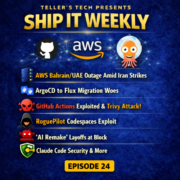
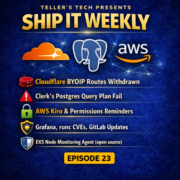
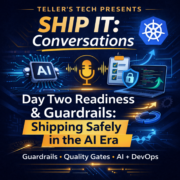
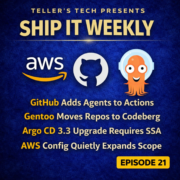
Searchable episodes

Ship It Weekly Transcripts

Transcripts make the show skimmable: search for a tool, an incident pattern, or a quote without scrubbing audio. Each block below shows the full episode transcript inline — scroll to read, or open the episode page for audio, chapters, and show notes.

Transcript coverage grows as episodes publish. Older episodes sync from the RSS feed on the next import; check back after a new episode drops if one is missing.

What this page is for

Why transcripts matter

Operators search for specifics — a CVE, a Terraform pattern, an on-call habit — and transcripts let you land on the right episode fast.

Read inline or on the episode page

This archive shows full transcript text for browsing and search. Open any episode for the interactive player, timestamp sync, chapters, and show notes.

Written companion

For weekly written DevOps/SRE news, pair the podcast with On Call Brief — the sister briefing at tellerstech.com. On Call Brief news →

Read episode transcripts

Hey, I'm Brian Teller. I work in DevOps and SRE, and I run Teller's Tech. Ship It Weekly is where I filter the noise and pull out what actually matters when you're the one running infrastructure and owning reliability. If something's just hype, we'll call it hype. If it changes how you operate, We'll talk about it. Most weeks, it's a quick news recap.

In between those, I drop interview episodes with folks across the DevOps world. This is one of those interviews. Today, I'm talking with Maz Islam, aka DevOps with Maz. He's a UK -based DevOps engineer and puts out really solid practical content on both YouTube and LinkedIn.

Today, we're going to hit the why behind DevOps, how to keep leveling up without drowning in tools, and what agentic AI and MCPs might mean for real teams. So Maz, can you go ahead and introduce yourself? Say hi to the podcast listeners. Yeah. Hey, podcast listeners. My name is Maz and I host my YouTube channel, DevOps with Maz. So I'm a DevOps engineer by trade.

And yeah, in my free time, I like to kind of make content. And educate a general kind of LinkedIn audience, anyone on social media who kind of works in a similar industry and wants to kind of know the kind of tutorials and kind of challenges that those engineers face and how to overcome them. So in short, I'm also an advocate for better tech. Awesome. So we can find you, I guess I should have mentioned that, sorry.

We can find you on LinkedIn, Mazerul Islam. He's Mazerul419. And then also on... YouTube with DevOps with Maz. So yeah, be sure to check him out. He has a really good tutorial I just saw on your channel. It was about, I believe, like VPC endpoints versus NAT gateways, right? That's what you were communicating. Yeah. Which is a great topic. It's honestly come up in my day job many times.

One of those conversations around specifically like how to set up networking, data transfer costs, right, is always a concern. I think that's a really, really awesome topic. So for folks who haven't run into your stuff yet, what do you do day to day in your job?

Kind of work on like kind of different projects so when it comes to for example using kind of aws centric so yeah use a lot of aws services such as the ecs and as well as fargate specifically i do launch and manage my own kind of ec2 instances so um yeah i manage kind of all things server side to do with kind of setup and configuration and also kind of translating all those click ops to um finally infrastructures code because we know if we can automate it you know ideally we should Absolutely, yeah.

Less mistakes in the pipeline there. And also talking about pipelines, also transferring that to kind of get up. So implementing CI, CD pipelines and making sure that there's all kinds of considerations for security and FinOps as well. So just measuring how much the costs are for your resources that are deployed.

So developers at the end of the day just have a better experience when it comes to developing the apps and deploying them. Yeah, absolutely. That's awesome. So what caused you to originally start sharing?

Devops with mass i know you've always been on linkedin you've been sharing a lot of posts on there um which are awesome which are great i'm just kind of curious though what prompted you to create the channel and and start sharing more yeah so it was kind of born from a kind of struggle i guess me personally in our in our industry when you're in devops you have to kind of wait for a lot of documentation um just to figure out kind of what the answer is so for example you know i've added i made a tutorial on terraform and had kind of set up kind of basic uh kind of linting, you know, using Terraform format, Terraform validate, kind of validate configuration.

You know, when I was kind of figuring that out, how to do that via kind of GitHub Actions, I had to wait for a lot of documentation. For me, I feel like simplifying it as much as you can is very, very important in your mind. And I feel like a lot of the time, DevOps engineers were kind of overwhelmed by the various kind of tools and stuff and waiting for all that documentation.

Essentially about kind of simplifying the concepts and just trying to keep uh kind of ideas as simple as you can to be honest i noticed that the best kind of devops engineers are the ones that can communicate their ideas and yeah i think you're only as good as your kind of communication uh allows you to so i think an important part of that is kind of just communicating and learning how to communicate that message across and that's kind of why i made this channel is to kind of communicate the message that you know devops it can be tricky but If you can figure out kind of how to wait for your documentation and kind of know how to be a problem solver at the end of the day, you can actually bring solutions to life.

And yeah, that's kind of inception of the channel. Absolutely. I agree with that. We were actually talking pre -recording about how even just sometimes training gives you better insight and better visibility or understanding, I guess, around concepts that you had, even just doing it in your day -to -day job. I feel like presenting it to other people lets you. Get to know like different sides of understanding.

Because again, you get tunnel vision over years and you don't necessarily think about things from outside the box or from different perspectives. So when you have, when you're putting yourself in that mindset of someone trying to learn something, right, you grow because you're thinking about it differently than maybe you would in your day -to -day job, just trying to complete a task, right?

Just getting A from A to B. Now you're actually trying to, well, wait, if I don't have any of that understanding, how do I actually even start at A? What is A, you know? Exactly, yeah. It all becomes like really tricky very quickly if you're not careful.

So you always have to be kind of, say, detail -oriented, I'd say, for sure, when you're kind of looking at documentation and just making sure that challenges you, any kind of assumptions you've made, you challenge them and kind of just ask yourself like, you know, I'm actually understanding what's going on here or is there something that I've, some line of code that I don't really understand what's going on here and I really need kind of clarification on that.

So yeah, just keeping yourself accountable at the end of the day. Absolutely. So I'm curious what your thought is when DevOps is actually working at a company, right? So we've implemented it. We have a team. It's, you know, we're still setting stuff up. Maybe we don't have an IDP platform yet for developers. We don't have like great CICD, but we've started implementing some of those first steps.

What changes for a team when we have DevOps? Like once we've implemented that for a team, what changes and what feels different on a random Tuesday rather than just having like a bunch of engineers shipping code? Everybody has their own processes. What does DevOps bring to the table? What's your thoughts on that? Yeah, so I think that links back to kind of the why behind DevOps.

So one really, really nice book that I've been reading that kind of demystified that for me is called The DevOps Handbook by Gene Kim. And yeah, it's just a really, really good insight into how DevOps kind of works in terms of like the business. And for me, DevOps means breaking down a boundary between security.

Developers, operations, and kind of wider business to make sure that, you know, developers are shipping fast in small kind of increments, as opposed to kind of large six, every six months they're pushing a change that everybody knows is going to break, but they all kind of figure out. Yeah, DevOps has kind of completely changed the landscape.

And at the end of the day, DevOps only works if everybody's kind of implementing it from the ground up. So yeah, I think. One quite interesting analogy that was mentioned in the book was about kind of the factory floor and how DevOps is the application of agile methodology to the kind of IT value stream.

So if you think about, say, kind of lean manufacturing, work done in factories, for example, previously, you know, work was done in kind of large batches. So, you know, you'd have kind of like all these dependencies, all these chain of dependencies, these tasks from the...

Would have come in for the cost of some other materials being on actual factory floor and then kind of processing and making like say 50 car panels for example if there was a deep if you made 50 car panels at once and there was a defect in any single one of them you have to redo those panels all over again and just think about for a moment you know at that time they said devops you know if there's say a major kind of change that you're only kind of releasing every kind of let's say six months um if an error were to occur you have to go back to your code base and change everything about it and so with um lead manufacturing and agile methodology is saying well why don't we just break something smaller pieces let's make like couple of car panels here couple of doors couple of windows and then if there's an error in any single one of them you can just go back and make the change and it takes like It will take significantly shorter versus if you're making large batches of changes.

And so just think about that in DevOps, that application of that. If we're making incremental changes to our code, the developers are making incremental changes and just shipping daily. It depends on the company, of course, if they're shipping daily or weekly, what's kind of ideal there. But if they're shipping more often, generally it's the case that if there's an error, they can just go back and roll back.

And that's where the whole kind of tooling comes in. And yeah, I'm a strong... Believe in that. You know, if we can automate some parts of that, make developers' lives easy, have a self -service platform, ideally, that would be kind of the way forwards.

And so to answer your question, yes, in Teams, the DevOps implementation looks like shipping regularly and also ensuring that the boundaries between kind of IT security operations and the wider business are actually solved and everybody's got transparency about it. Yeah, and giving the ability for that iteration, right? That ability to...

Yeah to iterate quickly um it's awesome so if you're in a like a new org what's one tiny change that like you could see let's say for like a company it's very new to devops what's the change that they could make that may be like a big win for them i mean or a win it doesn't have to necessarily be a big win but but a win that could help early on in their process, if they're very, very immature to like DevOps practices and they're not ready to do like full, full implementations and iterations, like they're still doing full big release cycles.

Like what's something that they could bring early on in that process that without having to break everything down, that could help? Definitely say bringing in the stakeholders very, very early into the conversation. So for example, if there's a business change kind of proposed, it's important you get kind of early feedback on it.

As early as possible so if you're making kind of changes down the line to your kind of pipeline you shouldn't you need to get early feedback ideally in order for kind of the stakeholder whoever the business leader is to kind of see if they're happy with the way things are going so having early feedback is just really key to that process you know otherwise What it looks like is, you know, there's complete mismatch.

Again, communication is just the biggest thing within organizations. Obviously, as you grow, you know, it only gets more difficult. Teams get bigger. And, you know, there's only kind of so much that can be handed off until, you know, the delays. So I definitely say ensuring you get early feedback from stakeholders is very, very important.

Yeah, I've definitely worked at companies where there was a DevOps team, but there wasn't.

Uh buy -in by leadership really on devops agile practices right they were from the older older uh shipping you know batch releases and not having like mature cd pipelines not having iac um all click ops right because they didn't see the value they didn't understand the concept of slowing down to be able to speed up down the road or improve and refine over time.

They were looking at the, and I'm sure that's true in like a startup culture too, right? We want to do ClickOps right away to get things, you know, get our MVP up. But at some point we need to mature those practices. We can't just, you know, cowboy every day. So if you had to say DevOps in one sentence, what is it really? Like, what is DevOps? I'd say just, it's just communication. Yeah, that's fair.

It's literally just communication because before, previously, you'd have all these, the IT team, operations team, devs, as well as security, they'd all be kind of siloed together and the handover process rather, you know, like say, for example, if you're working within kind of DevOps and you kind of get like a ticket coming in to create like additional couple of users, you don't know.

Where this has come from or why that is. Let's just say there's a stakeholder kind of up within the business who's kind of requested something like that and there's no kind of transparency or any idea really of how or where this kind of came from. So DevOps basically breaks down all those communication barriers by making sure, firstly, everybody's work is transparent.

Secondly, ensuring that there is a self -service, regular... For developers to just develop code. At the end of the day, developers just want to get on with producing code and making changes to their apps and just shipping. We want to make that as easy as possible in the DevOps industry. And so I feel like that's the main purpose is just breaking down that communication. Communication is key, really. Yeah.

And I think your point around making it easier for developers, I think that's at least my understanding really behind what... Like platform engineering is. And obviously, like, right, we've gone from SysOps to DevOps to SRE. Now it's platform engineering. But I do, there's nuanced differences to all of it, right?

To all the different titles and the different methodologies and ideologies behind those different concepts. But I do think platform engineering, like the idea is building that IDP for development team, letting them be self -service. Building like a service catalog, making sure that they have those tools.

And not that DevOps doesn't incorporate that, but DevOps is almost more, it's almost too wide of an idea of what all encompasses. You go to some companies, you're just a cloud engineer. You don't actually do any quote unquote DevOps day to day work. You go to another company, it may be all building, you know, backstage and building out that IDP. You go to a different company and it may be.

Actually doing like CICD and improving like the developer experience and building out those pipelines and making them more robust and having better status checks so, you know, the PRs can be merged quicker and actually speed up that development cycle. And that's like what I find at least is like it's different for everyone. So it's hard to pin down.

You could even go back to the whole idea that like DevOps is not a title, right? It's an actual idea. It shouldn't be a title at least. We've lost that war. I certainly, I agree with that. I'm a DevOps engineer by trade. I get that. But it's just funny to see like the evolution of what DevOps means. Yeah. It's honestly like, I think in the UK at least that we, it just changes from company to company really.

You end up wearing different hats throughout your career. And yeah, it just is a whole Pandora's box really, the titles and stuff, isn't it? So, yeah. No, for sure. So we both build. Training for people that are either in DevOps or looking to get into DevOps.

And so what would you say to someone who's either aspiring to be a DevOps engineer, maybe they're a back -end engineer, maybe they're a front -end engineer and they're looking at DevOps, they'd say, wow, I really like that side of the development cycle. I want to do more with that. What would you tell someone as far as like keeping up with tools? Because I find keeping up with tools is hard. Right.

I've been in the industry for like 25 plus years. It's still hard because everything changes all the time. My last episode was literally about like it changed halfway through writing the episode because GitHub came out with a new release around, you know, like, oh, we're rolling this change back now. Right. So what do you say? Like, what's your thoughts on that? What do you do to stay up to date with tools?

What's your thoughts on that? I'll definitely say, speak to other people within your industry. So just like how we reached out to each other today. You know, I, for example, when I found out that I did actually know prior to this, that I've actually rolled that back until we mentioned it. So yeah, it's quite, it's quite interesting, really. I definitely say, yeah, interact with other people in the industry.

Networking is very, very key to being updated in your industry. Yeah, don't. When you're working in this kind of career, you don't want to kind of silo yourself. Otherwise, you know, you end up in a sort of cave and, you know, it doesn't even take a year and you're already kind of, your skills are kind of out of date, let's say. It's very, very tempting to do that.

We all have kind of our lives and stuff to get along with outside of work. I'd say definitely make use of kind of networking opportunities. Let's say user groups. I know I attended an AWS user group kind of a month ago. That would kind of keep updated too. With like, I think they mentioned like ML kind of models and how to use IDP.

So intelligent document processing within lifecycle, which I never kind of considered and never knew that AWS does. So just go to events, meet other people in your industry, whatever that looks like, you know, just go for it. Yeah, don't be afraid to kind of step out of your kind of comfort zone and speak to others kind of similar to you. You never know what you might learn. Yeah.

What would you recommend for someone to do as like a first project? Like, let's say I wanted to get into DevOps. I maybe know a little bit of Terraform, but I don't know a lot. I know some YAML because I've used that before for other applications. But what would be like a good first like GitHub 101 project that I could have in my back pocket when I go to my first like junior DevOps engineer interview?

Yeah, I'd say definitely having a kind of any project where you deploy an app. And make use of, say, the ECS service within AWS. That's the thing. I don't know if that's too beginner -friendly or not, that's the thing. Yeah.

Yeah, I'm thinking I might be a bit much, but just to say deploying a simple application, maybe making use of hiding a brand application load balance, for example, in a public subland, keeping your kind of actual app private. That will teach you a lot of kind of networking fundamentals for sure. And yeah, you'll just, you'll be surprised what you learn along the way, you know.

So you can also, you try and Dockerize the application. I think that's very, very important to know. Docker is definitely a useful skill and trying to build kind of multi -stage builds. Yeah. So in summary, just try to Dockerize an app and deploy it behind an application load balance, I would say. And the ECS stuff, you can do that if you want.

I think that's a huge, huge kind of plus points if you're able to do that as well. Yeah. Or just use Docker Hub and just just to start.

But yeah, no, I'm with you because a lot of junior engineers I talk to, like so talking to the networking side of the ALB that you're talking about, I've talked to a lot of engineers where networking is definitely the hardest part to learn just because it's not taught in school, I guess, as much as it was back in the day. And a lot of it's like obfuscated from from people's periphery.

So you create an AWS account, they give you the default VPCs, and a lot of people just start using that. They don't really understand what availability zones are, what ACLs are, how to create like route tables, how to deal with like cider blocks and cider block collisions, how to build transit gateways, right?

So you start to get into like all the stuff related to the VPC networking wise, and like that can feel really daunting. But I do agree, like just start with default AWS account, take what they give you. The default's fine, at least to start.

And then really focused on like the ALB and building out like the security group rules, like you talked about, like knowing what a private ALB is, how to set those rules so like not anybody can just get to it and understanding that. And then you can kind of work your way back to the networking side and learn that as you go, right?

You don't need to know everything day one, but you can't know everything day one either. It's just not possible. Yeah, exactly. And a learning process just, it does take a while. And it is, it is the sort of thing where, you know, you would encounter an error and you might be stuck on it for days even. Yeah. Yeah. So it's just. We've all been there. Yeah. You got, you got to take your time with that.

There's not really much else I can say there. Yeah. So earlier you were talking about staying connected and stay on top of things. And you mentioned going to conferences. So we were talking earlier in, earlier you had mentioned you went to DataFam Europe by Tableau. And. Can you tell me about that? Like, tell me about the conference. What did you learn? Like, what are some cool takeaways from that?

Honestly, yeah, DataFam was just, it was beautiful. Wow. It was just, there was so much I took away from that. Like, you know, so I do a bit of data as well. Yeah, I'm trying to kind of get to grips with Tableau and understanding. So for context, Tableau is a dashboarding tool. I can just kind of visualize the data. There's all sorts of kind of neat tricks you can use.

And main focus of this year's event was AI, AI enablement. Yeah, because a lot of times AI can do our kind of busy work, our boring work for us and kind of analyze data behind the scenes. And there's a couple of kind of products that Tableau has announced. So for example, you have Tableau Pulse, Tableau Inspector. There's one other one I can't remember off the top of my head, but essentially they...

Query your data and tell you, you just give it a prompt, you know, tell me about the sales forecast this week and it will just dive into your data. Instead of you having to kind of manually look up in a table, it'll build kind of dashboards for you. You don't have to worry about the dashboarding part, it just does it for you. And yeah, it's just, you just do it from a simple prompt.

And one thing you could do is also have custom kind of MCP server connections so you can connect up your own kind of AI agents to it. To run your own customization, you can kind of go for that as well. So it's really, really kind of powerful event and I think paves the way for what a future organization might look like, future businesses going agentic.

And I think it's just a really exciting concept, to be honest, that's worth exploring. That's cool. So full disclosure, I have not played with Tableau too much. I have set up Tableau bridges for data teams at organizations, but I have not actually gone into Tableau and like dealt with like data manipulation much myself. Seems like a really cool tool, though.

And it's interesting because every company, it seems like every conference now, Confluent just had a conference. It was all AI, AWS reInvent, very AI focused. Definitely is where the industry is. And it makes sense. I mean, AI is definitely a great tool. But I'm just kind of curious, what does an agentic org mean in plain English? Like, what is that? Yeah, agentic org really is the future of orgs, to be honest.

Organizations, they embrace AI and all its... Capabilities that come with it. So a lot of organizations, they have a lot of admin work, a lot of work that's kind of boring that they don't really want to do.

And so automating it as much as you can, you know, just how DevOps engineers automate ClickOps through Terraform, you know, organizations want to extend that and just whatever we can automate, like I said earlier, you know, intelligent document processing, for example, a lot of like industries such as insurance or financial services, a lot of kind of documents to read.

There's a lot of kind of manual input needed to kind of process that information. So automating that is one way to unlock time and energy and money as well, which is probably the most important thing.

Going to the company, to the company, the bottom line, improving their bottom line through using AI to reduce the kind of burden and the cost of the kind of services that they need and the time that they need to invest to actually build products. So it's all about creating efficiencies within organizations. And that's what being an agent takes.

Organization means is using ai to effectively leverage the capabilities to enhance like all that busy work just leave that to ml models really and automate that stuff so you can get to work on making more important decisions and you know not concern yourself with all that manual labor so yeah no that makes sense so speaking to using everybody use i use ai All day at work, right? Everybody does now.

Use it on PR reviewing to like look at a PR and give constructive feedback. Because especially if you're reviewing PRs all day, it's very easy to miss something as a human. Whereas AI may cache something that you missed. Use a cursor to help write code. Use it to help debug. If you have an MCP server hooked up that can maybe get into like Argo CD.

And your kubernetes cluster it can easily and quickly read logs quicker than i could right and parse them and figure out maybe like a root cause for for like a crash loop back off or something like that but on a recent episode i talked about prompt pwn by aikido and how they're talking about prompt injection vulnerabilities like in github actions and It just has me thinking like, so what are your thoughts on like what an agent can run and how we build guardrails around that?

Because like I think AI is here to stay. It's a great tool. And I'm not saying we shouldn't use it. But what are your thoughts around the guardrails? Because like it is non -deterministic, right? So it's just a concern, I guess. I don't know. What are your thoughts? Oh, yeah. This might be one of the areas where I'm just, yeah, I'm completely new to this.

I've just been, I've been dunked into the wall and I guess I'm still trying to figure out what that looks like. So yeah, I don't really have an answer to be honest. It's not an easy question. No, it's not. There's not an easy answer for sure. Yeah, I'm not trying to put you on the spot because I feel the same way. So I've even found that like cursor roles are not always applied. You can set cursor roles.

It may sometimes, especially when a chat conversation gets too long or you let it, break its guardrails previously in a conversation it thinks that it can continue to break its guardrails but like it's very scary in that way where ai like you can build caverno policies you can build policies around code enforcement and i guess that has to live outside of ai and then at least right now my thought is not letting just ai just run everything not letting it just break glass everywhere or have complete control everywhere and like you would for any service account or IAM role, giving it very least privilege, specific permissions that it needs, very limited to what it's allowed to do and guardrail that as best you can.

I don't think that's even a great answer. I think that's an okay answer that helps some of it, but I don't think it answers all the questions either, unfortunately. Yeah, I mean, to be honest, I don't think anyone should be letting AI kind of take full control of full access of their account. I think that's, yeah, that. Because I see it on my LinkedIn feed weekly.

Someone's just given the AI just full access to their account and then it's just deleted the whole entire home, for example. And it's like, how did you get it? Yeah, that's unfortunate. Yeah, I've run into some of that myself as well. And it's scary. You have to be very conscientious of what you let...

What you give the AI as far as the data and also what you let the agent do because the agent may live within the guardrails and the pre -prompts that you give it. It may not too. So there are, you know, it's a concern for sure. So, all right, let's wrap up. Just curious if you could, just a couple of quick questions.

If you could give one person a piece of advice for someone that's trying to break into DevOps in the upcoming year, 2026, what would be that advice? What advice would you give? I would. Definitely stay consistent. It's very, very easy out there with the overwhelming amount of tools.

You know, just you feel like you're getting overwhelmed and you need like, it's very tempting to just want to take a break, to be honest. And yeah, it's just, it's a very, very tricky, tricky world out there, DevOps, especially like given how...

Far it's come you know there's so many different tools like i'm only starting to realize how many tools there are every time i try and go delve beyond like terraform you know i'm for example i'm implementing a project right now where i'm using terragram and honestly like it's a lot it's a bit more difficult to kind of configure but i'm appreciating you know that it does with the kind of state file management for example you know having a step state files and keeping your code dry, it does definitely have its benefits.

So there's all sorts of tools out there that will benefit you during your journey. And the main thing is just pushing through and being consistent. And yeah, as I said before, there's those, you're going to have days, you're going to have days literally where you're stuck on an issue and you just got to keep on pushing to be honest. So yeah, anyone out there who wants to break in, you know, just stay consistent.

Yeah, don't give up. You know, you can take a break, no problem, but just make sure you don't drop the ball. Yeah. I love Terragrant. I use it every day at my job. I was originally on Terraform Cloud, started using Terragrunt, separating out the state files into different buckets, handles that automatically for you. You can do more localized module control easier, keeping your code dry.

Templating with the HCL files is just, it's a great addition to Terraform or OpenTOFU, whichever you're using. And agree, yeah, stay consistent and just be curious, right? Just keep learning. So where should people follow you? Let's backtrack on that. I know we mentioned at the top, but yeah. Just let people know. Yeah. Yeah. So you can find me on LinkedIn. So yeah, Masaharu419. Yeah.

So just for this additional bit of info, yeah, I'm currently a DevOps engineer at Codeco. So they provide kind of like training and delivery in kind of DevOps. To kind of inspire DevOps engineers. So it's a really, really good community to join. So yeah, I highly recommend it. And yeah, I'm on YouTube as well, DevOps with Maz. And also I've recently started kind of Instagram and TikTok as well with the same handle.

Well, speaking of handle, I'm trying to get a handle on that kind of content. So it's quite tricky. So yeah, I'm trying to build a video right now, actually. And yeah, it's not easy, you know, content creation. So yeah. It's a different world. Yeah, for sure. Yeah, yeah. Awesome. Well, I appreciate it, Maz. I appreciate having you. And I'll link everything that you mentioned in the show notes. Thank you so much.

No problem. Thank you so much for having me. All right. That's the interview with Maz. Quick reminder on the format. Ship It Weekly is still the weekly news recap. And I'm dropping these guest convos in between. If you want to catch both, hit follow or subscribe wherever you are listening. And if this was useful, share it with a coworker or your on -call homie and leave a quick rating or review.

It's annoying how much that actually helps the show. We'll be back next week with a regular news episode. We'll see you then. Thanks for listening.

Scroll inside the box to read the full transcript.

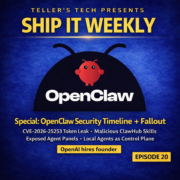
Hey, I'm Brian. This is Ship It Weekly by Tellers Tech. If you're new here, I've worn the DevOps, SRE, and platform engineering hats over the years, and I do some coaching on the side. This show is me skimming the noise and pulling out what actually matters when you're the one running infra and owning reliability. All right. This week's theme is pretty obvious. Your CI is a dependency.

Vendor pricing models are shifting under your feet and AI is getting shoved into pipelines in ways that create entirely new failure modes. Let's start with GitHub. So GitHub announced a pricing change for actions that would have added a cloud platform charge to self -hosted runners in private and internal repos. Not compute, you still pay for your own compute.

This was basically GitHub charging for the orchestration layer and the control plane side of actions. People freaked out loud and fast. And GitHub came out and said they're postponing that billing change while they reevaluate. So the story isn't they're charging now, the story is they tried to charge, got major pushback and hit pause.

Important detail though, they're still moving forward with reducing hosted runner prices in 2026. So GitHub is still actively tuning the economics of actions. They're just not ready to light up the self -hosted runner fee just yet. Then because timing is hilarious, GitHub hosted action runners had an incident yesterday. I'm not even bringing that up to dunk on them. It just reinforces the point.

Actions is not just CI. GitHub is part of your delivery control plane. When it's down or degraded, a lot of companies basically lose their ability to ship, deploy, or recover cleanly. So here's the platform lesson. Even if the fee is postponed, this is your warning shot. GitHub wants to monetize actions like a platform product. Not a free feature. If you own CI CD, now is the time to get your house in order.

Start measuring actions minutes by repo and by workflow, especially the expensive ones. The long integration suites, the run everything on every PR pipelines, the stuff that's there because it's always been there. Then go hunt down dumb minutes, not even because you're scared of pricing, but because it's usually a straight win anyway.

Faster PR feedback, fewer queues, less flakiness, lower compute costs, and less why did this run 12 times noise. Also, write down your GitHub is sad plan, like literally. If GitHub Actions is down, what can still happen? Can you still deploy a hotfix? Can you still promote an image? Can you still roll back? Or is your plan basically, we wait and refresh the status page?

Even a tiny break glass path is better than chaos. All right, let's go from GitHub pricing whiplash to HashiCorp pricing whiplash. So HashiCorp is finishing the transition off of the old legacy free plan for HCP Terraform. The legacy free plan hits end of life on March 31st, 2026, and orgs get moved to the newer free tier. That newer free tier includes unlimited users, but it caps at 500 managed resources.

And that managed resources limit is why this is suddenly a big deal for real teams. Because 500 resources sounds like a lot if you're thinking workspaces, but it's not workspaces. It's actual managed infrastructure objects. If you've got a couple of EKS clusters, they're node groups, IAM roles, policies, security groups, route tables, DNS.

Plus supporting stuff plus a few environments, you can hit 500 way faster than you think. So the takeaway here is not HashiCorp is bad or everyone panic, it's you need to know your numbers. If you're using Terraform Cloud or HCP Terraform, go find out. Are you still on legacy -free? How many managed resources you actually have today? And how fast that number is growing?

Then decide what your reality -based options are. Maybe you're fine and this doesn't matter. Maybe you need to clean up old stacks and dead environments so you stop paying for zombie infra and zombie state. Maybe you need a paid tier because you're not a hobby shop. Or maybe you do want to move away. But do that as a controlled migration, not a March 2026 emergency where your pipeline turns into a pumpkin.

This is the part I keep coming back to. Platform work is interestingly vendor economics work, not just Kubernetes and Terraform syntax. You need a basic plan for what if the rules change. All right, now we're going to take the your pipeline is a dependency theme and add AI to it. Which is where things get extra weird. There's a write -up from Akito about what they're calling prompt pwned.

This is basically the prompt injection meets CI CD story. Here's the pattern. Teams are wiring AI agents into GitHub actions or similar pipelines. The agent reads issues, PR descriptions, commit messages, logs, test output, and then makes decisions. Maybe it opens a PR. Maybe it posts a comment. Maybe it runs scripts. Maybe it has tools. The problem is, a lot of that input is untrusted. PR text is untrusted.

Issue bodies are untrusted. Commit messages can be untrusted. So if that untrusted content goes into the model prompt without guardrails, an attacker can basically smuggle instructions into the agent. And if the agent has the ability to run commands or use privileged tokens, you've created a new kind of supply chain exploit. It's not run untrusted code. It's run untrusted text through a system that has hands.

So what do we do about it as platform folks? Treat AI agent inputs like you treat user input in an app. Sanitize, filter, don't just shove raw PR bodies into prompts. Keep the agent's permissions brutally minimal. If it doesn't need write, don't give it write. If it doesn't need cloud creds, don't give it cloud creds. If it's running in CI, don't give it a token that can do anything interesting.

And if the agent generates commands, don't auto execute them like, well, the robot said so. This whole space is new enough that a lot of people are still in the, this is fun phase. We're already entering the, this is now a security boundary phase. All right. One more main story, and this one is classic security hygiene.

There was a report that Home Depot had an exposure that allegedly granted access to internal systems for about a year. Not trying to pile on them, big companies have weird internal sprawl and stuff slips. But the reason I think it's worth mentioning on this show is because this is the exact kind of incident that happens in a lot of orgs, just smaller and quieter.

Usually it's some variant of, a token was exposed somewhere it shouldn't be. The token had way more access than it needed. Nobody noticed for way too long. Detection and response was slower than it should have been. And even if you rotate creds, the bigger question is, how did it get there? And why did it have that much power? So what can you actually take back to your team from this? Secrets should expire.

If you can't expire them, they should at least be rotated on a schedule that doesn't require drama. If it's a long -lived credential that can't be rotated, that's a smell. Assume exposure will happen. Design the blast radius like it will. If a token leaks, what can it do? One service, one environment, or is it basically welcome to the kingdom? And lastly, detection.

How quickly would you notice a token is being used from a weird place? Do you even log that in a way you can query? Do you have alerts? Does anyone own those alerts? A lot of orgs treat secret scanning as nice to have. It's not. It's one of the simplest ways to prevent a year long, how is this still alive story. All right. Let's do a quick lightning round. CDK for Terraform.

CDK TF is officially sunset and the repo is archived. If you're using it, you're now in fork or migrate territory. The official guidance is basically synthesized to HCL and move on. Bitbucket is doing cleanup of free, unused workspaces. If you have dead orgs or old workspaces that nobody touches, you don't want to wake up to surprise deactivations or deletions. Inventory your SaaS, it's boring, but it's real.

And SourceHUD is proposing pricing changes. I like mentioning this stuff because it's a reminder that even the indie dev tolling world is under cost pressure. Different scale than GitHub, same underlying reality. Infra costs money, and pricing models eventually shift. All right, quick human moment before we wrap. This week is a good example of something nobody is really talking about. Platform whiplash.

Like GitHub floats a pricing change, everyone scrambles, then it gets postponed. HashiCorp shifts plan definitions and suddenly you're doing math on managed resources. Meanwhile, teams are wiring AI into CI pipelines, and now you're responsible for weird new security boundaries you didn't ask for. None of this is hard tech in a fun way. It's mental load. It's context switching.

It's the quiet stress of realizing your job isn't just keeping systems up. It's also keeping your org from getting surprised by vendor changes. So if you're the person who owns CI, IAC, or platform reliability, here's a thing I've started doing that helps. Make a tiny platform watch list. Not a big roadmap doc, just a running note with three columns. What changed, what it breaks, and what we're doing about it.

And the bar for what we're doing about it can be small. Sometimes it's literally measure action minutes or check our Terraform managed resource count or write down break glass deploy path. Because what burns people isn't one big outage. It's a constant drip of little, oh by the way, changes that all become your problem. So yeah, if this week felt like chaos, it's not just you.

Put it in a lightweight system so your brain doesn't have to hold it all. All right. So the vibe this week is GitHub and HashiCorp are both messing with the economics of the platforms a lot of us depend on. AI agents are being wired into pipelines in ways that create brand new attack paths. And security stories like the Home Depot one keep reminding us that the boring basics are still the basics for a reason.

If you got value out of this episode, please subscribe wherever you are listening. Seriously, it helps. And if you know the one person on your team who always ends up being the prod is weird detective, send it to them. I'm Brian. This is Ship It Weekly by Tellers Tech. Thanks for hanging out and I'll see you next week.

Scroll inside the box to read the full transcript.

IBM Buys Confluent, React2Shell, and Netflix on Aurora

Episode 52,412 words⏱️ 16:14Full episode →

Hey, I'm Brian and this is Ship It Weekly by Teller's Tech. Quick heads up before we get into it, my voice is a little rough this week. I've been fighting a cold, so if I sound like I've been yelling at Kubernetes for three days straight, that's why. All right, here's what we're talking about this episode. First, IBM is buying Confluent.

That's right after the HashiCorp deal, so we'll talk about what that means if you're on Confluent Cloud, running Kafka on -prem, or trying to pick between Confluent, MSK, and do -it -yourself. Second, there's a nasty React vulnerability people are calling React2Shell. It's a 10 .0 RCE, it's been exploited in the wild, and if you run platforms for front -end teams, this absolutely involves you.

Even if you've never touched React. Third, Netflix wrote up how they consolidated a big chunk of relational databases onto Aurora Postgres. They saw up to a 75 % better performance and solid cost savings, and they simplified their fleet. We'll talk about what's real there and what's marketing. In the lightning round, we'll hit...

Open Tofu 1 .11, some Terraform tips from the trenches, Ghosty going non -profit, and a pair of tools around spec -driven development with AI. And we'll wrap with a human story from your brain on incidents, about what big incidents actually do to people and how to make that less awful. Let's start with the big acquisition, IBM and Confluent. So IBM is buying Confluent for a very large pile of money.

They already grabbed HashiCorp earlier, and now they're adding Confluent, which is basically Kafka as a product, with managed clusters, connectors, governance, all the stuff around the core broker. If you zoom out, this looks pretty intentional. HashiCorp gives them a control plane story, terraform, vault, console, all the infrastructure lifecycle pieces.

Confluent gives them a data plane story, real -time streams, feeding analytics, and AI systems. From IBM's point of view, that's great. From your point of view, this should trigger some questions. If you're a Confluent Cloud customer today, I'd be asking, what's the realistic time window where pricing and packaging stay roughly the same? 12 months? 24 months? What's the path if that changes?

And we suddenly don't like the new world. Are we comfortable being on HashiCorp tools and Confluent and whatever IBM does for AI all from the same vendor? If you're not on Confluent but you've been evaluating it, this changes the comparisons with MSK and self -managed Kafka a little bit. On the plus side, IBM has deep enterprise relationships and is very good at, let's say, long sales cycles.

That might mean better integration with big company identity, governance, on -prem stories, all of that. On the minus side, Every time a company like this gets acquired, there's a non -zero risk of focus shifting to bundle this into everything instead of make the core service amazing.

If you're on MSK or self -managed Kafka right now, I don't think this is an immediate you chose wrong moment, but it is a reminder to check your own vendor concentration. If the same company controls your infra control plane, your secret management, and your streaming backbone, you should at least have some kind of exit plan on paper.

Not because you're going to use it tomorrow, but because you really don't want to start thinking about migrations the week after a pricing email lands. So the homework here is simple. If you use Confluent anywhere, write down what Plan B looks like. If you don't, decide whether this acquisition makes you more or less likely to adopt it in the next couple of years.

And maybe keep an eye on what IBM does next in the infra -AI space, because they're clearly not done shopping. Alright, let's talk about something more urgent. React to Shell. React2Shell is one of those vulns where the score is 10 out of 10, and unfortunately, that's not an exaggeration. Very short version, React server components use a protocol called flight to talk between client and server.

There's a bug that lets an attacker send a malicious payload through that protocol and chain it into a remote code execution on the server side. So this is not someone can mess up your CSS. This is someone can run arbitrary code on whatever is hosting your react server components. Why should you care if you're just the platform person?

Because a lot of modern front end stacks are now front end plus service side piece deployed as containers into your Kubernetes clusters or your app platform. Those pods are part of your blast radius. If they get popped, the attacker is one cube CDL away. From the rest of the cluster, or one IMDS hop away from credentials. Patches are out in the ecosystem. Next .js and others have shipped fixed versions.

React has guidance, the usual wave of advisories. But there is real exploit traffic in the wild already, and cloud providers and security vendors are seeing this used to drop loaders and pivot deeper. So what do you actually do as a platform SRE person? First, assess inventory. Figure out which services in your world are using React 19, React server components, Next .js with RSC, that kind of thing.

If you don't know, this is a good week to ask app teams some annoying questions. Second, patch tracking. Make sure those services are on the patched versions of their framework. This is one of those we're doing an emergency patch even if the sprint board doesn't like it weeks. Third, guardrails.

If you have a WAF, check whether your provider has shipped React to Shell rules and turn them on in at least monitoring mode, ideally block mode for the exposed endpoints. Same thing for IDS, IPS, or runtime security tools. Fourth, egress and privileges.

Double check the egress posture of those front -end services if an attacker does get code exec, how easy is it for them to phone home, hit IMDS, pull other secrets, or talk to internal services that they really shouldn't? You don't need to become a React expert. You just need to treat this like what it is. A serious server -side RCE that just happens to be writing in on a front -end stack.

All right, let's move from everything is on fire to how one of the big kids is evolving their database story. Netflix published a case study about consolidating a big chunk of their relational database fleet onto Amazon Aurora Postgres. The headline numbers, they quote, are up to 75 % better performance and almost 30 % cost savings for some workloads. Now you should always be a little skeptical of round numbers.

But the pattern is pretty familiar. They had a bunch of self -managed Postgres clusters scattered around. Each one had its own tuning, its own backup setup, its own failover behavior, its own on -call expectations. Over time, that turns into a huge operational tax. Moving to Aurora gave them a few things. Managed failover and backups instead of writing and maintaining that themselves.

A more uniform story for observability and performance tuning. The ability to simplify sizing and auto scaling in a more consistent way. From our side of the fence, the interesting question is not should we be Netflix? It's where do we get outsized value from letting the cloud provider manage more of the boring stuff?

If you have a handful of big, weird Postgres clusters with very tight latency requirements, very custom extensions, or unusual replication topologies, self -managed might still be the right call. But if you have 30 or 50 little to medium Postgres instances that all need roughly the same reliability story and none of them are super special snowflakes, something Aurora -like starts to look pretty attractive.

The trade -offs are similar to what we just talked about with Confluent. You're consolidating onto one managed platform. You get reliability and lower ops overhead at the cost of more vendor lock -in. There's no free lunch there. The takeaway I'd want people to get from the Netflix piece is not, oh, cool, Aurora is magic.

It's you should occasionally step back and ask if the way you're running your databases is still the right shape for the scale you're at now. If you built a fleet of hand -tuned clusters back when you had five apps, that might not be the right model now that you've got 100. All right, let's knock out a quick lightning round. First up, Open Tofu 1 .11.

Open Tofu keeps moving quickly, and 1 .11 brings some nice language features. There's an enabled meta argument you can use on resources and modules to conditionally include things without the old count equals zero hacks. And there's support for ephemeral values, so you're not forced to jam every intermediate into state forever. I'm not going to go line by line through the changelog.

But if you've been Terraform curious about Open Tofu, this is a good excuse to try it out on a small non -critical stack and see how painful or painless the migration is. At minimum, be aware of it so you're not surprised when someone on your team says, hey, can we standardize on this instead? Next, a Terraform tips post from Rose Security that I liked. It's one of those small things that add up articles.

Stuff like using one instead of bracket zero bracket, when you really expect a single value, shaping variables as objects with optional attributes, so you're not passing around random maps, that kind of stuff. This is the kind of post I'd quietly drop into your Terraform channel or internal docs, and then steal ideas from the next time you touch a core module.

You don't have to refactor everything at once, but tightening up the patterns over time does pay off. Third lightning item, Ghosty Going Nonprofit. Ghosty is a GPU accelerated terminal emulator that's gotten really popular and Mitch Hashimoto announced that it is now under a non -profit umbrella instead of being a commercial product in waiting.

I'm not going to pretend that this is a pure DevOps story, but I do think it's interesting to see a dev tool with this much traction explicitly choose a non -profit ownership model. After watching things like Terraform's license change and all the drama around OpenCore tools, it's kind of refreshing to have a core tool say, nope, this is going to be community governed.

And last lightning item, spec -driven dev with AI. GitHub released SpecKit, and there's also a project called OpenSpec from Fission. Both are playing in the same space. Instead of just prompting your AI assistant with, hey, write some code, you start with a structured spec that says what you're building and how you'll know it's correct. And then you let AI generate plans, code, and tests anchored to that spec.

From a platform perspective, I think this is the only sane way AI is going to touch infrastructure at scale. Imagine a spec for new service on our platform, or standard Kubernetes app, or new CI pipeline, and then the assistant uses that spec to generate Terraform, Helm, and policy that fits your patterns. We're not there yet in most shops, but watch this space.

It's way better than let the bot randomly edit production yaml. Alright, let's talk about incidents and brains for a minute. For the human bit this week, I want to pull from an article called Your Brain on Incidents. It's about what major incidents actually do to people, not just systems.

If you've ever been on a multi -hour call where everything is breaking and the pager will not shut up, you already know the feeling. Tunnel vision? Bad decisions, snapping at teammates, that sort of thing. The article talks about cognitive load and stress responses in a pretty approachable way.

When you're in an incident, your brain is juggling a ton of context, logs, dashboards, Slack, tickets, leadership asking for updates. On top of that, if you don't feel safe saying, I don't know, or we need to slow down, your brain goes into pure defensive mode. That's where blamey cultures make everything worse.

If every mistake gets dissected in the most painful way possible, people will hide information during the incident and the postmortem. You lose exactly the insight you need to get better next time. So what do you do with that as an SRE or platform lead? One, Be explicit about expectations during big incidents. It's okay to say we're going to pick one hypothesis at a time and we're allowed to be wrong.

It's okay to say someone needs to be the scribe and someone needs to tell leadership to wait five minutes for an update. Two. Design your incident process so it takes some load off of the humans. That could be better run books, better dashboards, or just a clear template for how to structure a Slack channel during an event.

Three, in the review, focus more on how people reasoned under pressure and less on who typoed the command. You want people to feel safe saying, I was fried and I misread the graph, because that's how you find systemic fixes. And maybe most importantly, remember that people have a limited number of massive incident nights in them before they burn out. That's not a moral failing, that's just biology.

All right, that's it for this episode of Ship It Weekly. We talked about IBM buying Confluent and what that means for streaming and vendor risk. React to Shell and why a React Vuln absolutely still belongs on your platform radar. And Netflix moved to Aurora Postgres as an example of rethinking your database fleet. In the lightning round, we hit Open Tofu 1 .11.

Some Terraform cleanup ideas, ghosty going non -profit, and spec -driven development with AI instead of free -form prompt chaos. And we closed with your brain on incidents, and a reminder that your systems aren't the only thing taking damage during a bad outage. I'm Brian, this is Ship It Weekly by Teller's Tech, thanks for bearing with the cold voice version of me.

I'll drop the links for this episode in the show notes and I'll see you in the next one.

Scroll inside the box to read the full transcript.

Hey, I'm Brian and this is Ship It Weekly by Tellers Tech. It's reinvent week, which means AWS has firehosed us with announcements. Instead of trying to read you the keynote, I want to pull out the stuff that actually matters if you run platforms, Kubernetes, or CI in the real world. So here's the plan for this episode.

First, we're going to hit the AWS updates that I think are worth caring about if you own networking, clusters, data, or security. That includes things like regional NAT gateways, Route 53 global resolver, EKS capabilities, ECS express mode, S3 vectors, 50 terabyte S3 objects, Aurora dynamic masking, code commit coming back from the dead, and IAM policy autopilot. Then we will step outside AWS.

We will talk about Google's 130 ,000 node GKE cluster and what lessons from that actually apply if you are just trying to keep your 20 node prod cluster sane. After that, we will get into a piece called It's Time to Kill Staging and talk about what testing in production should and should not mean.

In the lightning round, we will hit a Terraform MCP server that lets AI tools speak your Terraform modules, a neat EC2 instance ranking tool for right sizing, and an SRE story from Airbnb on adaptive traffic management. And then we will close with a human story about the fate of small open source and what that means for all the tiny projects your platform probably depends on. All right, let's start with AWS.

I am not going to cover every AI chip and marketing bullet from reInvent. I want to split this into four buckets. Networking, compute and platform. Data, and DevTools plus security. Let's start with networking because that is where a lot of the quiet pain usually lives. AWS announced regional availability mode for NAT gateway.

Instead of spinning up one NAT per AZ and wiring custom routes to each one, you can now create a single regional NAT that automatically spans all the AZs in your VPC and scales with where your workloads actually are. Practically, that means simpler route tables, fewer moving parts to keep in sync, and a more straightforward story when you talk about high availability for private subnets.

You still need to think about cost and IP space, but the model is more one service per region rather than a little cluster of pets per AZ. On the DNS side, AWS introduced Route 53 Global Resolver. This is an Anycast DNS service that sits in front of both your public and private DNS, and it adds some smarts on top of it.

It can filter queries to suspicious domains and uses algorithmic analysis to detect things like DNS tunneling and weird domain generation patterns. Not just is this domain on a known bad list. There is also an accelerated recovery pattern in the docs for managing public DNS records faster and more safely. The recent US East 1 DNS pain is still fresh in a lot of people's minds.

So this is a good moment to ask yourself, if Route 53 has a bad day again, how fast can we move? And do we actually know where all of our critical DNS records live? So if you own networking, here's how I would use these. First, look at where you are today with NAT.

If you have a mix of per AZ NATs, some services still hairpinning through old instances, and a bunch of legacy route table entries, the regional mode might be a nice forcing function to clean that up. Use this as a chance to revisit how you allocate IPs and whether you can make IP, AM, and prefix lists do more work for you instead of hand curated cider spreadsheets.

Second, treat global resolver as part of your threat model, not just a neat new service. If you have any compliance or data exfiltration concerns, ask how do we want DNS to behave for protected environments? And what logs do we need out of this to actually detect weird behavior? All right. Networking ran over. Let's talk compute and platform stuff. On the container side, AWS launched Amazon ECS express mode.

This is basically an easy button for ECS. You point it at a container image and it wires up an ECS service, cluster, application load balancer, out 53 records, auto scaling, the usual plumbing with production ready defaults. You still have access to all of the underlying resources if you want to tweak them, but the entry path for a new service is much simpler. On the Kubernetes side, Amazon EKS capabilities went GA.

Think of this as a fully managed bundle of platform features on top of VKS. It gives you Kubernetes native components for workload deployment, cloud resource management, and resource composition. The idea is AWS runs and patches a bunch of the core platform bits, and you interact with it using familiar Kubernetes APIs. The story here is pretty clear. AWS is trying to give you paved paths for app teams.

If you are a smaller shop or you do not have the people to build your own golden path. ECS express mode and EKS capabilities are an attractive let AWS worry about more of the platform option. If you already have a strong platform story, these are still worth watching as a reference point for what batteries included looks like. Layered on top of that, we have Lambda durability functions.

These let you write long -running, stateful workflows directly as Lambda functions. They can checkpoint progress, pause for up to a year, resume after failures, and you do not have to bolt on your own state machine or air handling engine. That overlaps a bit with what folks use step functions or DIY orchestrators for today.

I would not rip anything out just because durability functions is shiny, but if you were about to build a workflow system where functions need to wait on AI agents or external callbacks, I would at least prototype it this way and see if it simplifies your life. Now let's talk data and storage. S3 vectors is now generally available with scale bumping up to billions of vectors per index. And trillions per bucket.

It's the first time one of the big clouds has said, yeah, object storage can natively store and query vectors rather than forcing you into a separate vector database. The marketing line is up to 90 % lower cost compared to specialized vector stores and tighter integration with bedrock knowledge bases and open search. This is a pretty big deal if you are doing RAG or semantic search.

You no longer have to manage a completely separate database just for embeddings. You can treat vectors as another dimension of your S3 data lake. There are still plenty of reasons to use a dedicated vector store for certain use cases, but for a lot of internal tooling, this is going to be good enough and way easier to operate. S3 also quietly increased the maximum object size from 5 terabytes to 50 terabytes.

That changes how you think about backups, big media, and AI training data. The days of having to shard every giant file into dozens of pieces just to fit it into S3 limits are mostly gone now. On the database side, Aurora Postgres picked up dynamic data masking using the PG column mask extension.

You can define policies at the column level so certain roles see full values, others see masked values, and so on, enforced in the database itself. That is interesting if you have BI users, contractors, or internal tools that should see some shape of the data, but not raw PII. It also gives you another tool for compliance stories where keeping masking closed to the data is a plus.

Just remember masking is not encryption and it does not replace good role design or auditing. Finally, dev tools and security. AWS officially walked back the we are de -emphasizing code commit thing. Code commit is back to full general availability with AWS saying clearly that customers still want a fully managed Git service that lives inside their AWS estate.

If you are in a heavily regulated environment or you just like having repos inside the same blast radius as everything else, that is probably a relief. It also raises some awkward questions for teams that did a big migration off of CodeCommit after the original deprecation plan. There is a meta lesson here about how much you want to depend on any vendor's this service is here forever statement.

And then there is IAM policy autopilot. This is a new open source MCP server that reads your application code and helps generate IAM policies that match what you are actually doing, instead of star everything in hope. It is designed to plug into AI coding tools so they can propose least privileged policies as part of your workflow. On one hand, this is fantastic.

Writing good IAM is tedious and anything that helps teams stop shipping wildly overly permissive policies is welcome. On the other hand, this is one of those great power, great responsibility things. I would absolutely run its output through human review and test, and I would be very careful about letting a model both propose and apply policies without a person in the loop.

So if you zoom out, what are the big AWS themes for platform folks this year? Networking and DNS get simpler and a bit smarter. Containers and Kubernetes get more paved roads. Data and AI workloads move closer to S3. Dev tools get more tightly integrated with IAM and AI.

The work for you is deciding whether you want to lean in and let AWS carry more of the platform and where you still want to keep your own opinionated stack. There's still more reinvent to go. So if anything huge drops after this recording, we'll pick it up in a future episode. All right, let's step out of Las Vegas and switch gears and talk about Google for a minute.

Google published a blog about how they built a 130 ,000 node GKE cluster. This is experimental, not a new default limit, but it is still a wild number. The officially supported limit today is 65 ,000 nodes per cluster. So they basically doubled that for this project. The post talks about demand for massive AI and batch workloads.

Think training or serving large models, very large scale simulations, things where packing as much work as possible into a single control plane has operational benefits. They had to do a bunch of architectural work to make this even remotely practical. Things like sharding control plane traffic and carefully tuning API server scaling so you're not just DDoSing your own Kubernetes API.

Being very deliberate about how many objects live in ETCD since you are easily into the millions of pods and other resources. Using job -oriented tooling like Q to manage scheduling and fairness. So one noisy job does not starve everything else. Here's the thing though. Most of us are never going to run a 130 ,000 node cluster, and that is fine.

The real lessons that I think are useful at a normal scale are control plane capacity is a thing you should care about. Even at 100 nodes, you can run into API throttling or controller backlogs during deploys or incident storms. Seeing Google talk about their control plane SLOs at this scale is a nice reminder that we should probably have some for our smaller clusters too. Job and workload management matters.

Whether you have five jobs or 5 ,000, Being explicit about priorities, quotas, and fairness is the difference between prod is fine during big experiments and someone kicked off a batch job and our customer traffic died. One cluster is not always better. The temptation with fancy scale numbers is maybe we should consolidate everything into one giant cluster.

For most orgs, blast radius compliance and team boundaries are better served by multiple smaller clusters. Even if that means a bit more overhead in the tooling. So my recommendation here is not go chase 130 ,000 nodes. It is steal the thinking, read the post, look at how they reason about control plane scaling and scheduling, and then ask what the equivalent version of that would look like at your scale.

All right, let's talk about staging environments. There is a new stack article making the rounds called it's time to kill staging, the case for testing in production. The short version is that staging environments are slow, expensive, and often lie to you. And more teams should lean into testing directly in production with the right safety rails. I have mixed feelings, which probably means the piece is doing its job.

On the one hand, a lot of us have worked in places where staging is a bottleneck. 50 developers all merging into a shared staging cluster that does not really look like prod, then sitting in a queue waiting for a staging sign -off that is mostly vibes.

When that staging environment inevitably diverges from reality, you waste time debugging issues that would never happen in prod, and you miss issues that only show up under real traffic patterns. On the other hand, test in production without guardrails is just break production. I think the healthy middle ground looks like this. You treat staging as limited and cheap, not sacred.

Use it for fast feedback on basic integration, maybe some performance smoke tests, but do not pretend it is a perfect mirror. You keep it simple enough that it is not its own full -time job to maintain. Then you build serious safety mechanisms into production. Feature flags so you can roll changes out to 1 % of traffic or only to internal users or only to specific regions.

Progressive delivery so you can ramp traffic up and down based on real SLOs. Not just it seems fine. Shadow traffic or replay so you can feed realistic requests into new versions without exposing users yet. Good observability and alerting so you know if the experiment is hurting real people. The article's core point is good. The only environment that exactly behaves like production is production.

So if you want to be confident, you need to be able to experiment there. Just do it intentionally. So if you are listening to this and you own a platform, here is a question to take back. If someone on your team said, we want to turn off staging in six months, what would you need in place in production to feel safe? List those things. That is probably your roadmap, whether or not you actually kill staging.

All right, let's hit a lightning round. First quick one, Zachary Lober wrote a Terraform custom module MCP server and released a project called Terraform Ingest. It is a CLI and MCP server that crawls your Terraform module repo, summarizes them, and exposes that to AI tools so they can understand your existing modules instead of hallucinating new ones. This is exactly the direction I expect a lot of teams to go.

Instead of asking a model, write me some random terraform. You point it at your real modules and you say, compose with these building blocks. If you care about standardization and avoiding weird snowflake stacks, this kind of pattern is worth watching. Next, a small but very useful tool, Runzons EC2 Instance Family Ranking.

It is a page that ranks EC2 families by passmark CPU performance, split across x86 and ARM, and it lets you dig into detailed benchmarks and even pricing via their API. If you ever picked an instance type purely by habit, this is the antidote. Before you copy paste M5 large, again, you can check where M7G or M8A sit on the performance curve and what that means for your workloads.

It is a nice way to bring a little data into those instance choice conversations without running your own benchmark suite. And the last lightning item, an SRE story from Airbnb. They published From Static Rate Limiting to Adaptive Traffic Management in Airbnb's Key Value Store.

It is about their Key Value Store muscle and how they evolve static QPS limits into a more adaptive system that looks at short -term latency relative to long -term baseline and adjust limits dynamically. The interesting idea here is using ratios like current P95 over trailing P95 as a signal that the system is under stress. The rate limiter react before things really fall over.

Even if you do not copy their exact design, it is a nice example of moving beyond fixed per customer limits into something that responds to real conditions. All right, let's close it with a human story. Nolan Lawson wrote a piece called The Fate of Small Open Source.

It is about tiny libraries and tools and the stuff that might be a few hundred lines of code that still get millions of downloads and quietly sit at the bottom of everyone's dependency graph. He talks about one of his own packages that has been around for about a decade, still getting 5 million downloads per week and how LLMs change the equation.

If you can just ask a model to spin out a custom helper function, do you really need another dependency? And if people do keep using these tiny libraries, what does that mean for the one maintainer handling issues and security reports for free? I think this hits home for platform teams in two ways. First, look at your own tooling. Terraform providers, little CLI helpers, internal scripts, custom controllers.

A lot of that probably rests on one or two small open source projects that someone wrote on nights and weekends. TerraScam being archived recently is a good reminder that tools you depend on can go away when the incentives for the maintainers shift. Second, we are starting to see companies say, why add a new dependency when an LLM can just generate the five lines of code we need?

That might - reduce supply chain risk in some places, but it also raises questions about how new utility libraries get created and maintained in the first place. So what do you do with that? Practically, I would make a list of small critical dependencies in your platform. Things where if the repo went read -only tomorrow, you would be in trouble. Ask what your plan B is. Could you fork it?

Vendor it or replace it if needed. Maybe consider sponsoring a few of these maintainers. Even a small amount can make a difference and is a good signal to the rest of your org that this stuff matters. Think twice before outsourcing important functionality to a single tiny project without at least acknowledging the risk.

And when you are tempted to say the AI can just generate this, maybe also think about whether that code will need to be maintained, audited, and shared across teams in the future. Sometimes the boring little libraries with tests and a maintainer is still the better choice. All right. That is it for this episode of Ship It Weekly. We walked through the AWS reinvent updates that actually matter for platform teams.

From regional NAT gateways and Route 53 global resolver to ECS express mode, EKS capabilities, S3 vectors, 50 terabyte objects, Aurora dynamic masking, code commits return to GA, and IAM policy autopilot. We looked at Google's 130 ,000 node GKE cluster and used it as a lens on control plane scaling and cluster design at more normal sizes.

We dug into the kill staging test in production argument and how to make that safe with feature flags and progressive delivery. In the lightning round, we talked about Terraform MCP servers for module -aware AI, EC2 instance rankings that help you right -size with data instead of vibes, and Airbnb's adaptive traffic management for their key value store.

And we wrapped with Nolan Lawson's piece on the fate of small open source, and what that means for all the tiny projects your platform silently leans on. I will put all of the links we talked about in the show notes. I am Brian. This is Ship It Weekly by Teller's Tech. Thanks for hanging out and I'll see you in the next one.

Scroll inside the box to read the full transcript.

Hey, I'm Brian and this is Ship It Weekly by Tellers Tech. This episode is very much a running real systems in production one. Kubernetes just dropped an official configuration good practices guide. AWS is quietly admitting that EKS control planes and networking need more love, and GitHub is pushing harder into being your platform brain with OIDC tweaks and copilot customization.

Then we'll hit a lightning round with Terrascan getting archived, a ridiculous 15 terabit DDoS against Azure, and CloudFront flat rate pricing. We'll then close with a human story about writing incident reports for a future AI SRE and why that actually makes them better for humans too. Let's start with Kubernetes config.

Kubernetes posted a new configuration good practices blog and it is very much a please stop hurting yourselves kind of document. The short version is configuration seems small until it absolutely is not. The blog pulls together a bunch of things most of us learn the hard way. Stuff like keep configuration in source control instead of hand editing manifests on a jump box.

Use tools like Customize or Helm in a consistent way so you do not end up with five different templating patterns in the same company. Avoid magic defaults. Be deliberate about labels and annotations so you can actually select and observe your workloads later. There is also a theme of prefer simple explicit config over clever tricks.

Things like avoiding giant copy pasted yaml blobs across environments, keeping environment specific bits in overlays instead of forking charts and validating config. Early with tools instead of discovering issues when you hit apply on production. None of this is shocking, but that is kind of the point. The worst Kubernetes incidents I see are almost never Kubla exploded.

It is usually a small config problem that slipped through. So if you are running clusters, here is how I would use this blog in real life. First, treat it as a checklist. Take one of your core apps and walk through how you do config today. Is everything for that app in Git, or do you still have a couple of hotfix -only manifests that people kubectl apply from their laptop?

Are you mixing Helm and raw YAML and customize in the same namespace? Do you actually have a policy or linterstep in CI that fails on bad patterns, or is it we just trust reviewers to catch it? Second, use it to standardize your approach. Most orgs have grown Kubernetes config very organically. One team copied a blog post, another team used a different starter repo.

Five years later, you have four different ways of doing environment overlays and nobody really knows which is the right one. The Kubernetes post gives you a neutral reference you can point at when you say, okay, we are going to converge on this pattern. Third, treat config as part of your platform. If you have a platform or infra team, one of your jobs is to make it harder for people to write bad config.

That might mean shipping base helm charts with same defaults, adding OPA or Kyverno policies, wiring up schema validation, or even just having a a kubectl diff step before applies in CI. Little stuff that stops the oops prod moments. So if you only skim one thing this week, that config good practices blog is worth a read and honestly, worth a little internal workshop with your team. All right, let's talk EKS.

AWS announced something called EKS provision control plane. This is basically stop guessing how much control plane you get. Historically, If you spin up an EKS cluster, AWS handles the control plane for you. It scales, there is some magic, and you mostly only think about worker nodes. But at scale or during big traffic spikes, you can absolutely run into API throttling and control plane saturation.

You see weird cube API latencies during deploys or controllers getting rate limited. With provisioned control plane, you can pick from scaling tiers that guarantee a certain level of control plane capacity. The docs talk about selecting a tier for high, predictable performance, regardless of current utilization.

So instead of hoping AWS auto scales in time, you say this cluster needs this much headroom and you pay for that. I like this for a few reasons. First, it forces people to take control plane SLOs seriously.

Most teams have metrics and alerts for node CPU and pod restarts, but almost nobody writes our cube API P99 latency should stay under X, or the cluster should be able to handle Y QPS of controller traffic during a big deploy. Provision tiers give you a way to align those expectations with something concrete in the platform. Second, it clarifies multi -tenant cluster design.

If you are stuffing a ton of teams into a few big clusters, you are all sharing that control plane. Being able to size it explicitly and maybe have a different tier for noisy clusters is a nice lever. AWS also dropped enhanced container network observability. For EKS. This gives you granular network metrics for cluster traffic.

Cross AZ flows, and traffic to AWS services with CloudWatch visualizations and deeper flow insight. Translated to human, they're making it easier to answer the question, what the heck is talking to what inside of your clusters? That helps with finding cross AZ chatty services that are quietly burning money and adding latency, spotting weird egress patterns to the internet or to manage services.

Debugging, this service is slow, but CPU and memory look fine. If you have ever done the dance where an app team swears it is not them causing cross AZ data transfer and you are trying to prove it, this kind of visibility is what you want. The pattern here is pretty clear. EKS is growing features where real production pain lives. Control plane capacity and networking.

As a platform team, this is a good time to write some SLOs for your control plane. Decide which cluster actually need a provision tier. Hook the network observability metrics into your existing dashboards and alerts rather than letting them sit in a default cloud watch view nobody opens. All right, let's shift over to GitHub and talk about OIDC and Copilot.

GitHub shipped a neat little security and governance improvement for Actions. The OIDC token that Actions uses to talk to cloud providers now includes a check run ID claim. Before this, you could tell this token came from this workflow run, but it was harder to tie it to a specific job or check.

Now, if a workflow calls into AWS or an internal service using OIDC, you can log and enforce policies based on the exact check run that generated the token. For platform teams, that means a few things. You can write more fine -grained IAM or ABAC policies on the cloud side that say only this particular job in this repo can assume this role, instead of any workflow from this org. That is big for least privilege.

You can audit access better. When someone asks who touched this role or what did this job actually do in AWS, there is a clear link between the token, the check run, and the cloud actions. You can now also use it for internal services. If you have an internal deploy API or some platform endpoint that Action calls, it can now require a check run ID and log it.

Instead of just trusting that anything with a valid token is allowed. On the AI side, GitHub published unlocking the full power of Copilot code review. Master your instructions files. It is basically a guide to making Copilot code review actually useful instead of spammy. Instruction files let you tell Copilot what you care about in reviews. That could be things like, this repo uses specific architecture.

We prefer structured logging. Avoid unsafe SQL or this service is latency sensitive. Be careful about extra network calls. This is very platformy because you can standardize expectations across repos. Instead of everyone writing their own reviewer guidelines in a wiki that nobody reads, you can put it in an instructions file that your AI reviewer actually uses.

Encode security and performance concerns as part of the review process. Help junior devs by having Copilot nudge them towards patterns your platform team wants. GitHub also has a customization library for Copilot that includes custom agents.

These are specialized versions of the Copilot coding agent that you configure for specific workflows, like implementation planner, bug fix teammate, or your own workspace specific helpers. You can define their behavior in files under .github .agents, and they keep that persona across a workflow rather than being a one -off prompt.

Where this gets interesting for platform teams is that you can start to imagine internal agents that know your stack. Your standard modules, your CI patterns. Know your security policies and naming conventions. Help people generate Terraform, Kubernetes manifests, or CI configs that line up with your platform. Obviously, you still need guardrails.

You do not want an overeager agent writing IAM policies or production manifests and merging them without human review. But it is pretty clear that in the next couple of years, we are going to be building platforms for humans and for AI helpers at the same time. So tying this segment together, GitHub is not just a repo anymore.

It is your off -bridge into the cloud via OIDC, and it is becoming the place where you define how AI participates in your code reviews and workflows. All right, let's hit a lightning round. Quick hits. Each of these could be its own rabbit hole, but I will keep it short. Terra scan. The IAC security scanner that a lot of folks used for Terraform and Kubernetes has now been archived on GitHub.

The repo shows that it was archived by the owner on November 20th, 2025 and is now read -only. Tenable also ended support for TerraScan in their Nessus release notes earlier, recommending their own cloud security product instead. So if Terrascan is still in your pipeline, this is a nudge to treat it like any other deprecated dependency. Design your CI so the scanner is a pluggable step, not baked into everything.

Swapping to Trivi or OPA should be a config change, not a rewrite. Next up, Azure just blocked a record 15 .72 terabit per second DDoS attack sourced from an IoT botnet. The Microsoft post and follow -on coverage talk about over 500 ,000 IPs, multi -vector attacks, and traffic equivalent to millions of Netflix streams hitting a single endpoint in Australia. The interesting takeaway is not, wow, that is big.

It is that this was powered by compromised home routers and cameras. And Azure's DDoS protections handled it without customer impact. For us, it is a reminder to actually understand what DDoS protections we have on our own providers. Are we just relying on defaults or have we validated our mitigation tiers, alerting and run books? On the cost side, AWS introduced flat rate pricing plans for website delivery.

These are cloud front based plans in free, pro, business, and premium tiers that bundle CDN, some security features, and S3 storage credits into a monthly price with no overages. From a FinOps and platform perspective, this is interesting if you have fairly predictable traffic and you want a cap on surprise bills. It is less exciting for very spiky workloads or stuff that is still experimental.

But if you are running a big marketing site or a core app with steady usage, this might be worth modeling. The key question is, can I align teams and cost allocation with this kind of plan without creating a mess? All right, let's close with the human side. For this episode's human story, I want to pull from a post by Lauren Hutchstein called Two Thought Experiments, which showed up in SRE Weekly Issue 498.

One of the thought experiments is about incident reports and AI. He basically asks, what if we assume that our incident reports will be consumed by an AI SRE tool in the future? What kinds of details would be useful to that tool in helping troubleshoot future incidents? And if we wrote with that in mind, would humans actually get more value out of those reports too?

I really like this framing because it solves a couple of problems at once. Right now, a lot of postmortems end up as vague timelines, a couple of bullet points about root cause, and some action items that may or may not get done. There is often not enough detail about how people reasoned, what signals were confusing, and what trade -offs they made in the moment.

If you imagine an AISRE reading that, trying to learn how your systems fail and how your humans debug them, you realize pretty quickly that you need to include more of the work in the writeup. Not just service X was slow, but we first suspected dependency Y because of metric Z, tried mitigation A, saw it did nothing, and then switched hypothesis because of this specific signal.

Those same details are exactly what help new humans learn from incidents 2. So a practical way to bring this into your own team is not to say we are writing for robots now, but something like, let's pretend an AI assistant is going to read this and use it to help the on -call next time. What would we need to capture so it actually learns something?

Hypothesis we tried, signals that turned out to be misleading, constraints we were under, the parts that were surprising. If you bake that expectation into your templates and your review process, you get better incident reports today, and you also future -proof yourself a bit for when you do introduce more AI into your incident response tooling.

And the side benefit is you shift the focus from blame and root cause into understanding and how people and systems interact under pressure, which is usually where the real learning is. All right, that is it for this episode of Ship It Weekly. We talked about the new Kubernetes configuration good practices and how they map to the boring but critical work of keeping your clusters sane.

We looked at EKS provision control plane and enhanced network observability and what that means if you are running big multi -tenant clusters. We dug into GitHub's updates around Actions OIDC. Copilot instructions, and custom agents, and how that all ties into platform and AI workloads.

In the lightning round, we touched on Terrascan being archived, the massive Azure DDoS that was quietly handled, and CloudFront flat rate plans for more predictable costs. And we wrapped with Lauren's thought experiment about writing incident reports for a future AI SRE, and how that mindset actually improves things for the humans reading them today. I will put all of the links we talked about in the show notes.

I am Brian. This is Ship It Weekly by Tellers Tech. Thanks for hanging out and I'll see you in the next one.

Scroll inside the box to read the full transcript.

This page is for you if…

  • You prefer reading or searching over listening
  • You need a quote or link to share with your team
  • You are indexing operational guidance from a specific episode
  • You want to preview an episode before committing listen time
Scroll to Top