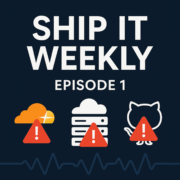
This episode of Ship It Weekly examines recent outages from Cloudflare, AWS, and GitHub, highlighting their implications for DevOps and SRE teams. The discussion focuses on how these incidents challenge assumptions about system reliability and disaster recovery strategies.
Now Playing
Special: When the Cloud Has a Bad Day: Cloudflare, AWS us-east-1 & GitHub Outages
Ship It Weekly
0:0012:54
Chapters
Jump to a section in this episode.
Speed & share
Transcript
Hey, I'm Brian from Tellers Tech, and this is
the first episode of Ship It Weekly, a quick
rundown of what this show is supposed to be.
Most weeks, this is going to be a short practical
recap of what happened in the DevOps. SRE and
platform engineering world. Stuff like big cloud
changes, notable incident write -ups, useful
new tools, and the occasional culture or burnout
topic. Think a couple of main stories, a quick
tools and releases segment, and maybe one human
thing at the end. This first episode is going
to be a little different. The last stretch has
had a few really big outages from providers we
all depend on. Cloudflare had a global issue
that broke a bunch of sites. AWS US East One
had a long regional incident and GitHub had a
major hiccup where core Git operations stopped
working. So instead of a grab bag of topics,
this one is more of a focused special on those
outages and what they say about how we design
our own systems. Going forward, the default will
be more typical news rundown, but I'll probably
come back to this kind of themed episode whenever
something big like this happens again. All the
links and source material will be in the show
notes if you want the full timelines and technical
details. Alright, let's start with Cloudflare.
On November 18th, Cloudflare had a bad morning
and took a decent chunk of the internet with
it. If you were online, you probably saw it in
one form or another. Lots of sites and apps that
sit behind Cloudflare started returning Cloudflare
error pages instead of real responses. Big names,
smaller sites, random government and financial
pages, all showing variations of we can't reach
the origin or something went wrong. Cloudflare
has since shared enough detail to understand
the shape of it. The issue started with a configuration
file they generate to manage threat traffic.
That file grew much larger than they expected,
and that pushed part of their internal traffic
management software into a failure mode. Once
that system went sideways, they couldn't reliably
process requests for a lot of customers until
they got it back under control. They were pretty
clear there's no sign this was an external attack.
This was normal complex system at scale behavior,
config and software interacting in a way that
wasn't caught ahead of time. From our side, the
interesting part isn't Cloudflare is unreliable
because everybody at that scale has incidents.
The part that matters is how many of us quietly
treat our CDN and WAF layer as if it can't fail.
If all of your HTTP traffic goes through one
provider and you have no way around them, then
your uptime is effectively pinned to their uptime.
A couple of questions this should raise for your
own setup. If your CDN is down for two or three
hours in the middle of the day, what happens
to your users? Do you have a way to temporarily
route some traffic directly to your origin? Is
that just a theoretical DNS change, or is it
a documented, tested step you've actually walked
through? And do you have monitoring that makes
it obvious the CDN layer is broken but our origin
is fine, or would you be piecing that together
from user reports and a status page? Cloudflare
frontends a huge percentage of the web. Incidents
like this are not rare in the big picture. They're
good prompts for a realistic, CDN is down, tabletop
exercise with your team. Let's move from the
edge of the internet into the cloud itself and
talk about AWS US East 1. Back on October 20th,
AWS had a major incident in the US East 1 region.
Depending on which analysis you read, it impacted
well over 100 AWS services and lasted somewhere
in the 14 -15 hour range. That's not a brief
blip, that's most of the workday. A lot of well
-known companies reported knock -on effects,
slow or failing requests, backends timing out,
and internal tools misbehaving. If you look at
AWS's own summaries and third party breakdowns,
you see a combination of issues inside key subsystems.
Services that monitor and manage other services
had problems. There were DNS resolution issues
inside the region and the control plane APIs
people depend on to manage resources were degraded
or error prone for long stretches. The important
bit for us is how that intersects with the way
people talk about high availability. and disaster
recovery. A lot of teams quite honestly stop
at, we're spread across multiple availability
zones in the US East one, so we're good. That
helps if a single data center has a power problem
or a localized failure. It does very little for
you when the whole region is unhealthy in ways
that touch both data plane and control plane.
The second pattern that shows up in postmortems
and social posts is the backup plan. You see
some version of, if US East 1 has trouble, we'll
just redeploy to another region with Terraform
or CloudFormation. But in an event like this,
the very APIs those tools rely on are also degraded.
So your recovery plan assumes the control plane
is perfectly usable at the exact moment AWS is
saying, we're having issues with the control
plane operations in this region. A few questions
to think about in the context of your own systems.
Do you have anything running in another region
right now, even in a scaled down form that could
serve as a fallback, not theory, but actual workloads
you can point to? Could you provide some kind
of degraded experience from that secondary region
without building it on the fly in the middle
of an incident? And have you ever walked through
a full failover? and fail back end to end when
things were calm so you know what breaks, how
long it actually takes, and who needs to be involved.
I'm not saying everyone should be active active
everywhere. That's not realistic for most teams.
But if you call a system mission critical, and
it only exists in a single AWS region with untested,
we'll spin it up elsewhere docs, incidents like
this are a pretty strong signal that's not a
Now, let's shift from user -facing outages and
regional issues to something closer to home.
GitHub. On November 18th, the same day as the
Cloudflare incident, GitHub had its own major
problem. According to their status updates and
multiple tracking sites, they started investigating
failures on all Git operations in the early evening
of UTC. That meant push, pull, clone, over both
HTTP and SSH were failing or timing out. A bit
later, they also called out degraded availability
for code spaces. It took roughly an hour before
they reported recovery. From a development and
operations perspective, that touches a lot of
things at once. CI systems that do a fresh clone
from GitHub every run will fail. GitOps tools
like Argo CD or Flux that continuously sync from
GitHub will stop updating. Developers trying
to push a fix for some other outage can't get
their code up. And if your only CI system is
GitHub Actions, those workflows are either delayed
or completely blocked. So while GitHub going
down doesn't look like a classic production is
down incident, it absolutely can turn into one
because it stops you from changing production
at the exact moment you might need to. Most teams
don't have a playbook for GitHub is unavailable
in the same way they have a run book for ServiceX
is unhealthy. A few things worth considering.
Do you have read -only mirrors of your most important
repositories anywhere else? Another Git provider,
an internal mirror, anything? Even a simple periodic
mirror of your infra and core app repos can make
a difference. Can your CI run from a cached copy
of the repo and existing artifacts for some period
of time? Or is every pipeline hardwired to always
pull from GitHub's live API? And if GitHub Actions
is your only pipeline engine, do you have any
backup, even if it's slower and more manual,
or is the default we simply wait. None of this
has to be perfect, but your critical repos and
pipelines deserve to be treated as part of your
reliability story the same way your databases
and load balancers are. Now that we've looked
at Cloudflare at the edge, AWS in the region,
and GitHub in the development loop, let's zoom
out and talk about the pattern. All three of
these incidents point at the same basic reality.
We are heavily dependent on a small set of external
providers that we treat like background infrastructure.
The CDN or WAF in front of us, the primary cloud
region we run in, and the platform that hosts
our code and pipelines. When they have issues,
they expose assumptions in our designs and in
our runbooks. The root causes are also pretty
typical for large complex systems. A configuration
file grows larger than expected and interacts
badly with software that wasn't written for that
case. Internal health or management services
fail in surprising ways and drag down other components.
Service operations inside GitHub stumble and
suddenly Git operations don't reliably work.
Nothing exotic. just scale and complexity doing
what they do. For me, the practical move here
is not to panic about the cloud being fragile.
It's to get very explicit about where your external
single points of failure are and then improve
a couple of them in a concrete way. For each
major provider you depend on, ask two questions.
If this provider is impaired for a few hours
in the middle of the day, what exactly breaks
for our users and what breaks for our ability
to respond? And what is the specific set of steps
we would take with the tooling and people we
have right now? Then pick one of those areas
and move it a step forward. That might be putting
a minimal but real footprint in a second AWS
region for your most critical services and exercising
it on a schedule. Documenting and testing a simple
path to temporarily bypass the CDN for some subset
of traffic if the edge is misbehaving. or mirroring
your key repos and adjusting CI so you're not
entirely dependent on a single Git provider for
every build and deployment. You don't need a
perfect answer for every scenario, but these
kinds of outages are useful pressure tests and
they're good leverage when you're trying to justify
reliability work to people who only see the cloud
marketing slides. That's it for this first episode
of Ship It Weekly by Tellers Tech. Today was
a bit of a special, mostly focused on three related
outages and what they mean for reliability and
architecture. Going forward, the normal format
will be a little more mixed. Most weeks, I'll
cover a couple of main stories, some quick mentions
Episode 1 is a special, and it’s basically the reason Ship It Weekly exists.
When outages hit, most write-ups stop at “service X was down for Y minutes.” That’s useful, but it doesn’t help you answer the real question you get asked at work: “Could this happen to us, and what would we do?”
So this episode is a tour through three separate “cloud had a bad day” moments:
Cloudflare, AWS us-east-1, and GitHub.
Not to dunk on any of them. These companies run infrastructure at a scale most of us will never touch. The point is the pattern: even well-designed systems fail, and the failure modes are rarely the ones you expect on paper.
As you listen, I’d keep a few platform-team questions in mind:
If our CDN or DNS provider is having a rough day, do we have a fallback? Even if it’s not “multi-CDN,” do we have a clear story for what degrades gracefully vs what hard-fails?
If us-east-1 gets weird, what’s our real blast radius? Are we truly multi-region, or are we “multi-region in PowerPoint” but still dependent on a single region for identity, DNS, CI, or some shared data layer?
If GitHub is down, can we still ship? Not “can devs still code,” but can we deploy, roll back, or run emergency changes without our normal pipeline?
This is also a good example of why I don’t love the phrase “the cloud is someone else’s computer.” The cloud is a stack of dependencies, and you’re still accountable for how you consume it. The job isn’t to eliminate outages. The job is to design your systems and your runbooks so an upstream outage doesn’t turn into a full business outage.
If you’re the person people ping when prod is weird, you’re going to recognize the vibe of this episode.
And if you’re building a platform team, this is a nice reminder that “reliability work” isn’t just SLO dashboards. It’s dependency mapping, recovery plans, and making sure you have a sane break-glass path when your normal tools are unavailable.
If you want to go deeper, check the show notes below. I included the incident links and the official write-ups so you can cross-reference the details.
📝 Notes
Show Notes
In this special kickoff episode of Ship It Weekly, Brian walks through three major outages from the last few weeks and what they actually mean for DevOps, SRE, and platform teams.
Instead of just reading status pages, we look at how each incident exposes assumptions in our own architectures and runbooks:
Topics in this episode:
• Cloudflare’s global outage and what happens when your CDN/WAF becomes a single point of failure
• The AWS us-east-1 incident and why “multi-AZ in one region” isn’t a full disaster recovery strategy
• GitHub’s Git operations / Codespaces outage and how fragile our CI/CD and GitOps flows can be
• Practical questions to ask about your own setup: CDN bypass, cross-region readiness, backups for Git and CI
This episode is more of a themed “special” to kick things off.
Going forward, most episodes will follow a lighter news format: a couple of main stories from the week in DevOps/SRE/platform engineering, a quick tools and releases segment, and one culture/on-call or burnout topic. Specials like this will pop up when there’s a big incident or theme worth unpacking.
If you’re the person people DM when production is acting weird, or you’re responsible for the platform everyone ships on, this one’s for you.




Episode 1 is a special, and it’s basically the reason Ship It Weekly exists.
When outages hit, most write-ups stop at “service X was down for Y minutes.” That’s useful, but it doesn’t help you answer the real question you get asked at work: “Could this happen to us, and what would we do?”
So this episode is a tour through three separate “cloud had a bad day” moments:
Cloudflare, AWS us-east-1, and GitHub.
Not to dunk on any of them. These companies run infrastructure at a scale most of us will never touch. The point is the pattern: even well-designed systems fail, and the failure modes are rarely the ones you expect on paper.
As you listen, I’d keep a few platform-team questions in mind:
If our CDN or DNS provider is having a rough day, do we have a fallback? Even if it’s not “multi-CDN,” do we have a clear story for what degrades gracefully vs what hard-fails?
If us-east-1 gets weird, what’s our real blast radius? Are we truly multi-region, or are we “multi-region in PowerPoint” but still dependent on a single region for identity, DNS, CI, or some shared data layer?
If GitHub is down, can we still ship? Not “can devs still code,” but can we deploy, roll back, or run emergency changes without our normal pipeline?
This is also a good example of why I don’t love the phrase “the cloud is someone else’s computer.” The cloud is a stack of dependencies, and you’re still accountable for how you consume it. The job isn’t to eliminate outages. The job is to design your systems and your runbooks so an upstream outage doesn’t turn into a full business outage.
If you’re the person people ping when prod is weird, you’re going to recognize the vibe of this episode.
And if you’re building a platform team, this is a nice reminder that “reliability work” isn’t just SLO dashboards. It’s dependency mapping, recovery plans, and making sure you have a sane break-glass path when your normal tools are unavailable.
If you want to go deeper, check the show notes below. I included the incident links and the official write-ups so you can cross-reference the details.